
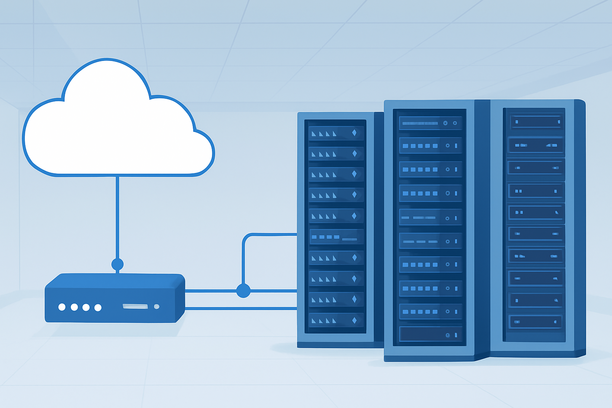
Deploying a trained AI model on a cloud server transforms it from a local prototype into a scalable, accessible service. The process involves provisioning the right hardware, configuring a secure and optimized software environment, containerizing your application, and setting up monitoring and scaling for reliability. This guide walks you through each critical phase, from initial server selection to a live, production-ready endpoint.
What Do You Need to Deploy an AI Model on a Cloud Server?
You need a cloud server with adequate compute resources (typically a GPU for deep learning), a configured software environment with your model's dependencies, a method to serve predictions via an API, and a secure network setup. The core workflow involves: 1) Choosing and renting a server instance, 2) Setting up the OS and installing dependencies, 3) Loading your model and creating an inference server, 4) Configuring networking and security groups, and 5) Implementing monitoring and a scaling strategy.
Choosing the Right Cloud Server for AI Inference
Selecting the right server instance is the foundational decision that determines your model's performance, latency, and cost. The primary choice is between a CPU-optimized server for lighter models and a GPU-accelerated server for deep learning and large language models.
CPU-based cloud servers are cost-effective for deploying smaller models (e.g., scikit-learn, TensorFlow Lite models) or for tasks where inference speed is not the primary concern. They are also suitable for preprocessing and data serving layers that surround your AI model.
GPU-based cloud servers are essential for most modern AI workloads, especially those involving neural networks for image recognition, NLP, or generative AI. A dedicated GPU provides the parallel processing power needed for fast batch inference and handling concurrent requests. When selecting, consider the GPU's VRAM (which limits model size), compute capability, and the availability of libraries like CUDA and cuDNN.
For models requiring absolute maximum performance and low latency—such as real-time recommendation engines or high-throughput API services—bare-metal cloud servers can be a powerful option, as they eliminate the virtualization overhead of shared-tenant environments.
| Server Type | Best For | Key Consideration |
|---|---|---|
| CPU Cloud VPS | Traditional ML models, lightweight inference, cost-sensitive applications. | Sufficient CPU cores and RAM; no GPU dependency. |
| GPU Cloud VPS | Deep learning models (PyTorch, TensorFlow), LLMs, computer vision. | GPU VRAM size and compute capability; library support. |
| Bare-Metal Cloud | Maximum performance, low-latency inference, avoiding noisy-neighbor effects. | Dedicated hardware; often comes with direct GPU access. |
Once your model outgrows its initial server, upgrading resources like CPU, RAM, or GPU may be necessary. Many providers allow for vertical scaling, letting you upgrade your instance's configuration without migrating to a new server.
Preparing the Server Environment
After provisioning your server, the next step is to prepare a clean, secure, and optimized software environment. This involves system updates, dependency installation, and security hardening.
Begin by logging into your server via SSH (for Linux) or Remote Desktop (for Windows). Update the system packages and install essential tools like git, wget, and your preferred text editor.
The most critical step is installing your AI framework and its dependencies. Create a virtual environment using conda or venv to isolate your project's packages and avoid conflicts. Within this environment, install the specific versions of libraries your model requires (e.g., torch, tensorflow, transformers, onnxruntime).
Security is non-negotiable. Configure the server's firewall to allow only necessary traffic. For instance, you'll need to allow inbound traffic on the port your API server will use (e.g., port 8000 or 8080) and SSH port 22 for administration. Cloud providers offer security groups or firewall rules to manage this traffic at the network level. You should create rules that explicitly allow traffic from your trusted IP ranges to your API port, while blocking all other unsolicited inbound connections.
Deploying the Model as an API Service
The core of deployment is making your model accessible through an API. You need to load the model into memory and wrap it in a lightweight web server that can receive HTTP requests, run inference, and return predictions.
Common frameworks for creating inference servers include:
- FastAPI (Python): A modern, high-performance web framework perfect for building ML APIs. You define API endpoints (e.g.,
/predict) that receive data, process it with your model, and return JSON responses. - Flask (Python): A simpler micro-framework, suitable for straightforward API development.
- NVIDIA Triton Inference Server: An enterprise-grade solution for deploying models from multiple frameworks (TensorFlow, TensorRT, PyTorch) with advanced features like dynamic batching and concurrent model execution.
A basic deployment workflow in code would look like this: load the model once at server startup, define a prediction function that accepts input data, and expose that function through a web framework's route. The server then listens for requests on a specified host and port.
Containerizing with Docker
For consistency and portability, containerizing your application with Docker is a best practice. A Dockerfile specifies the base image (e.g., nvidia/cuda:12.1.0-runtime-ubuntu22.04 for GPU support), installs system and Python dependencies, copies your model files and application code, and defines the command to start your inference server.
Using Docker ensures your deployment runs identically across development, testing, and production environments, and simplifies scaling and management on container orchestration platforms.
Configuring Networking and Access Control
For your API to be accessible, you must correctly configure the server's networking and security policies. This involves two key layers: the operating system firewall and the cloud provider's network security group.
After setting up your application server, you need to open the relevant port in the cloud provider's security group. This acts as a virtual firewall for your cloud instance. You should create an inbound rule specifying the protocol (TCP), the port your API listens on, and the source IP addresses allowed to connect (e.g., your office IP or a load balancer's range). Restricting source IPs is a critical security measure. For initial testing, you might temporarily allow your own IP, then lock it down for production.
Monitoring, Scaling, and Maintenance
Deployment is not a one-time task; it requires ongoing monitoring and a plan for scaling.
Monitoring: Implement logging to capture API requests, inference latency, and any errors. Use system monitoring tools (like htop, nvidia-smi for GPU usage) to watch resource utilization. Set up alerts for high CPU/GPU usage, memory leaks, or service downtime.
Scaling: For handling variable traffic, design your application to be stateless so that multiple instances can run behind a load balancer. Horizontal scaling (adding more server instances) is often more resilient than vertical scaling (making one server larger). For complex deployments, consider using Kubernetes or managed container services.
Maintenance: Regularly update your base system and dependencies to patch security vulnerabilities. Have a strategy for updating your model and re-deploying without service interruption, using blue-green or canary deployment patterns. Remember to implement a backup strategy for your model files and critical data.
Deployment Readiness Checklist
Use this checklist to ensure you've covered the essential steps before launching your AI model into production.
- Infrastructure & Environment
- Appropriate server instance (CPU/GPU) selected and provisioned.
- Operating system updated and essential tools installed.
- Python virtual environment created with all model dependencies pinned to specific versions.
- Model artifacts (weights, config files) securely stored and accessible on the server.
- Application & Security
- Model wrapped in a web framework (e.g., FastAPI) with defined API endpoints.
- Application containerized with Docker for consistent deployment.
- Cloud security group and/or OS firewall configured to allow only necessary traffic (API port from trusted IPs, SSH from admin IP).
- Secrets (API keys, database credentials) managed via environment variables or a secrets manager, not hardcoded.
- Operations & Scaling
- Application logging is configured and logs are being collected.
- Basic monitoring (resource usage, error rates) is in place.
- A backup or snapshot strategy is defined for the server and data.
- A plan for scaling (vertical or horizontal) and handling increased load is documented.
FAQ
How much does it cost to run an AI model on a cloud server?
Costs vary significantly based on the server type, specifications, and usage duration. A basic CPU cloud VPS might cost under $20 per month, while a powerful GPU server for running large language models can range from several hundred to over a thousand dollars per month. Pay-as-you-go billing is common, allowing you to pay only for resources used.
Can I deploy an AI model without using a GPU?
Yes, you can deploy models on a CPU-based server. This is suitable for models that are not computationally intensive during inference, such as many traditional machine learning models, smaller neural networks, or models optimized for CPU execution (like ONNX Runtime). However, for deep learning and large-scale AI, a GPU is typically required for acceptable performance.
What is the difference between model inference and model training?
Training is the computationally intensive process of teaching a model to recognize patterns using a large dataset; it requires significant GPU power and time. Inference is the process of using a trained model to make predictions on new, unseen data; it is generally less resource-intensive but needs to be fast and scalable for real-time applications.
How do I secure my AI model API on a cloud server?
Secure your API by: 1) Using a cloud security group to allow traffic only from known IP addresses. 2) Implementing authentication and authorization on your API (e.g., API keys, JWT tokens). 3) Using HTTPS to encrypt data in transit. 4) Running your application with the least necessary system privileges and within a container to limit its scope.
Should I use a dedicated cloud server or a managed AI platform for deployment?
A dedicated cloud server (VPS or bare-metal) offers full control over the environment, which is ideal for custom stacks, specific framework versions, and cost control. Managed AI platforms (like AWS SageMaker, Google Vertex AI) simplify deployment, scaling, and monitoring but offer less flexibility and can be more expensive. Choose a dedicated server if you need deep customization and want to manage the infrastructure stack yourself.
Conclusion
Deploying an AI model on a cloud server is a structured process that bridges the gap between development and production. By carefully selecting your server resources, building a secure and optimized environment, containerizing your application, and planning for monitoring and scale, you can ensure your model is delivered reliably and efficiently. For developers seeking a robust infrastructure foundation with flexible GPU options and direct network control, exploring a provider like RAKsmart can offer the right balance of performance, cost, and customization for your specific AI deployment needs. Start with a small, manageable instance, follow the security and deployment best practices outlined above, and scale your infrastructure as your application's demands grow.