
Overview
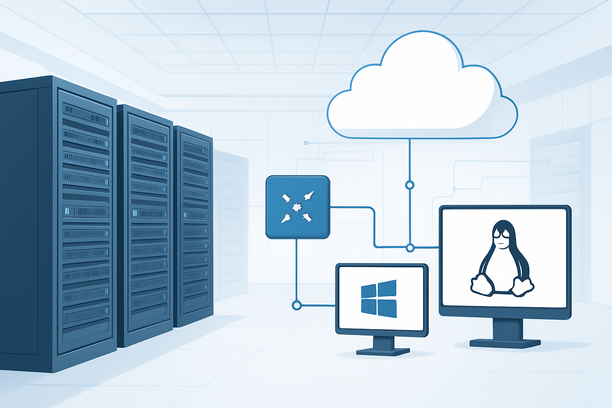
Choosing between Windows and Linux for your AI server is a foundational decision that impacts your entire deployment workflow, performance, and long-term maintainability. Linux, specifically distributions like Ubuntu or CentOS, is the industry standard for AI and machine learning workloads, offering unmatched compatibility with core libraries like CUDA, native performance for GPU-accelerated computing, and a robust command-line ecosystem for automation. Windows Server, while a viable option for enterprises invested in the Microsoft stack or specific proprietary AI tools, often introduces higher overhead and more limited software support for open-source AI frameworks. Your choice should align with your team's expertise, the specific AI tools you plan to run, and your operational requirements.
What Makes Linux the Default for AI Workloads?
Linux is the preferred OS for AI server deployment because it provides direct, optimized access to hardware drivers and development tools. The majority of AI research and production frameworks are developed, tested, and deployed first on Linux, ensuring stability and performance from day one. This native ecosystem advantage means fewer compatibility hurdles and access to the latest optimizations.
The core reasons are:
- Driver and Framework Support: NVIDIA's CUDA toolkit and AI-specific libraries like cuDNN are developed and optimized primarily for Linux. Major AI frameworks (PyTorch, TensorFlow) prioritize Linux support, releasing binaries and container images for it first.
- Performance: Linux has lower system overhead, freeing more CPU and memory resources for your AI models. It also allows for fine-grained kernel tuning to optimize for specific workloads.
- Automation and Scale: The shell scripting and command-line tools native to Linux make it trivial to automate deployment, scaling, and monitoring—critical for production AI systems.
- Community and Resources: The vast majority of tutorials, Stack Overflow answers, and open-source AI projects assume a Linux environment, simplifying troubleshooting and learning.
When Should You Choose Windows Server for AI?
Despite Linux's dominance, Windows Server is the right choice for specific scenarios where the Microsoft ecosystem is a hard requirement. If your AI workflow is tightly integrated with enterprise tools like .NET, C#, or specific Microsoft AI services (like ONNX Runtime optimizations on Windows), choosing Windows can reduce integration friction.
Consider Windows for these use cases:
- Proprietary Enterprise Software: When your AI models must run within applications built on .NET Framework or other Windows-native platforms.
- Specific AI Frameworks: Some commercial AI tools or proprietary libraries may only be supported on Windows.
- Team Expertise and GUI Management: If your team is exclusively skilled in Windows administration and requires a graphical interface for managing the server, RDP can simplify operations. For example, a one-click deployment script for a game server on a Windows Machine demonstrates the GUI-centric, script-based automation possible in this environment.
- Desktop GPU Compatibility: For development or smaller-scale inference using consumer NVIDIA or AMD GPUs, Windows drivers can sometimes be more straightforward to set up initially.
Direct Comparison: Key Factors for AI Server Deployment
Your decision should be based on a practical evaluation of your project's requirements. The table below contrasts the most critical factors.
| Feature / Factor | Linux (Ubuntu, CentOS, etc.) | Windows Server | Impact on AI Deployment |
|---|---|---|---|
| GPU Driver & CUDA Support | Excellent. First-class, day-zero support from NVIDIA. Seamless containerized deployment. | Good, but can lag. Drivers are robust, but container and cloud image support may be less mature. | Critical. Linux ensures immediate access to the latest GPU performance and security patches. |
| AI Framework Support | Native. PyTorch, TensorFlow, Hugging Face all build for Linux first. | Supported, but often as a secondary platform. Some features may be missing or delayed. | High. Linux provides the most stable and feature-complete environment for core frameworks. |
| System Overhead | Minimal. CLI-focused, low memory footprint, easy to strip to essentials. | Higher. GUI and system services consume more RAM and CPU, reducing resources for AI tasks. | High. Directly affects the cost-performance ratio of your server. |
| Automation & Scripting | Powerful. Bash, Python, and systemd provide robust, scriptable infrastructure management. | PowerShell is powerful but has a steeper learning curve for non-Windows admins. | Medium-High. Linux is generally easier for CI/CD pipelines and orchestration tools like Kubernetes. |
| Software Installation | Package managers (apt, yum) and conda are standard. |
Installer (.msi) or Chocolatey. Dependency management can be more complex. | Medium. Linux's package ecosystem simplifies setting up the full AI software stack. |
| Remote Administration | SSH (CLI) is standard and lightweight. GUI optional (X11 forwarding). | Remote Desktop (RDP) is native and graphical. | Neutral. Depends on team skillset. SSH is efficient for scripting; RDP can be simpler for visual tasks. |
| Licensing Cost | Free (community editions). | Paid licenses required per server/CAL. | Cost Factor. Windows licensing adds significant overhead, especially at scale. |
Technical Deep Dive: Why This Matters for Your AI Workload
The operating system directly interacts with the hardware that powers your AI models, particularly the GPU. The choice affects not just convenience but raw performance and reliability.
- Latency and Throughput: Linux's lower overhead and direct hardware access can lead to measurably higher training throughput and lower inference latency. The scheduler and memory management are optimized for high-performance computing workloads.
- Route Quality and Network: While the OS doesn't directly control physical network routes, Linux provides superior tools for monitoring, analyzing, and tuning network performance. This is crucial for distributed training jobs that depend on high-bandwidth, low-latency inter-node communication.
- Driver Stability and Updates: NVIDIA's Linux drivers are designed for headless, always-on servers. They are frequently updated with performance improvements for new AI models. Windows drivers, while stable, are sometimes geared more toward desktop/gaming experiences.
- Security and Access Control: Both OS offer robust security. Linux uses file permissions and SELinux/AppArmor for granular control. Managing SSH access is common, and understanding configuration is key—issues like "Permission denied" errors are often due to `sshd_config` settings that are straightforward to diagnose and fix. Windows uses Active Directory and its built-in firewall for access management.
Decision Framework and Deployment Checklist
Use this checklist to guide your choice. If more items in the "Linux" column apply, it's likely the better fit.
- Primary Framework is PyTorch, TensorFlow, or JAX?
- Linux: Native, optimized binaries and containers are the standard.
- Windows: Support exists but is secondary; potential for missing features.
- Need for Enterprise .NET/Azure Integration?
- Linux: Requires additional setup (e.g., .NET Core on Linux).
- Windows: Native, seamless integration.
- Team Expertise and Preference?
- Linux: Comfort with command line and SSH is essential.
- Windows: Familiarity with RDP, PowerShell, and the Microsoft ecosystem.
- Deployment Target: Cloud/On-Prem?
- Linux: Maximum flexibility and image availability across all cloud providers.
- Windows: Licensing costs can add to cloud VM pricing.
- Is GUI-Based Management a Requirement?
- Linux: Possible but not the native workflow.
- Windows: Intuitive with Remote Desktop.
- Project Scale and Automation Needs?
- Linux: Superior for scripting, containers (Docker), and orchestration (Kubernetes).
- Windows: Improving with WSL and containers, but not yet at parity for large-scale automation.
For most AI engineers building production systems, the Linux path is the clear winner. Providers like RAKSmart offer a range of GPU servers optimized for Linux deployments, providing a straightforward foundation for your AI infrastructure.
Frequently Asked Questions
Can I run NVIDIA CUDA and cuDNN on Windows for AI?
Yes, NVIDIA provides CUDA and cuDNN for Windows. The installation is generally straightforward, but the ecosystem of pre-built containers and many tutorials assumes a Linux environment. Ensure that the specific versions required by your AI framework are supported on Windows.
Is Windows Server performance significantly worse for AI training?
Performance on Windows is generally lower for the same hardware due to higher system overhead. However, for inference workloads with smaller models, the difference may be negligible. For large-scale, distributed training, Linux's efficiency becomes a critical advantage.
How do I handle driver and software updates on Linux for an AI server?
The recommended method is to use the distribution's package manager (apt-get or yum) to install the official NVIDIA driver and toolkit repositories. This ensures updates are managed consistently. Tools like ubuntu-drivers autoinstall can automate this process.
Can I use both operating systems on the same server?
You can set up a dual-boot system, but this is impractical for production AI workloads. The standard approach is to choose one OS per server and utilize containerization (e.g., Docker) to manage different software environments within that OS.
What about the cost of Windows Server licenses vs. free Linux?
Windows Server requires paid licenses, which can represent a significant portion of your infrastructure cost, especially when scaled across multiple servers or cores. Linux distributions like Ubuntu, CentOS, and Debian are free, eliminating this overhead.
Conclusion
The decision between Windows and Linux for AI server deployment boils down to compatibility, performance, and ecosystem. For the vast majority of AI projects—especially those leveraging open-source frameworks, cutting-edge GPU performance, and containerized deployment—Linux is the superior technical and cost-effective choice. Windows remains a valid option for specific enterprise scenarios where the Microsoft ecosystem is paramount. Carefully evaluate your project's software dependencies, team skills, and operational model against the factors outlined above to make the right foundation-level choice for your AI infrastructure.
To get started with a high-performance Linux or Windows server tailored for AI workloads, explore the GPU server options available.