
Overview
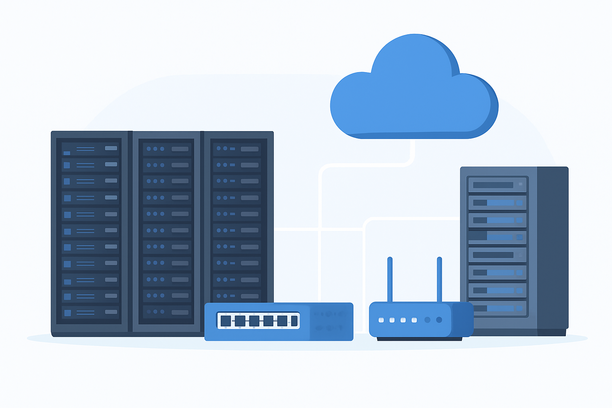
Selecting and configuring your first server for AI is a strategic decision that balances learning, cost, and future scalability. The optimal beginner setup is a virtual private server (VPS) running a stable Linux distribution like Ubuntu, provisioned with 4-8 vCPUs and 16GB of RAM. This configuration provides a secure, controlled, and affordable platform to learn server administration, deploy foundational AI software stacks, and run CPU-based experiments, creating a solid foundation before committing to expensive GPU or dedicated hardware.
What is the primary goal of a beginner AI server?
The primary goal of a beginner AI server is not to train large models or serve high-traffic applications, but to provide a hands-on environment for learning core infrastructure and AI development skills. It acts as a personal lab for mastering the Linux command line, setting up Python environments, managing project dependencies with tools like Docker, and understanding server security and monitoring—all while running on predictable, low-cost resources.
Choosing Your Foundation: VPS vs. Dedicated Server vs. Cloud GPU
For a beginner, your first infrastructure choice sets the tone for your learning curve and expenses. A cloud VPS is the recommended starting point due to its immediacy, pay-as-you-go model, and ease of scaling.
| Feature | Beginner-Friendly VPS | Dedicated Server | Cloud GPU Instance |
|---|---|---|---|
| Primary Use Case | Learning, API prototyping, small-scale inference | Sustained workloads, large model hosting | Deep learning training, LLM inference |
| Provisioning Speed | Minutes | 1-2 business days | Minutes |
| Cost Model | Hourly/Monthly, predictable | Fixed monthly fee, higher base cost | Premium hourly rate, often costly |
| Best For Beginners | Yes, ideal. Low risk, easy to manage. | No, premature commitment. | No, adds unnecessary cost and complexity initially. |
| Key Benefit | Flexibility to upgrade or delete easily. | Raw performance and reliability. | Access to parallel processing power. |
Decision Path: Begin with a CPU-based VPS. This allows you to focus on foundational skills without financial or operational overhead. Reserve GPU instances for when you have a specific, computationally intensive project that requires one.
Why Linux is the Non-Negotiable OS for AI Servers
The vast majority of AI frameworks, tutorials, and pre-configured containers are built for and tested on Linux first. Choosing Linux, specifically an LTS (Long-Term Support) version of Ubuntu Server, ensures stability, compatibility, and access to a massive community for troubleshooting.
Essential First Steps After Provisioning:
- System Update: Immediately run
sudo apt update && sudo apt upgrade -y. - User Management: Create a non-root user with
sudoprivileges for daily tasks. - Install Core Tools: Use
sudo apt install git curl wget build-essential -y.
Assembling the Core AI Software Stack
Build your software environment in logical layers.
- Python Environment: Use
aptto install Python 3. Always create isolated virtual environments for each project usingpython3 -m venvto prevent dependency conflicts. - Version Control: Install Git and learn to initialize repositories for your code.
- AI Frameworks: Within your activated virtual environment, install frameworks like PyTorch or TensorFlow (CPU version) using
pip. - Containerization: Learning to use Docker early is invaluable. It packages your application and all its dependencies into a standardized unit, simplifying deployment and ensuring consistency across different environments.
Configuring a Secure Remote Access and Management Protocol
An internet-facing server is a target from the moment it's online. Security is not optional.
Mandatory Security Configuration Checklist:
- Firewall: Configure
ufwto allow only necessary ports, starting with SSH:sudo ufw allow OpenSSH && sudo ufw enable. - SSH Key Authentication: Generate an SSH key pair on your local machine and copy the public key to the server. Disable password-based authentication in the SSH config for enhanced security.
- Fail2Ban: Install this utility to automatically ban IP addresses that show malicious signs like repeated login failures.
- Automated Updates: Enable
unattended-upgradesto apply critical security patches automatically. - Recovery Plan: Know how to reset access if locked out. Many providers offer a "rescue mode" or a password reset function in their control panel.
Monitoring Resource Usage to Guide Your Upgrade Path
Monitoring is how you learn the demands of your workloads and know when your infrastructure needs to evolve. Track CPU load, RAM usage, disk space, and network throughput.
Beginner Command-Line Tools:
htop: A interactive process viewer.df -h: Display disk space usage.free -h: Show memory usage.iftopornload: Monitor real-time network traffic.
Beyond command-line tools, many hosting providers offer graphical dashboards. For instance, if you later manage a physical server, services like RAKsmart provide a dedicated "Network Monitoring" tab in their customer portal. This feature delivers visualized graphs of incoming and outgoing traffic, which is invaluable for understanding usage patterns and planning for bandwidth needs. You can find a guide on how to use such tools in their article on how to monitor network traffic on a physical server.
When to Upgrade: Recognizing the Signs
Your infrastructure should grow with your projects. Consider upgrading when you consistently experience:
- Sustained High CPU Load: Tasks perpetually maxing out CPU cores.
- Memory Exhaustion: Applications crashing with "out-of-memory" errors.
- Slow Disk I/O: Data loading is sluggish, with high I/O wait times.
- Project Requirements: You need a GPU for deep learning, lower latency, or higher bandwidth.
Upgrading within a cloud provider, like resizing a VPS, is typically a simple and fast process. The process for more significant hardware changes, such as upgrading a bare-metal cloud server, can be managed through a provider's control panel.
Frequently Asked Questions
What is the absolute cheapest way to start a server for AI?
The most affordable method is using a cloud VPS with hourly billing. Provision a modest server (e.g., 4 vCPUs, 16GB RAM), use it only when you're actively working, and shut it down when finished. Avoid GPU instances initially, as they significantly increase cost.
Do I need a powerful GPU to start learning AI on a server?
No, a GPU is not required for beginners. You can effectively learn Python, data manipulation, and run inference on smaller models using a CPU-only server. A GPU becomes necessary later for training neural networks or running large language models that require massive parallel computation.
Can I use Windows Server for my first AI setup?
While possible, it is not recommended. The AI/ML ecosystem, including frameworks, community support, and Docker images, is heavily optimized for and centered on Linux. Choosing Windows introduces compatibility hurdles and often lacks the performance efficiency for these workloads.
How do I transfer files between my local computer and my AI server?
The standard method is using an SFTP (SSH File Transfer Protocol) client like FileZilla. After generating SSH keys, you can configure FileZilla to connect securely to your server's IP address for dragging and dropping files.
Where is the best geographical location to host my beginner AI server?
Choose a data center located geographically close to you to minimize latency (network delay) when you SSH into it. If you're in North America, a location like Silicon Valley offers excellent connectivity. The key is to select the region that provides the best response time for your specific access pattern.
Conclusion and Next Steps
The best AI server setup for a beginner is one that removes barriers to learning. By starting with a cost-effective Linux VPS, you gain immediate, secure access to a flexible environment where you can build core competencies in server management and AI development. This approach allows you to focus on your skills rather than complex infrastructure, and provides a clear, low-risk pathway to scale as your projects demand more power.
As your expertise and project requirements grow, you can confidently explore more powerful options. When the time comes to upgrade to dedicated hardware or specialized configurations, evaluating providers that offer straightforward upgrade paths and robust management tools will ensure your infrastructure can evolve seamlessly with your ambitions.