
Overview
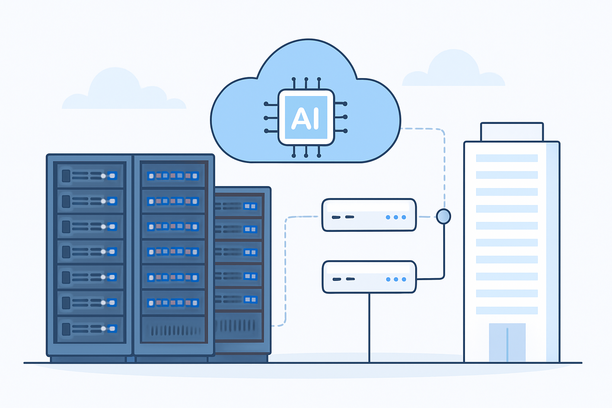
Deploying a chat AI inference server for applications like customer support bots, virtual assistants, or conversational platforms requires careful hardware and network planning to achieve low-latency, high-throughput responses. The core requirements center on powerful GPUs for parallel computation, ample VRAM to load large language models, fast system memory, sufficient CPU cores for data preparation, and a low-latency network connection to end users. Selecting the right configuration balances model performance, concurrent user capacity, and operational cost.
What Hardware Is Essential for Chat AI Inference?
The essential hardware for chat AI inference is a GPU-accelerated server with a multi-core CPU, fast storage, and a network optimized for low latency. Modern chat AI models, especially those based on transformer architectures, are designed to leverage GPU parallelism for token generation, making the graphics card the most critical component.
A typical inference server configuration includes:
- GPU: NVIDIA GPUs like the A100, A10, L40, or consumer-grade RTX 3090/4090 are common. The choice depends on the model size (parameter count) and your throughput needs.
- CPU: A modern multi-core processor (e.g., Intel Xeon or AMD EPYC) handles request orchestration, data preprocessing, and post-processing.
- RAM: Sufficient system memory (32GB to 128GB+) is needed to load model metadata, handle batch processing, and run the operating system.
- Storage: Fast NVMe SSDs are crucial for loading model weights quickly and ensuring the system isn't bottlenecked during startup or checkpointing.
- Network: A low-latency, high-bandwidth connection is non-negotiable for real-time chat, where response delays directly impact user experience.
How Does GPU Choice Impact Chat AI Performance and Cost?
GPU choice directly determines the models you can run, the number of concurrent users you can support, and your overall infrastructure cost. Larger models require GPUs with more VRAM and higher memory bandwidth to maintain acceptable tokens-per-second generation speeds.
Here’s a practical comparison of common GPU choices for inference workloads:
| GPU Model | Typical VRAM | Use Case | Cost Consideration |
|---|---|---|---|
| NVIDIA A100 | 40GB / 80GB HBM2e | Running very large models (70B+ params), high batch inference, training. | Highest cost, enterprise-grade performance. |
| NVIDIA A10 | 24GB GDDR6x | Running medium-to-large models (up to 30B-40B params), good balance of performance and efficiency. | Mid-range, excellent for many production chat apps. |
| NVIDIA L4 | 24GB GDDR6x | Optimized for efficient inference, strong for models in the 10B-30B range with lower power draw. | Mid-range, cost-effective for sustained inference. |
| NVIDIA RTX 3090/4090 | 24GB GDDR6x | Running medium models (up to 20B-30B params), often used for development or lower-concurrency deployments. | Lower upfront cost, but may lack enterprise features and reliability guarantees. |
Key Decision Factors:
- Model VRAM Footprint: A 13B-parameter model in FP16 requires ~26GB VRAM. You must select a GPU that can load the entire model.
- Batch Size & Throughput: Larger VRAM allows processing more simultaneous requests (a larger batch), which increases throughput but also increases response latency per request.
- Concurrency: For a chat application expecting many simultaneous users, a GPU with more VRAM and higher memory bandwidth (like HBM on A100s) is superior for maintaining speed under load.
What Are the Network and Latency Requirements?
For a chat AI application, network latency is as critical as processing speed. Users expect near-instantaneous responses, so the path from the end-user's device to your inference server and back must be optimized.
Why Location Matters: Placing your server physically closer to your primary user base dramatically reduces the number of network hops and the resulting latency. For instance, users in North America will experience lower pings to a server in Silicon Valley than one in Europe or Asia. RAKsmart operates a data center in Silicon Valley, making it a strategically low-latency location for targeting users across the Americas.
Network Checklist:
- Low Latency: Aim for a network path with consistent latency below 50ms to your target users for a real-time feel.
- High Bandwidth: Sufficient upstream bandwidth is needed to stream generated tokens back to the client quickly.
- Reliability: A stable connection with minimal packet loss is essential to prevent failed or garbled responses.
- DDoS Protection: Public-facing inference endpoints should be protected against volumetric attacks that could cause downtime.
How Should You Size CPU, RAM, and Storage?
While the GPU is the star, supporting components ensure smooth operation.
- CPU: A 16-32 core modern Xeon or EPYC processor is a solid baseline. The CPU manages incoming requests, prepares data batches for the GPU, handles API logic, and runs any associated software stack (like a web server or API gateway). More cores help with higher request concurrency at the application layer.
- RAM: A common rule of thumb is 2-4x the GPU VRAM. For a server with a 24GB GPU, 64GB-128GB of system RAM is a reasonable starting point. This allows for multiple model instances, efficient data handling, and system stability.
- Storage: Use NVMe SSDs for the operating system and model weight files. Model loading is I/O intensive, and slow storage will delay cold starts. For large model libraries, consider additional high-capacity SATA SSDs or HDDs for archival storage.
Decision Framework: Choosing Your Chat AI Inference Server
Use this checklist to align your requirements with a server configuration:
- Define Your Model: What specific model (e.g., Llama-2-13B, Falcon-40B) will you deploy? What is its VRAM requirement in your chosen precision (FP16, INT8, INT4)?
- Estimate Concurrency: How many simultaneous chat sessions do you need to support? This dictates required batch size and throughput.
- Set Latency Target: What is your maximum acceptable end-to-end response time (e.g., <100ms)? This influences GPU choice and network location.
- Map User Geography: Where are the majority of your users located? Choose a server location that minimizes average latency for that region.
- Budget & Scale: Is this for a proof-of-concept, a production launch, or scaling to thousands of users? This decides between cloud GPUs, dedicated bare-metal servers, or a hybrid approach.
Frequently Asked Questions
Can I run a chat AI inference server without a dedicated GPU?
While technically possible on high-end CPUs using optimized libraries, the performance is dramatically slower and unsuitable for real-time chat applications with modern transformer models. The latency would be unacceptable for interactive use. A dedicated GPU is a practical requirement.
Is cloud GPU or a bare-metal dedicated server better for chat AI?
Cloud GPUs offer flexibility, scalability, and no upfront cost, making them ideal for variable workloads or initial development. Bare-metal dedicated servers provide predictable performance, lower long-term costs for steady workloads, and full hardware control. The choice depends on your concurrency needs, budget model, and whether you prefer OpEx (cloud) or CapEx (dedicated).
How much latency is acceptable for a chat AI application?
For a feeling of natural conversation, an end-to-end response time (from user sending a message to receiving the full answer) under 500ms is good, with sub-200ms being excellent. This includes network time, GPU inference time, and application processing. Latency above 1 second can feel sluggish and break conversational flow.
What operating system should I use for an AI inference server?
Linux distributions like Ubuntu 20.04/22.04 LTS or CentOS/Rocky Linux are the standard. They have mature support for NVIDIA drivers, CUDA, and the entire AI software stack (PyTorch, TensorFlow). Windows Server is possible but often involves more configuration overhead for AI workloads. For easy management, ensure your hosting provider offers straightforward OS reinstallation capabilities if you need to switch or rebuild your environment.
How do I handle scaling if my chat traffic grows?
Start by optimizing your current server (e.g., using model quantization like INT4/INT8 to increase batch size). If you hit GPU limits, you can scale horizontally by deploying a load balancer in front of multiple inference servers, each handling a portion of the traffic. Cloud platforms excel at this, while bare-metal scaling involves adding more physical servers to a cluster.
Conclusion and Next Steps
Selecting the right chat AI inference server requires a balanced approach: a powerful GPU to run your target models at the desired speed, sufficient supporting hardware to avoid bottlenecks, and a network that delivers low latency to your users. Begin by defining your model and concurrency needs, then map those requirements to a GPU and server configuration. For workloads demanding consistent, high-performance dedicated resources, exploring bare-metal GPU servers in a strategically located data center is a compelling path forward. You can examine hosting solutions like those offered by RAKsmart to find configurations that match your specific latency and throughput targets for chat AI applications.