
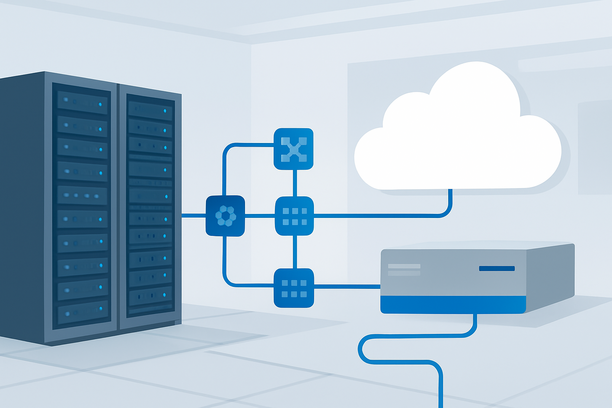
The core task of deploying an AI model on a GPU server is transforming a trained checkpoint file into a network-accessible, low-latency inference service. This guide provides a practical, step-by-step workflow focused on the operational path from a prepared model file to a responding API endpoint, emphasizing speed, clarity, and production readiness.
Where Should I Start the Deployment Process?
Begin by verifying your GPU hardware is properly recognized by the operating system, then create a clean, isolated Python environment for your project. The initial validation and environment setup form the non-negotiable foundation for all subsequent steps.
SSH into your server and immediately run nvidia-smi. This command is your first health check; it confirms the GPU is detected, the driver is active, and you can see available VRAM. If this command fails, you must resolve driver or hardware issues before proceeding.
Next, establish a reproducible software environment. Using a tool like conda or venv to create a virtual environment isolates your project's dependencies from the system Python, preventing version conflicts. Within this environment, install your chosen deep learning framework, typically PyTorch, ensuring it is installed with CUDA support enabled.
What’s the Minimal Functional Software Stack?
The minimal functional stack consists of the NVIDIA GPU driver, CUDA toolkit, cuDNN library, a Python virtual environment, and a model serving framework. While you can start with just the driver and framework, adding CUDA and cuDNN is essential for optimized performance with most modern models.
Essential Software Components
- NVIDIA Driver: The core communication layer between the OS and GPU. Install the latest stable driver from NVIDIA's official repository, not the default OS package.
- CUDA Toolkit: Provides the parallel computing platform and API. Install the version compatible with your driver and the framework you plan to use.
- cuDNN: Optimizes neural network operations. Its installation is usually a separate library package that works alongside CUDA.
- Python & Framework: A virtual environment isolating a Python installation and your framework (e.g., PyTorch, TensorFlow).
For a streamlined setup targeting LLM inference, you can often install a framework that bundles or manages these dependencies. However, understanding the stack components is crucial for troubleshooting.
How Do I Turn a Model File into a Live API?
You deploy a model as an API by loading it into a serving framework designed for production inference, which then exposes an HTTP or gRPC endpoint for client requests. The choice of framework dictates your workflow's complexity and performance characteristics.
You typically download or have a trained checkpoint (e.g., .safetensors, .bin files). You then write a serving script or configure a dedicated server to load these weights onto the GPU and define the pre-processing and post-processing logic for incoming requests. The server listens on a network port and translates API calls into model inference tasks.
Common Deployment Frameworks Comparison
| Framework | Primary Use Case | Key Advantage | Consideration |
|---|---|---|---|
| Hugging Face TGI | LLM Inference | Easy setup, built-in optimizations | Focused on text generation models |
| NVIDIA Triton | General & Multi-Model | Dynamic batching, multi-framework support | Steeper learning curve |
| vLLM | High-Throughput LLMs | PagedAttention for efficiency | Primarily for transformer LLMs |
| FastAPI + Transformers | Custom Logic, Prototyping | Maximum flexibility, full control | Requires manual optimization |
For most users starting with a popular open-source LLM, a solution like Hugging Face's Text Generation Inference (TGI) or vLLM can provide a highly optimized API with minimal configuration. This allows you to go from model files to a running server in minutes rather than hours.
What Optimizations Are Critical for Production Inference?
Critical production optimizations focus on reducing memory footprint, increasing throughput, and lowering per-request latency. Key techniques include model quantization, dynamic batching, and using efficient attention mechanisms.
Model Quantization is the process of converting model weights from high-precision formats (FP32) to lower-precision ones (FP16, INT8). This can reduce VRAM usage by 50-75% and significantly speed up inference with minimal loss in output quality. Tools like bitsandbytes or AutoGPTQ simplify this process.
Dynamic Batching allows the server to group multiple incoming inference requests into a single batch for GPU processing. This dramatically improves hardware utilization and overall throughput, especially under concurrent load. Modern serving frameworks handle this automatically.
Attention Optimization, such as FlashAttention or PagedAttention (used by vLLM), reduces the memory overhead of the attention mechanism, enabling the serving of larger batch sizes or longer sequences within the same VRAM budget.
Why Does GPU Choice and Region Matter for Deployment?
GPU choice determines your model's performance ceiling and cost efficiency, while server region impacts network latency for remote management and end-user access. Selecting a GPU with adequate VRAM and choosing a data center geographically close to your user base are fundamental architectural decisions.
GPU Selection Rationale: The GPU's VRAM capacity is the primary constraint, dictating which models can run and at what batch size. Newer architectures (like NVIDIA's Ampere or Hopper) offer superior performance for low-precision formats (FP16, INT8) through enhanced Tensor Cores, directly boosting inference speed.
Region and Network Rationale: Deploying in a region with optimized network routes (e.g., premium CN2 lines for access from China) ensures stable, low-latency connectivity for your development team to manage the server and for clients to call your API. High packet loss or latency can cripple real-time applications. For users managing infrastructure globally, selecting a provider with robust, low-latency network connectivity in key regions like Silicon Valley or Hong Kong is as important as the GPU itself.
A provider like RakSmart, which offers GPU server configurations with access to optimized CN2 network routes, can be a practical choice when both raw compute and network performance to specific geographic areas are critical for your deployment.
How Do I Validate and Monitor the Live Deployment?
Validate the live deployment by performing a test inference call via the API and checking for correct, timely responses. Continuous monitoring of GPU metrics like utilization, temperature, and VRAM usage is essential for maintaining health and performance.
After your API server is running, use a tool like curl or a Python script to send a test request to your endpoint. For example:
curl -X POST \
-H "Content-Type: application/json" \
-d '{"inputs": "Your test prompt here", "parameters": {"max_new_tokens": 100}}'
A successful response confirms your pipeline is functional.
For ongoing monitoring, use nvidia-smi in watch mode (nvidia-smi -l 1) for a quick glance, or integrate metrics into a system like Prometheus and Grafana for dashboards and alerts. Track key indicators: GPU utilization (should be high during inference), memory usage (should not be 100% to avoid swapping), and temperature (ensure it stays within safe limits).
Deployment Readiness Checklist
Use this checklist to confirm your GPU-hosted AI model is production-ready.
- Hardware validated with
nvidia-smishowing correct GPU and driver. - Operating system is updated, and firewall rules allow only necessary ports (SSH, API port).
- Dedicated Python virtual environment is active with all required packages.
- Model loads successfully onto GPU without out-of-memory errors.
- API endpoint responds correctly to a test payload with expected output.
- Load testing performed to verify performance under expected concurrent traffic.
- Basic monitoring for GPU and system metrics is in place.
- Logging for API requests and server errors is configured and writing to a file.
- A backup or snapshot procedure for model weights and configuration is documented.
Frequently Asked Questions
How much VRAM do I need to deploy a 7B parameter model?
For a 7B parameter model using standard FP16 precision, you need at least 16 GB of VRAM. If you plan to use quantization (e.g., INT8), you can reduce this to approximately 8-10 GB. Always allocate extra VRAM for overhead from activations and batching.
Can I use a Windows server for AI model deployment?
Yes, it is possible, but the ecosystem and tooling are less mature than on Linux. Windows requires installing specific NVIDIA drivers and may involve different package managers. Be aware of potential OS-specific issues; for instance, certain system component changes can lead to desktop access problems, as noted in a relevant support article.
What is the difference between deploying for testing vs. production?
Testing deployment focuses on correctness and getting a basic API running. Production deployment adds critical layers: automated health checks, load balancing, HTTPS encryption, authentication, comprehensive monitoring, and a robust backup/recovery plan.
How do I update my deployed model without downtime?
Strategies include using a blue-green deployment (running the new model alongside the old, then switching traffic), a canary deployment (gradually routing a small percentage of traffic to the new model), or leveraging a model registry and a server that supports hot-swapping weights.
Should I use a managed service or deploy on a dedicated server?
A managed service offers convenience and less operational overhead, ideal for quick launches. A dedicated server provides full control over hardware, software, and data, often at a lower long-term cost for stable workloads, and is necessary for strict data sovereignty requirements.
Conclusion
Deploying an AI model on a GPU server is a structured process of validation, setup, optimization, and rigorous testing. By starting with a verified hardware and software foundation, choosing an appropriate serving framework, and applying key production optimizations, you can efficiently transform a model checkpoint into a robust inference service. Ensure your deployment is validated with real traffic and backed by consistent monitoring. When selecting infrastructure, consider providers that offer powerful GPU configurations paired with reliable, low-latency network options to ensure your service remains both fast and accessible.