
Overview
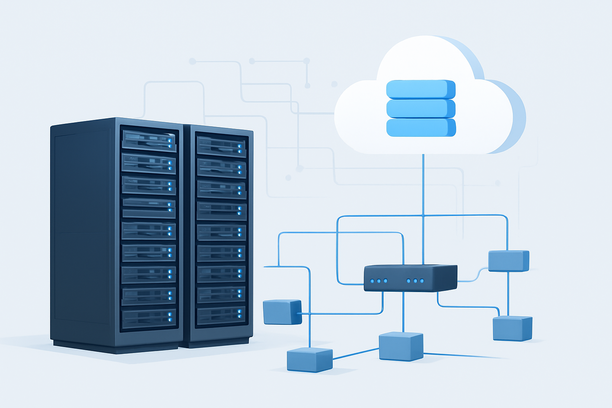
Deploying a Google Studio AI private cloud means creating a self-hosted, managed-style environment for AI model inference that mirrors the control and usability of a public AI studio but within your own sovereign infrastructure. This approach is chosen when you need the full functionality of an AI development and deployment platform—like model management, API endpoints, and monitoring—without relying on third-party APIs, thereby ensuring complete data privacy, predictable costs, and customizable performance. This guide walks through the essential steps to architect and deploy such a private AI studio on dedicated hardware.
Why Replicate an AI Studio in a Private Cloud?
Building your own AI studio grants control over the entire inference lifecycle, from data ingestion to model deployment. It is particularly valuable when your workflow demands more than raw inference; it requires an integrated environment for testing, scaling, and managing multiple models.
Full Data Sovereignty
Every prompt, generated output, and model weight remains within your physical or virtual boundary. This is critical for industries under strict compliance like healthcare (HIPAA) or finance (GDPR), where data leaving your control is not an option.
Unified Management and Control
A private studio provides a single pane of glass for deploying, versioning, and monitoring various AI models. This eliminates the fragmentation of using disparate scripts and tools, creating a cohesive MLOps environment.
Cost Predictability for High Throughput
For applications requiring consistent, high-volume inference (e.g., customer service bots, content generation engines), the fixed monthly cost of a dedicated GPU server often becomes more economical than cumulative pay-per-use API bills after the break-even point, typically around 12-18 months of steady usage.
Hardware Selection: Building Your GPU Foundation
The performance of your private AI studio is fundamentally determined by your GPU. You need a card with sufficient VRAM to load your models and fast enough compute to handle expected query loads.
| Component | Role in Private AI Studio | Recommendation for Serious Workloads |
|---|---|---|
| GPU | The core for model loading and inference. VRAM determines maximum model size; CUDA cores determine speed. | NVIDIA A100 (40GB/80GB) or H100 for enterprise-grade throughput. NVIDIA T4 (16GB) is a minimum for smaller models. |
| System RAM | Handles data pre-processing, server OS, and auxiliary services. Insufficient RAM creates a bottleneck before GPU utilization. | At least 2x the GPU's VRAM. 64GB to 128GB DDR5 is a common range. |
| Storage | Stores model weights, datasets, application logs, and temporary processing files. Fast I/O reduces model loading time. | 2TB+ NVMe SSD for high-throughput read/write operations. |
| CPU | Manages the orchestration layer, networking, and non-GPU tasks. | Modern 16+ core processor (e.g., AMD EPYC, Intel Xeon Scalable). |
For the performance, isolation, and control required by a private AI studio, a bare metal server is the optimal foundation. Providers like RakSmart offer Bare Metal Cloud and Multi-IP Bare Metal Cloud solutions, delivering the dedicated, non-shared resources necessary for consistent AI inference and platform hosting.
Network Security: Configuring Your Digital Fortress
A server hosting a valuable AI studio is a high-value target. Network security is not optional; it is the first line of defense. The principle is to default to "deny all" inbound traffic and then add specific, minimal exceptions.
Implementing a Strict Security Group
A security group acts as a virtual firewall for your server instance. The configuration process involves defining rules with Priority, Protocol, Direction, and IP Range. A lower priority number means the rule is evaluated first.
For a typical private AI studio, your inbound rules might look like this:
| Rule Name | Priority | Direction | Protocol | Port | IP Range (Source) | Purpose |
|---|---|---|---|---|---|---|
| SSH-Admin | 10 | Inbound | TCP | 22 | Your team's static IPs | Secure server administration |
| HTTPS-Studio | 20 | Inbound | TCP | 443 | Your corporate network / VPC | Access the AI studio web UI/API |
| Monitoring | 30 | Inbound | TCP | 9090 | Internal monitoring server | Prometheus metrics scraping |
For a detailed walkthrough on adding and managing these rules, refer to the Cloud Native Security Group Settings.
Access Control Best Practices
- IP Whitelisting is Mandatory: Never expose management ports like SSH to the public internet.
- VPN for Administration: Use a VPN like WireGuard for all administrative tasks, adding a layer of authentication before connection.
- Principle of Least Privilege: Run services with non-root users and use key-based SSH authentication only.
Deployment Framework: From Bare Metal to Live Studio
This checklist outlines the critical phases for deploying your private AI platform.
Phase 1: Infrastructure Provisioning
- Provision a bare metal server with your selected GPU, RAM, and storage.
- Install a clean, supported Linux distribution (e.g., Ubuntu 22.04 LTS).
- Update all system packages to their latest versions.
Phase 2: GPU and AI Stack Setup
- Install the NVIDIA driver, CUDA Toolkit, and cuDNN library. Verify functionality with
nvidia-smi. - Install containerization tools (Docker, NVIDIA Container Toolkit) or your chosen AI framework (PyTorch, TensorFlow).
- Download your model weights from sources like Hugging Face or your private repository.
Phase 3: Platform & Application Deployment
- Deploy your chosen AI studio software stack (e.g., a custom UI, or an open-source platform like Ray Serve, Kubernetes with Seldon Core).
- Configure the platform to load models and serve API endpoints, typically listening on
127.0.0.1unless internal network access is needed. - Set up a reverse proxy (Nginx, Caddy) with SSL termination if web UI access is required.
Phase 4: Operational Monitoring & Security
- Apply your strict security group rules as defined above.
- Implement monitoring for GPU utilization, temperature, VRAM usage, and system metrics (e.g., using Prometheus and Grafana).
- Configure automated backups for your models, configurations, and any persistent data.
Operational Maintenance: Keeping Your Studio Secure and Fast
Owning your infrastructure means you are responsible for its ongoing health.
- Patch Management: Regularly update the OS, NVIDIA drivers, and AI framework libraries to patch security vulnerabilities.
- Performance Monitoring: Continuously track GPU metrics to identify bottlenecks or overheating before they cause downtime.
- Backup Strategy: Implement automated, versioned backups of your model weights and platform configurations. Test restores periodically.
Decision Framework: Is a Private AI Studio Right for You?
Use this framework to evaluate if this investment aligns with your needs.
- Data Sensitivity is HIGH (e.g., medical records, legal documents, proprietary code): Essential. A public API is not an option.
- Workload is Predictable and High-Volume: Strong ROI. The fixed server cost will undercut API fees over time.
- Need for Customization and MLOps: Highly Recommended. A private studio allows deep integration and tailored workflows.
- Workload is Sporadic and Low-Volume: Public API is Simpler. The operational overhead of a private platform may not be justified.
FAQ
Can I directly replicate the Google Studio AI interface on my server?
While you can't use Google's proprietary interface, you can deploy open-source alternatives (like Ollama, vLLM with a UI) or build a custom interface that provides similar model management, chat, and API endpoint functionality, creating a functional equivalent.
What internet bandwidth does a private AI studio require?
The requirement depends on user access. For internal team use, a standard 1Gbps connection is often sufficient. For serving a high-traffic, public-facing application, a 10Gbps or dedicated line may be necessary to prevent network latency from impacting response times.
How do I ensure my private AI API is secure?
Security is layered. First, use a strict security group to limit access to your IP. Second, implement SSL/TLS encryption for all data in transit. Third, use API keys or OAuth for application-level authentication. Finally, log and monitor all access attempts.
What is the primary operational risk compared to a public API?
The primary risk is operational, not technical. Your team assumes full responsibility for uptime, security patches, hardware failures, and scaling. There is no provider SLA to fall back on; your diligence is the guarantee.
How does the total cost of ownership (TCO) compare?
For low-volume usage, public APIs are cheaper. For high, sustained usage, the TCO of a dedicated server becomes significantly lower after the break-even point. The TCO also includes your team's time for maintenance, which should be factored into the decision.
Conclusion and Next Steps
Building a private AI studio shifts control of your inference stack fully into your own hands, offering unmatched data sovereignty and performance predictability. Success depends on a secure foundation—from selecting powerful bare metal GPU hardware to implementing rigorous network security groups that act as your digital gatekeeper. The operational investment is matched by the gain in sovereignty and long-term cost efficiency for serious workloads.
For teams ready to build this sovereign environment, exploring dedicated infrastructure is the next practical step. You can evaluate the hardware specifications and current promotions for RakSmart's Bare Metal Cloud to find a foundation that matches the performance demands of your private AI platform.