
Overview
A private chat AI server is a dedicated computing environment you control, designed to host and operate large language models (LLMs) for conversational applications. Unlike public AI services, it ensures your data never leaves your infrastructure, grants you full control over model behavior and updates, and can offer predictable performance and costs. This article provides a practical framework for planning, building, and managing a private chat AI server, from hardware selection to software deployment and ongoing operations.
What Core Components Define a Private Chat AI Server?
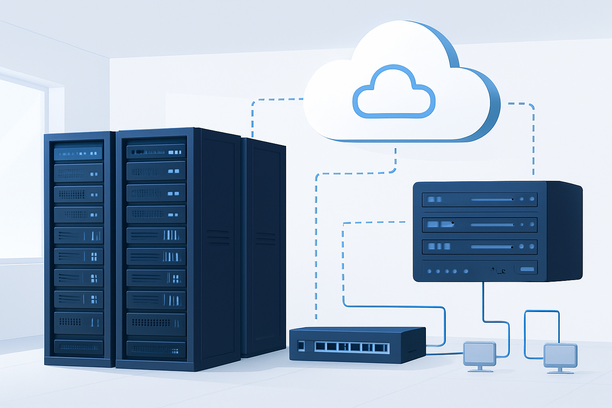
A private chat AI server fundamentally consists of three layers: compute hardware optimized for AI inference, a software stack for model management and serving, and a networking layer that ensures secure, accessible interaction. Each component must be selected based on your specific use case, whether it's a small internal team tool or a customer-facing application.
The compute hardware typically requires a powerful multi-core CPU for general processing and, most critically, one or more high-performance GPUs or specialized AI accelerators (like TPUs) to handle the computationally intensive matrix operations of neural networks. Memory is another key factor; the server must have enough RAM and GPU VRAM to load the entire model into memory for fast inference.
The software stack involves an operating system (Linux is most common for AI workloads), a model server or framework (such as Ollama, vLLM, or TGI) to host and manage the LLM, and an application layer that provides the chat interface (like Open WebUI or a custom frontend). Networking considerations include securing the server with firewalls and encryption (HTTPS/TLS), and managing bandwidth to support expected user traffic.
How Do You Choose Between a Bare-Metal Dedicated Server vs. a Cloud GPU Instance?
The choice between a dedicated (bare-metal) server and a cloud GPU instance hinges on workload predictability, budget, and operational preference. For long-term, steady-state workloads with predictable resource needs, a dedicated server often provides the best value and performance consistency. For variable workloads, rapid scaling needs, or experimental projects, the flexibility of cloud instances is advantageous.
| Factor | Bare-Metal Dedicated Server | Cloud GPU Instance |
|---|---|---|
| Upfront Cost | Higher capital expenditure (hardware purchase/lease). | Minimal or zero; pay-as-you-go operational expenditure. |
| Ongoing Cost | Lower fixed monthly/annual cost after hardware is paid for. | Can become expensive with continuous high usage. |
| Performance | No "noisy neighbors"; direct, consistent access to hardware resources. | Performance may be affected by shared infrastructure on some platforms. |
| Scalability | Scaling requires hardware procurement and physical installation. | Can scale GPU count or power up/down within minutes via API. |
| Operational Control | Full control over hardware, BIOS, and physical environment. | Limited to the virtualized environment and provider's APIs. |
| Best For | Steady 24/7 workloads, cost-sensitive long-term projects, total data sovereignty. | Dynamic workloads, development/testing, projects needing rapid global deployment. |
For sensitive applications where data privacy is paramount, a dedicated server in a controlled data center ensures that data never traverses the public cloud fabric. RAKsmart, for example, offers dedicated server hosting in their Silicon Valley data center, providing the physical infrastructure and network connectivity needed to deploy such private AI systems.
What Software Stack Is Needed for a Private AI Chat Deployment?
A typical private AI chat server software stack comprises four key layers. First, you need a robust Linux operating system, such as Ubuntu Server or Debian, as the foundation. Second, install NVIDIA drivers and the CUDA toolkit if using NVIDIA GPUs, which is essential for GPU-accelerated inference.
Third, select a model serving framework. This software loads the LLM into memory, manages inference requests, and optimizes throughput. Popular open-source options include:
- Ollama: Simplifies running and managing LLMs locally with a command-line interface.
- vLLM: A high-throughput serving engine for LLMs, focusing on efficient memory management.
- Text Generation Inference (TGI): An open-source solution from Hugging Face for deploying and serving LLMs.
Finally, deploy a web-based chat interface. Projects like Open WebUI or text-generation-webui provide a user-friendly frontend that connects to your model server's API, allowing users to interact with the AI through a browser.
How Do You Handle Model Selection and Optimization?
Selecting and optimizing the right large language model is crucial for balancing performance, cost, and accuracy. The model must fit within your hardware's memory constraints, particularly the GPU VRAM. A 7B-parameter model might require ~14GB of VRAM for fp16 inference, while a 70B model would need significantly more.
Model quantization is a key optimization technique. It reduces a model's precision (e.g., from 32-bit floating-point to 4-bit integers), drastically shrinking its memory footprint and often increasing inference speed with a minor, often acceptable, loss in accuracy. Formats like GGUF (used by Ollama and llama.cpp) are optimized for CPU and GPU inference.
Consider your use case: a coding assistant may benefit from a code-specialized model, while a general customer service bot might use a broader, instruction-tuned model. Start with a smaller, quantized version of a well-regarded model (like Llama 3, Mistral, or Phi-3) and benchmark it against your specific tasks before scaling up.
What Are the Key Steps for Deploying Your Private Chat Server?
Deployment follows a logical sequence from hardware setup to application delivery.
- Provision and Prepare the Server: Secure your dedicated server or cloud instance. Perform a clean OS installation. For Windows environments, ensure remote desktop access is configured correctly; if you encounter issues like a black screen after system changes, consult your provider's documentation for recovery steps.
- Install Core AI Drivers and Libraries: If using NVIDIA GPUs, install the latest stable NVIDIA drivers and the CUDA toolkit. Verify the installation with tools like
nvidia-smi. - Deploy the Model Serving Framework: Choose and install your serving framework. For instance, to deploy a model using Ollama, you would typically install it and then pull the desired model with a single command.
- Load and Serve the Model: Start the model server, which will load the model weights into GPU memory. Ensure the server is listening on a port (e.g.,
11434for Ollama) and is accessible locally. - Set Up the Chat Interface: Install and configure your chosen web UI. Point its API endpoint to your model server's address and port.
- Secure and Expose the Service: Configure a firewall to allow traffic only to necessary ports (e.g., for SSH and the chat interface). Use a reverse proxy like Nginx with Let's Encrypt to add HTTPS encryption. For internal use, you may only need to expose it within a VPN. For external access, ensure robust authentication is in place.
How Do You Monitor and Maintain a Private AI Chat Server?
Ongoing maintenance is critical for stability and performance. Monitor key metrics like GPU utilization, VRAM usage, CPU load, RAM, and network throughput. Set up alerts for high temperature or memory exhaustion to prevent crashes.
Regularly update your operating system, drivers, and AI software stack to benefit from performance improvements and security patches. If upgrading hardware, such as adding more RAM or swapping GPUs, use your provider's management tools. For dedicated servers, this might involve an upgrade process through their control panel.
Back up your system configuration and any custom data or fine-tuned model weights. Maintain a log of software versions and deployment steps for reproducibility. For Windows-based deployments, remember that system changes, like modifying .NET Framework versions, can sometimes cause system-level issues; a systematic approach to troubleshooting is essential.
Decision Checklist for Launching Your Private Chat AI Server
Use this checklist to guide your planning and deployment process.
- Define Use Case & Users: Clearly outline the intended purpose, number of concurrent users, and privacy requirements.
- Select Hardware Profile: Decide on CPU cores, RAM, GPU model, and VRAM based on your chosen model's size and expected load.
- Choose Provisioning Method: Select between a dedicated server for control and fixed costs or a cloud instance for flexibility.
- Pick Model & Format: Research and select an LLM that fits your task and hardware. Decide on a quantized format (like GGUF) for efficiency.
- Select Software Stack: Choose an OS, a model serving framework (Ollama, vLLM, etc.), and a chat frontend.
- Plan Security: Configure firewalls, SSH key access, and HTTPS/TLS encryption. Plan your authentication method.
- Test & Benchmark: Deploy a test instance. Run real-world queries and measure response time (latency) and throughput (tokens per second).
- Plan Monitoring & Backups: Set up system monitoring and a backup strategy for critical data.
Frequently Asked Questions
How much does it cost to run a private chat AI server?
Costs vary widely based on scale. A basic setup using a quantized 7B model could run on a dedicated server with a high-end GPU (e.g., NVIDIA RTX 3090/4090) costing a few hundred dollars per month in hosting fees. For enterprise-grade models like 70B+ parameters, costs for powerful multi-GPU servers can run into several thousand dollars monthly. Cloud GPU instances offer pay-as-you-go pricing but can become expensive with continuous use.
Can I use a consumer-grade GPU like an RTX 4090 for my private chat server?
Yes, consumer GPUs with ample VRAM (24GB on a 4090) are excellent and cost-effective for running medium-sized quantized LLMs (7B-30B parameters). They offer strong performance for many use cases. However, they lack enterprise features like ECC memory and may have limitations in multi-GPU scaling compared to professional data center GPUs like the NVIDIA A100 or H100.
What is the biggest challenge in maintaining a private AI chat server?
The biggest challenge is often ongoing optimization and updates. The AI field evolves rapidly; new models, software optimizations, and security patches are released frequently. Staying current requires continuous testing to ensure upgrades don't break your deployment and to take advantage of performance gains. Hardware scaling, when needed, also presents a logistical challenge, especially with dedicated servers.
How do I secure my private chat AI server from external threats?
Security must be layered. Start with a firewall allowing only essential ports (SSH, HTTPS). Use SSH keys instead of passwords for root login and disable root login. Ensure your web interface uses HTTPS via a reverse proxy. Implement strong authentication (like OAuth2 or API keys) for the chat application itself. Keep all software patched and monitor access logs regularly.
Is it difficult to scale a private AI chat server for more users?
Scaling has two dimensions: handling more concurrent users and increasing model capacity. For more users, you may need to scale up your server's CPU, RAM, and network bandwidth, or optimize the serving framework for higher throughput. To run larger models, you need more powerful GPUs with more VRAM, often requiring a hardware upgrade. Horizontal scaling, distributing load across multiple servers, adds significant complexity in load balancing and session management.
Conclusion and Next Steps
Building a private chat AI server provides unparalleled control over your AI infrastructure, ensuring privacy, customization, and predictable performance. The process requires careful planning around hardware selection, software stack choices, and security practices. Start by clearly defining your use case, then methodically work through the deployment checklist.
For those ready to proceed, evaluating your specific workload requirements is the first step. Whether you need the raw performance of a bare-metal GPU server or the flexibility of a cloud instance, ensure your foundation can support your chosen models efficiently. Exploring hosting providers that specialize in AI-optimized infrastructure can provide the necessary hardware and support to bring your private chat AI server to life successfully.