
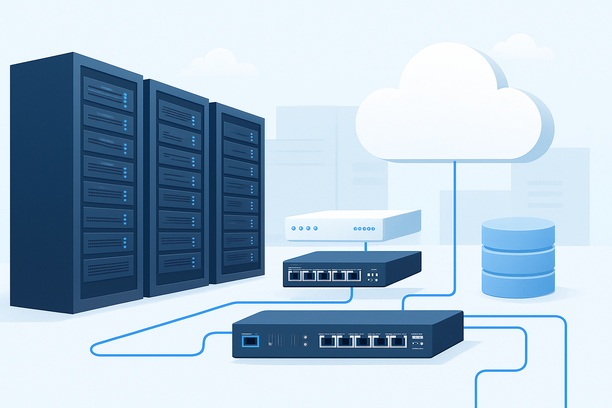
Selecting an AI hosting server isn't about buying the most expensive hardware; it's about aligning infrastructure precisely with your project's technical demands. The optimal server for fine-tuning a large language model is fundamentally different from one designed to serve thousands of concurrent chat requests. This guide provides a workload-first framework to help you diagnose your needs and make a precise, cost-effective choice.
Overview
The core of choosing an AI server is diagnosing your primary workload, which dictates the necessary compute, memory, storage, and network profile. A training-focused project demands maximum GPU VRAM and high-speed storage for massive datasets, while a real-time inference service prioritizes low-latency networking and cost-efficient throughput. By starting with your project's specific use case, you can avoid over-provisioning, prevent critical bottlenecks, and invest in the infrastructure that delivers the best performance for your dollar.
What is the First Step in Choosing an AI Hosting Server?
The first step is to clearly define your project's primary workload. This fundamental choice—training, inference, development, or a hybrid—shapes every subsequent decision about hardware, hosting model, and budget. Treating a cloud GPU as a stopgap for long-term training often leads to surprise bills, while using a dedicated server for sporadic experimentation wastes money on idle resources.
How Do Different AI Workloads Dictate Server Requirements?
Different phases of the AI lifecycle place vastly different stresses on hardware. Understanding these differences is key to avoiding mismatches.
- AI Model Training: This is a computationally intensive, batch-oriented process. The primary requirement is GPU VRAM to hold the model's parameters, optimizer states, and gradients. A model with 70 billion parameters in full precision requires over 140GB just for weights. Training also benefits from high-bandwidth storage (NVMe SSDs) to quickly feed data to the GPUs and multi-GPU interconnects like NVLink for efficient parallel processing across cards.
- AI Model Inference: Serving a trained model is a throughput-oriented task focused on responsiveness. The key metrics are latency (how fast a single request is answered) and throughput (how many requests can be handled per second). While VRAM is still needed to load the model, the focus shifts to cost-efficient GPU cores (like NVIDIA T4 or L4) and a low-latency, high-bandwidth network to quickly serve responses to end-users.
- AI Development & Experimentation: This phase involves writing code, testing small-scale scripts, and iterating on data preprocessing. It requires a flexible environment with a decent CPU, moderate RAM, and perhaps one mid-range GPU. Burstability and quick provisioning are more valuable here than sustained peak performance.
The table below summarizes how core components should be prioritized based on the workload:
| Component | Model Training Priority | Real-Time Inference Priority | Development/Experimentation Priority |
|---|---|---|---|
| GPU VRAM | Highest: Must fit model + states. | High: Must fit the full model. | Medium: A single capable GPU (e.g., 24GB) is often sufficient. |
| GPU Compute | High: Needs high FP16/BF16 throughput. | High: Needs high core count for parallel requests. | Low-Medium: Focus on single-GPU debugging. |
| System RAM | High: 2-4x total GPU VRAM for data loading. | Medium: Sufficient for the serving framework. | Low-Medium: Standard allocation is often fine. |
| Storage | Highest: Fast NVMe for datasets/checkpoints. | High: Fast NVMe for model loading. | Low-Medium: Standard SSD is acceptable. |
| Network | High (Internal): InfiniBand/NVLink for multi-GPU. | Highest (External): Low latency/bandwidth for users. | Standard: General-purpose connectivity. |
| Scalability | Medium: May need to scale up for larger models. | Critical: Must scale horizontally to meet demand. | Low: Single server is usually enough. |
How Should Location and Network Influence Your Choice?
Data center location and network quality are critical for inference latency and data transfer efficiency. If your AI application serves end-users (like a chatbot or real-time analytics), physical proximity reduces round-trip time, making the service feel snappier. A data center in a strategic hub like Silicon Valley offers strong connectivity between North America and Asia-Pacific, which is beneficial for applications with a global user base.
Furthermore, consider your data sources. If your training datasets are stored in a specific cloud region, hosting your server in the same region allows for fast, free data transfer via a private network link. For distributed training across multiple servers, the internal network speed (e.g., 25GbE, 100GbE, or InfiniBand) between machines becomes a limiting factor.
What Hosting Model Matches Your AI Workload Lifecycle?
The right hosting model depends on your workload's predictability, duration, and need for control.
- Cloud GPU Instances: Ideal for short-term training bursts, A/B testing, and unpredictable inference traffic. The pay-per-minute model offers excellent flexibility but carries the highest cost for continuous use. It's the best choice when starting out or scaling rapidly.
- Dedicated Servers: Perfect for stable, predictable inference workloads running 24/7. You get a fixed monthly cost for guaranteed hardware, avoiding cloud egress fees and variable pricing. This model offers a balance of control and managed support.
- Bare-Metal Servers: The choice for long-duration, large-scale training and high-performance computing (HPC). You have exclusive access to the entire physical server, guaranteeing consistent performance and the best cost-per-GPU over a long term. This requires more technical expertise for management. Providers offer bare-metal configurations that can be upgraded as your needs evolve; for example, you can modify bandwidth, defense, RAM, and data disks through a provider's management interface.
Decision Checklist: Choosing Your AI Server
Use this practical checklist to diagnose your needs and select the right provider.
Step 1: Profile Your Primary Workload
- Main Task: ☐ Model Training / Fine-Tuning ☐ Real-Time Inference/API Service ☐ Data Processing/Analysis ☐ General Development
- Estimated Runtime: ☐ Short bursts (hours/days) ☐ Continuous (24/7) ☐ Long-term (months)
- Concurrency Need (for inference): ☐ Single User ☐ Small Team (<50) ☐ Large Public Scale (>100)
Step 2: Specify Minimum Technical Requirements
- GPU VRAM Needed: ☐ 12-16GB (T4, 3060) ☐ 24GB (3090) ☐ 40-80GB (A100, H100)
- CPU Cores: ☐ 8-16 ☐ 32+ ☐ 64+ (for heavy preprocessing)
- RAM: ☐ 32GB ☐ 64GB ☐ 128GB+ ☐ 256GB+
- Storage Speed/Type: ☐ Standard SSD ☐ High-Perf NVMe ☐ Large HDD Array for Data Lakes
- Network Requirement: ☐ Standard 1Gbps ☐ High-Bandwidth (10Gbps+) ☐ Internal Multi-GPU Interconnect
Step 3: Select Hosting Model & Provider
- Budget Philosophy: ☐ Pay-as-you-go (Flexible) ☐ Fixed Monthly (Predictable) ☐ Long-Term Contract (Most Economical)
- Management Preference: ☐ Fully Managed ☐ Self-Managed
- Location Priority: ☐ Near End-Users (Latency) ☐ Near Data Source (Cost) ☐ Specific Region for Compliance
When evaluating providers, verify their available GPU models, flexibility to upgrade configurations later, and the location of their data centers. A provider like RAKsmart, for instance, operates data centers in Silicon Valley and offers both dedicated and bare-metal options, which can be relevant if low-latency access to Asian markets is a priority for your inference workloads.
FAQ
Can I use a standard web hosting server for AI projects?
No, standard web hosting (shared or basic VPS) lacks the specialized hardware—particularly GPUs and large memory pools—required for machine learning tasks. AI projects involve computationally intensive matrix operations and datasets that would crash or perform extremely poorly on a general-purpose web server.
What's the most important hardware component for running AI models?
For most modern AI, the GPU (Graphics Processing Unit) is the most critical component due to its ability to perform parallel computations essential for neural networks. For very large models, the GPU's VRAM is the single most limiting factor, as the model's weights must fit into this memory.
How much does network latency really matter for AI?
For training, internal network latency between multiple GPUs or servers is critical. For inference, especially for interactive applications like chatbots or live recommendations, network latency between the server and the end-user directly impacts perceived performance and user experience. Sub-100ms latency is a common target.
Is it better to rent a cloud GPU or buy a dedicated server for long-term use?
For a continuous, predictable workload running 24/7 for months, a dedicated or bare-metal server is almost always more cost-effective. Cloud pricing is optimized for variable, short-term use; running a cloud instance continuously often costs 2-3 times more than an equivalent dedicated server on a monthly or annual plan.
How do I scale my AI hosting as my project grows?
Scalability depends on your hosting model. Cloud instances scale vertically (bigger instance) or horizontally (more instances) easily via API. Dedicated/bare-metal servers often require manual intervention or migration, but some providers offer options to upgrade specific components like RAM, storage, or bandwidth within a contract term, as detailed in their server upgrade documentation.
Conclusion
Choosing an AI hosting server is a strategic decision that should begin and end with your specific workload requirements. Start by profiling whether you are training, serving, or developing, then map those needs to GPU VRAM, network, and storage specifications. Evaluate hosting models—cloud, dedicated, or bare-metal—based on your project's budget predictability and operational lifecycle. By taking this workload-first approach, you ensure your infrastructure is a powerful enabler of your AI goals, not a financial or technical bottleneck. To explore configurations suited for your next project, consider the dedicated and bare-metal server options available for AI workloads.