
Overview
Deploying AI ChatGPT applications requires choosing between using OpenAI's API, setting up a gateway, or self-hosting infrastructure—each option balances ease of use, control, and expense differently. This comparison breaks down the technical and financial trade-offs of each method to help developers and businesses select the hosting approach that aligns with their performance needs, budget constraints, and scalability goals.
What Are the Main Deployment Methods for AI ChatGPT Applications?
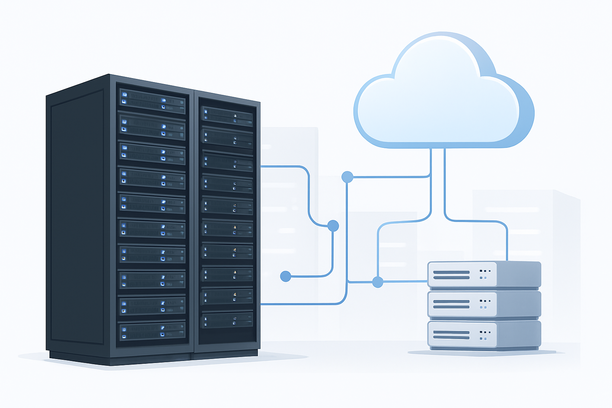
The primary ways to deploy ChatGPT-based applications are via the official API, through an API gateway, or on self-hosted infrastructure. The API method involves calling OpenAI's endpoints directly, which offers simplicity but limits customization. An API gateway acts as an intermediary, adding features like caching or rate limiting for better control. Self-hosting means running the model on your own servers, providing maximum flexibility but requiring significant technical resources.
Using the OpenAI API Directly
Direct API usage is the quickest path to integration, ideal for prototypes or small-scale apps. It eliminates server management overhead but ties you to OpenAI's pricing, latency, and rate limits. Costs scale per request, which can become unpredictable under high traffic.
Implementing an API Gateway
A gateway sits between your application and the API, enabling features like load balancing, logging, or custom authentication. This approach improves reliability and can reduce costs by caching frequent requests, though it adds a layer of complexity to setup and maintenance.
Self-Hosting ChatGPT Models
Self-hosting involves deploying open-source models like GPT variants on your own hardware, such as dedicated GPU servers or cloud instances. This offers full data control and can lower long-term costs for high-volume use, but it demands expertise in AI deployment, hardware procurement, and ongoing optimization.
How Do Network and Server Specs Impact ChatGPT Performance?
Network quality and server hardware directly affect response times, throughput, and user experience. For AI applications, low latency and high bandwidth are critical, especially when serving real-time interactions.
The Role of Network Routes
Poor network routes can introduce delays, even with powerful hardware. For instance, standard BGP paths might suffer from congestion during peak hours, while optimized lines like CN2 GIA or CMI N2 reduce latency for cross-border access. This is particularly relevant for users serving global audiences, where route stability ensures consistent API call success.
Hardware Requirements for Self-Hosting
Self-hosting ChatGPT models requires GPUs with sufficient VRAM, such as NVIDIA A100 or RTX series, along with ample RAM and fast storage. CPU performance matters for preprocessing tasks, but GPU compute is the bottleneck for inference speed. Cloud providers offer scalable GPU instances, while dedicated servers provide predictable performance for steady workloads.
Cost Comparison: API vs. Hosting Expenses
Understanding the total cost of ownership is essential for long-term planning. API costs are variable and usage-based, while hosting involves fixed or recurring expenses for infrastructure.
API Pricing Dynamics
OpenAI's API charges per token, which can add up quickly for applications with heavy usage. While this model has no upfront costs, it lacks cost predictability and may not be economical for large-scale deployments.
Hosting Cost Breakdown
Hosting costs include server rental, electricity, cooling, and maintenance. For self-hosted solutions, cloud instances bill hourly or monthly, while dedicated servers offer flat rates. Additional expenses may arise from network bandwidth, especially if using premium lines, and from software licenses or support services.
Break-Even Analysis
Calculating the break-even point helps determine when self-hosting becomes cheaper than API usage. Typically, at high request volumes, dedicated infrastructure yields savings, but it requires initial investment and technical capability to manage.
Decision Framework: Choosing the Right Hosting for ChatGPT
Use this checklist to evaluate your options based on key criteria:
- Assess your application's scale: Low traffic may favor API usage, while high volume benefits from self-hosting.
- Evaluate technical expertise: If your team lacks AI deployment skills, managed services or gateways reduce complexity.
- Consider data privacy needs: Self-hosting ensures full control over data, crucial for compliance with regulations.
- Analyze budget constraints: Start with API for low costs, then migrate to hosting as usage grows.
- Plan for scalability: Choose options that allow easy scaling, such as cloud auto-scaling groups.
Comparison Table of Deployment Methods
| Aspect | API Usage | API Gateway | Self-Hosted |
|---|---|---|---|
| Setup Complexity | Low – Simple integration | Medium – Requires gateway config | High – Involves hardware and model setup |
| Control | Limited to API features | Moderate – Customizable middleware | Full control over model and data |
| Cost Structure | Pay-per-use, variable | Gateway costs + API fees | Fixed hardware/cloud costs |
| Scalability | Limited by API quotas | Enhanced via caching/balancing | Depends on infrastructure scaling |
| Performance | Subject to API latency | Can optimize with caching | Tunable based on hardware |
| Best For | Prototypes, low traffic | Apps needing reliability/middleware | High-volume, privacy-focused apps |
Practical Steps for Setting Up Hosting for ChatGPT
To deploy ChatGPT on hosting, start by selecting the right server. For cloud deployments, choose instances with GPUs like NVIDIA T4 or A10 based on model size. For dedicated servers, ensure providers offer optimized networks for low latency.
Server Selection and Configuration
Select servers with adequate CPU cores, RAM, and storage. For AI workloads, prioritize GPU availability and network speed. Configure the operating system with drivers and frameworks like CUDA for optimal performance.
Network Optimization
Opt for hosting providers with premium network lines to minimize latency. For example, CN2 GIA routes can significantly improve response times for users in Asia, reducing API call delays.
Monitoring and Scaling
Implement monitoring tools to track performance metrics like response time and error rates. Use auto-scaling in cloud environments to handle traffic spikes without manual intervention.
If you're exploring hosting options, RakSmart offers a range of solutions, including GPU-optimized servers and network-enhanced VPS plans, which can support AI ChatGPT deployments with reliable performance and competitive pricing.
Frequently Asked Questions
What is the cheapest way to run a ChatGPT-based application?
Using the OpenAI API is cheapest for low traffic since it has no upfront costs, but self-hosting on a budget VPS or dedicated server becomes more economical as request volumes increase. Evaluate your usage patterns to determine the break-even point.
Can I self-host ChatGPT without a GPU?
Self-hosting large language models like ChatGPT typically requires GPUs for acceptable inference speed. Running on CPU alone is possible but often too slow for real-time applications, making GPU-equipped servers necessary for production use.
How does network quality affect ChatGPT API performance?
Network latency and reliability directly impact API response times. Poor routes can cause timeouts or slow replies, especially for global users. Choosing hosting with optimized networks, such as CN2 lines, can reduce these issues.
Is it better to use a cloud instance or a dedicated server for AI hosting?
Cloud instances offer flexibility and scalability for variable workloads, while dedicated servers provide consistent performance and cost predictability for steady high usage. Your choice depends on traffic patterns and long-term budget.
What security considerations are important for self-hosted ChatGPT?
Self-hosting requires securing servers against unauthorized access, encrypting data in transit and at rest, and regularly updating software. Implementing firewalls and monitoring tools helps protect against threats in production environments.
Conclusion
Choosing between API, gateway, or self-hosted hosting for AI ChatGPT applications involves weighing ease of use against control and cost. For most startups, the API offers a quick start, while growing businesses may benefit from self-hosted solutions to manage expenses and data. By assessing your technical resources and traffic needs, you can select an approach that supports your goals effectively.
If you're ready to deploy, explore RakSmart's hosting plans tailored for AI workloads, including options with optimized networks and GPU support, to ensure a smooth and performant setup.