
Overview
A functional AI photo generation server is built on a powerful GPU, but a production-grade server that serves multiple users or runs continuous batch jobs is defined by its network and storage performance. Ignoring these elements leads to slow image delivery, failed jobs, and user frustration. This guide shifts focus from initial deployment to the critical infrastructure choices that enable reliable, scalable, and responsive AI photo generation in a real-world environment.
Why are network and storage more critical after deployment?
After the initial setup, bottlenecks often move from the GPU to the system's data pathways. Slow storage delays model loading and image saving, while inadequate network configuration creates latency for remote users and API integrations. Optimizing these layers ensures your GPU's full potential is utilized without being starved for data or inaccessible to legitimate clients.
The primary challenges are delivering generated images quickly to end-users and managing the massive read/write operations involved in loading multi-GB models and saving high-resolution outputs.
Network Architecture for Low-Latency Access
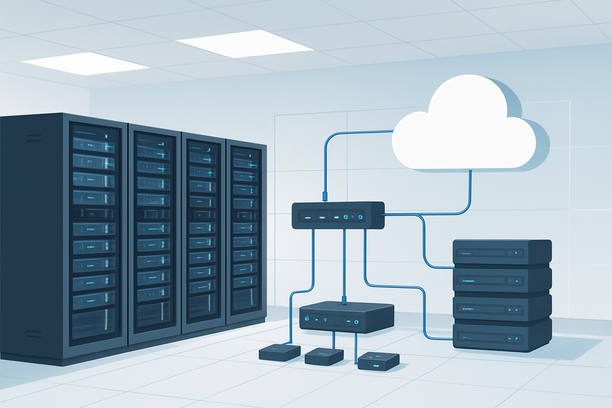
For a server used by designers, applications, or a client base, network performance directly impacts user experience. Two key considerations are the server's public network speed and its internal data transfer efficiency.
Public-facing bandwidth and routing determine how fast users can download generated images. A server with a fast, unmetered network connection in a strategic data center location minimizes latency for your primary user demographic. This is especially important if you are serving an API where response time is a key metric.
Internal network throughput is crucial if your workflow involves moving large model files between storage locations or communicating with other servers (e.g., a separate database for tracking jobs). Ensure your server's internal NIC is not a bottleneck.
For many projects, starting with a robust dedicated server provides a predictable network environment without shared bandwidth concerns. Providers like RAKsmart offer dedicated servers with substantial network capacity, which can be a suitable foundation. You can review their current dedicated server offerings to understand the baseline network specifications available for such workloads.
| Network Consideration | Impact on AI Photo Server | Recommended Action |
|---|---|---|
| Public Upload/Download Speed | Affects time for users to receive images and upload source images for inpainting. | Choose a server with high-bandwidth (1 Gbps+) ports and a route optimized for your users' geography. |
| Internal Data Bus | Dictates how fast the GPU can receive model weights from disk. | Prioritize PCIe Gen4 lanes and NVMe storage connected directly to the CPU/GPU complex. |
| Firewall & Port Management | Controls secure access to your generation API or Web UI. | Open only necessary ports (e.g., 7860 for Gradio UI, 443 for HTTPS API). Use SSH keys for admin access. |
Storage Tiers: Structuring for Speed and Capacity
A single SSD is insufficient for a professional workflow. Implement a tiered storage strategy to balance performance, capacity, and cost.
- Tier 1 (Ultra-Fast NVMe SSD): This is your active workspace. The operating system, active model checkpoints, and the current generation job's output directory should live here. Its low latency and high IOPS ensure the GPU is never waiting for data. A 1TB NVMe drive is a sensible starting point for the OS and a selection of frequently used models.
- Tier 2 (Large-Capacity SSD or HDD): This is your model archive and image repository. Store all your downloaded models, not just the ones in active use, and write completed images here. A 4TB+ SATA SSD or a RAID array of HDDs provides cost-effective bulk storage. Periodically move less-used models from Tier 1 to this tier.
This separation prevents your active workspace from filling up and slowing down, which is a common performance cliff in image generation pipelines.
Implementing Multi-User and API Access
A single-user server is simple, but many deployments require controlled access for a team or external applications. This introduces complexity around user management and request queuing.
- For Team Access: Instead of sharing a single Web UI login, deploy an authentication proxy (like OAuth2 Proxy) in front of your generation service. This allows you to manage individual user accounts, track usage, and apply rate limits without modifying the underlying AI software.
- For API Integration: Frame your generation endpoint as a formal API. Use a task queue (like Redis + Celery) to manage incoming generation requests. This decouples the user request from the GPU workload, allowing you to handle traffic spikes gracefully and provide job status feedback. It also makes it straightforward to implement billing or usage quotas.
Server Management and Recovery Procedures
Production servers require maintenance. Knowing how to recover from issues without losing progress is vital.
- OS Reinstallation: If the system becomes unstable due to driver conflicts or software issues, a clean OS reinstall is often the fastest fix. Modern control panels allow you to reinstall the operating system with options to preserve data on secondary partitions, which is crucial for protecting your Tier 2 storage archive. The procedure typically involves selecting the target disk, choosing a format option (full or first-partition only), and confirming the reinstallation. You can find details on this process in guides for how to reinstall the operating system on a physical server.
- Secure Remote Access: Always use SSH key-based authentication for Linux servers or ensure strong passwords and network-level access controls for Windows RDP. This is a fundamental security practice for any internet-facing server. Understanding how to generate and manage SSH key pairs is an essential skill for server administrators.
Pre-Production Network and Storage Checklist
Use this checklist to validate your infrastructure before opening the server for regular use.
- Public network speed tested and meets bandwidth requirements for your user base.
- Firewall rules are configured to allow only essential traffic (SSH, HTTP/S, generation UI port).
- Tier 1 NVMe storage has sufficient free space (at least 50% free for optimal performance).
- Model files are organized across storage tiers according to usage frequency.
- A backup plan for the model archive (Tier 2 storage) and configuration files is in place.
- For multi-user setups, an authentication or job queueing system is configured and tested.
- SSH key authentication is enabled, and password login is disabled for root/admin accounts.
FAQ
What network speed is sufficient for a self-hosted AI photo generation server?
For serving a small team, a 1 Gbps unmetered port is typically more than sufficient, as individual image files are rarely larger than 10 MB. For a public API handling many concurrent requests, you should prioritize low latency and high throughput, often requiring 10 Gbps ports and a network path optimized for your users' regions.
How can I prevent my server from slowing down when saving multiple images?
Implement a tiered storage system. Write output images directly to a large, high-capacity secondary drive (Tier 2) instead of your primary NVMe OS drive. This prevents I/O contention where saving images competes with the GPU loading models for disk access.
Is a dedicated server or a cloud GPU instance better for a predictable photo generation workload?
For consistent, round-the-clock generation, a dedicated server often provides better cost predictability and raw performance, as you own the hardware and are not subject to cloud billing for compute, storage, and egress. Cloud instances offer more flexibility for scaling up and down but can lead to unexpected costs with heavy data transfer.
How do I manage model files larger than my primary SSD?
Use a script or manual process to offload older or less frequently used models to your Tier 2 storage. When you need a model from the archive, copy it back to the Tier 1 NVMe drive before starting a generation job that requires it. This keeps your fast storage lean.
What is the most important security step after setting up my generation server?
Secure remote access immediately. Disable root login via SSH and use key-based authentication for all administrative access. Never expose your generation UI or API to the internet without some form of authentication or being behind a secure VPN.
Conclusion
Building an AI photo generation server is more than just selecting a GPU; it's about architecting a responsive and resilient system. By thoughtfully designing your network for speed, implementing a tiered storage strategy for throughput, and establishing secure access protocols, you transform a capable prototype into a reliable production tool. For teams and businesses, this infrastructure focus is what enables continuous, high-quality output. When evaluating hosting for such a production workload, examining the network and storage options of providers like RAKsmart can provide a clear picture of the foundational hardware available.