
Overview
Deploying a middleware server to interface with the Claude AI API is a common architectural pattern, but its success hinges on a carefully designed gateway that balances security, performance, and operational cost. This article moves beyond network selection to provide a hands-on framework for constructing the server-side layer that sits between your application and Anthropic's API. You will learn how to select a lean middleware stack, implement critical security controls, and apply cost-saving techniques without sacrificing reliability.
What is the core function of a Claude AI API gateway server?
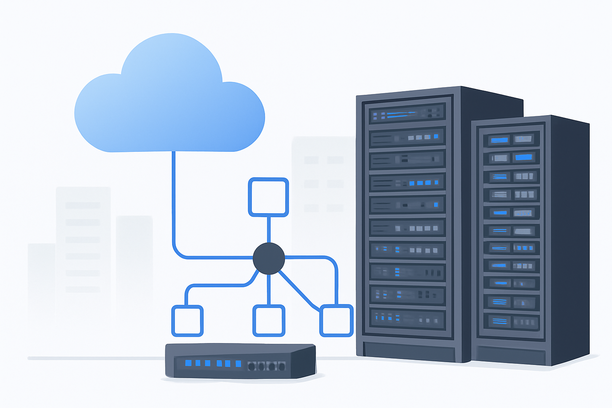
A gateway server for the Claude AI API acts as a secure intermediary, responsible for managing all inbound requests from your application or users and forwarding them to Anthropic's endpoints. Its primary roles include request validation, API key management, response caching, logging, and enforcing rate limits. This layer centralizes logic, allowing you to modify or enhance API interactions without altering the client application.
Because the gateway does not perform model inference, its hardware requirements are modest, typically focusing on network I/O and lightweight processing. The choice of software stack and security configuration, however, has a profound impact on the stability and cost-efficiency of your entire AI-powered application.
How do you select an efficient middleware stack?
The middleware stack should be chosen based on your team's expertise and the specific features required, such as WebSocket support for streaming or advanced caching. A popular, lightweight stack uses Nginx as a reverse proxy combined with a Python or Node.js application for business logic.
For a Claude API proxy, consider these components:
- Reverse Proxy: Nginx or Caddy handles TLS termination, basic request routing, and can serve as a first line of defense with rate limiting.
- Application Logic: A framework like FastAPI (Python) or Express.js (Node.js) manages API key authentication, prompt formatting, and response streaming.
- Caching Layer: Redis can store frequent, identical responses to reduce API calls and costs, especially for non-sensitive, repetitive queries.
The optimal configuration is often a VPS with 4 vCPUs, 8-16 GB of RAM, and a fast SSD. This setup comfortably runs the full stack while leaving headroom for traffic spikes. Network bandwidth and quality remain paramount, as the gateway must reliably connect to both users and the API.
What security best practices are essential for an AI API gateway?
Securing your gateway is non-negotiable, as it handles sensitive API keys and user data. A compromised gateway could lead to unauthorized API usage, data leaks, or service disruption.
Essential security measures include:
- API Key Management: Never expose Anthropic API keys in client-side code. Store them securely on the server and use environment variables.
- Authentication & Authorization: Implement robust authentication for users accessing your gateway, such as JWT tokens or API keys.
- Network Security: Configure strict firewall rules to allow only necessary inbound ports (e.g., 443 for HTTPS).
- Logging and Monitoring: Maintain detailed logs of API requests for audit trails and anomaly detection, but ensure sensitive data within prompts is redacted.
- Regular Updates: Keep the operating system, middleware software, and dependencies patched to mitigate known vulnerabilities.
Generating and using SSH key pairs for server access, as detailed in RakSmart's guides, is a fundamental step to secure remote administration and prevent brute-force attacks.
How can you optimize costs while maintaining performance?
Cost optimization for a Claude AI API gateway focuses on reducing unnecessary API calls and minimizing server resource waste. Since API usage is typically metered by token count, efficient caching and intelligent request handling are key.
- Implement Response Caching: For identical or near-identical prompts, caching the response for a defined period (e.g., 15 minutes) can cut API costs significantly.
- Optimize Prompt Payloads: Use efficient data formats and prune unnecessary context in prompts to reduce token usage.
- Right-Size Your Server: Start with a modest VPS configuration. Monitor CPU and memory usage; scale vertically only when consistently needed.
- Use Bandwidth Wisely: If your provider charges for bandwidth, compress responses (gzip) and optimize API call frequency from the gateway.
A cost-effective server typically uses a standard VPS rather than a GPU instance. The primary cost driver is API call volume, which can be managed through software optimizations on the gateway.
Gateway Deployment Decision Framework
Use this checklist to align your gateway setup with operational requirements and constraints.
- Performance Needs:
- Does your application require real-time streaming responses from Claude? (Requires WebSocket or SSE support in your stack).
- What is your expected peak requests-per-second? (Determines server CPU/RAM sizing).
- Security Posture:
- Are API keys stored securely outside of version control?
- Is all external traffic encrypted via TLS?
- Are admin access methods (SSH, RDP) secured with key-based authentication?
- Cost Control:
- Is a caching layer implemented to reduce redundant API calls?
- Have you audited prompt payloads for token efficiency?
- Is the server operating system and software stack optimized for low overhead?
- Operational Simplicity:
- Does your chosen stack align with your team's DevOps skills?
- Is logging and monitoring configured for easy debugging?
Comparison of Gateway Middleware Options
| Middleware Option | Best For | Key Advantage | Consideration |
|---|---|---|---|
| Nginx + FastAPI | Python developers needing async support | High performance, easy to scale, great for streaming | Requires Python knowledge |
| Caddy + Node.js | JavaScript/TypeScript environments | Automatic HTTPS, simple configuration | Smaller ecosystem than Nginx |
| HAProxy + Go | High-concurrency, low-latency needs | Extremely efficient, robust load balancing | Steeper configuration learning curve |
| Cloudflare Workers | Serverless, global edge deployment | No server management, built-in DDoS protection | Vendor lock-in, can have execution limits |
The best choice depends on your technical preferences and whether you prioritize simplicity or fine-grained control. For most self-managed deployments, an Nginx-based proxy paired with a lightweight application framework provides the best balance.
How do you monitor a Claude AI API gateway?
Effective monitoring involves tracking both server health and API usage metrics. Key indicators include API response latency, error rates (especially 429 rate-limit errors), cache hit ratios, and server resource utilization (CPU, RAM, network I/O). Use tools like Prometheus with Grafana for infrastructure metrics, and integrate application-specific logging into a system like the ELK Stack. Monitoring the cost per request and total API spend is crucial for maintaining budget control.
Conclusion and Next Steps
Constructing a Claude AI API gateway is fundamentally a software and security engineering task, where the server's network connection is the critical resource. By selecting an appropriate middleware stack, rigorously applying security best practices, and implementing cost-conscious caching and optimization, you can build a robust and economical bridge to Anthropic's AI capabilities.
Evaluate providers based on their network quality and VPS performance to ensure a stable foundation for your gateway. If your deployment serves users in regions like Asia while calling US-based APIs, prioritize providers with optimized network paths to minimize latency and packet loss. For a reliable starting point, explore VPS plans that offer the necessary CPU, memory, and network throughput for your chosen middleware stack.