
Overview
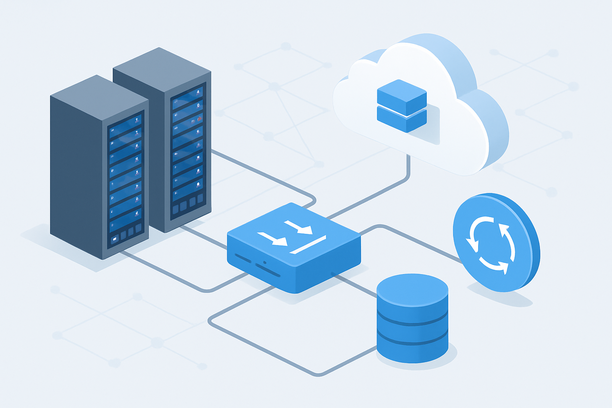
A basic Gemini API proxy forwards requests and returns responses, but it leaves you exposed to cost overruns, service outages, and security gaps. A production-grade local gateway adds encrypted key management, intelligent response caching, automatic failover to a local fallback model, and real-time cost tracking — turning a simple relay into a resilient infrastructure layer. This article focuses on the operational architecture that transforms a minimal proxy into a system capable of handling enterprise workloads against Google's cloud-only Gemini models.
Why Basic Proxying Is Not Enough for Production
A minimal proxy forwards requests and returns responses, but it introduces single points of failure, exposes raw API keys to downstream services, and offers no defense against cost spikes or Google-side outages. In production, you need defense in depth: encrypted key storage at a centralized vault, response caching to eliminate redundant API calls, automatic failover to a local model when Gemini is unreachable, and dashboards that show real-time spend and latency. Without these layers, a single misbehaving microservice can exhaust your monthly API budget in hours, and a brief Google-side incident can disable every feature that depends on Gemini.
Security Architecture: Isolating Your Gemini API Layer
The gateway's primary security role is to ensure that no internal service ever sees or stores the raw Gemini API key. All authentication happens at the gateway boundary, and downstream services authenticate to the gateway using their own short-lived tokens.
Key security components include:
- Secrets vault: Store the Gemini API key in HashiCorp Vault, AWS Secrets Manager, or a similar solution. The gateway retrieves the key at startup and rotates it on a defined schedule. Never hardcode keys in environment variables passed to application containers.
- Network segmentation: Place the gateway in a dedicated subnet or VLAN. Only the application tier should have network access to the gateway's internal endpoint. The gateway's external endpoint, if any, should sit behind a firewall with IP allowlisting.
- TLS everywhere: Terminate TLS at the load balancer or reverse proxy in front of the gateway. Use mutual TLS (mTLS) between the gateway and internal services for an additional authentication layer.
- Request sanitization: Strip or redact sensitive fields — PII, credentials, proprietary data — from prompts before they leave your network. The gateway is the last control point before data reaches Google's API.
- Audit logging: Record every request's metadata — timestamp, caller identity, model used, token count, response time — to a tamper-resistant log store. This supports compliance audits and forensic analysis.
The following table summarizes each security layer and its role in the architecture:
| Security Layer | Purpose | Implementation Options |
|---|---|---|
| Secrets Vault | Prevents key exposure in code or config | HashiCorp Vault, cloud KMS |
| Network Segmentation | Limits attack surface | Dedicated subnet, firewall rules |
| TLS Termination | Encrypts data in transit | Nginx/HAProxy with CA-issued certificates |
| Request Sanitization | Removes sensitive data before API call | Custom middleware in the gateway |
| Audit Logging | Enables compliance and forensics | Structured logs to ELK, Loki, or cloud logging |
| Rate Limiting | Prevents abuse and cost overruns | Per-user and per-tenant token buckets |
Intelligent Caching Strategies for Gemini API Cost Control
Caching is the single most impactful cost lever for Gemini API users. Identical prompts return identical completions, and many workloads — customer support bots, code generation templates, document summarization — produce high overlap in input prompts. A well-designed cache can reduce API calls by 30–60% depending on workload similarity.
Three Caching Tiers
Exact-match caching stores the full serialized request body — messages, model parameter, temperature — as the cache key. It is the simplest to implement and the most reliable: if the key matches, the response is guaranteed to be identical. Use Redis with a TTL aligned to your data freshness requirements — 1 hour for development, 24 hours for stable reference queries.
Semantic caching hashes a normalized representation of the prompt (lowercased, stripped of whitespace and system instructions) to catch near-duplicate requests. It catches variations like "Summarize this document" versus "Please summarize this document" but introduces a small risk of serving a slightly mismatched response. Implement it as a second-tier lookup after the exact-match check.
Prefix caching is effective for workloads where most requests share a common system prompt or context window. Cache the response to the shared prefix and send only the delta — new user content — to Gemini. This reduces input token count per request and lowers costs proportionally.
The practical impact varies by workload:
| Caching Tier | Token Savings | Complexity | Best For |
|---|---|---|---|
| Exact-Match | High for repeat queries | Low | Development, FAQ bots, template generation |
| Semantic | Medium-High | Medium | Customer support, search-augmented generation |
| Prefix | Medium (reduced input tokens) | High | Long-context applications, document processing |
A Redis-backed exact-match cache with a 1-hour TTL is a practical starting point. Add semantic matching later once production traffic data reveals which queries benefit most from fuzzy matching.
Multi-Model Failover: Building Resilience with Local Backup Models
Google's Gemini API, like any cloud service, experiences occasional downtime or rate-limiting. A production gateway should detect these conditions and automatically route requests to a local fallback model — typically an open-weight LLM running on a GPU server within your own infrastructure.
The failover architecture works in four stages:
- The gateway sends the request to Gemini's API with a configured timeout (typically 10–30 seconds).
- If the response succeeds, it is returned to the caller and optionally cached for future matching requests.
- If the request fails — timeout, 5xx error, or 429 rate limit — the gateway retries once, then routes the same request to a local inference endpoint.
- The local endpoint runs a model such as LLaMA 3 8B, Mistral 7B, or Phi-3, served via vLLM, Ollama, or TGI. The response is tagged with a
fallback: trueheader so downstream services can log that Gemini was unavailable.
This pattern requires a GPU-equipped server running alongside your CPU-based gateway. For lightweight fallback models in the 7–8B parameter range, an NVIDIA A10 with 24 GB VRAM provides sufficient throughput. For larger fallback models up to 30B parameters, consider an A100 40 GB or equivalent.
Providers like RakSmart offer bare-metal GPU servers with unmetered bandwidth, which suit this hybrid architecture well — the gateway runs on a CPU VPS in a low-latency US region for fast Gemini API access, while the fallback GPU server can reside in the same data center for sub-millisecond interconnect between the two tiers.
Observability Stack: Monitoring, Alerting, and Cost Tracking
A production gateway without observability is a black box that silently accumulates costs and degrades performance. Deploy three complementary monitoring layers to maintain full visibility.
Metrics collection: Use Prometheus to scrape request count, latency percentiles (p50, p95, p99), error rate, token usage per model, and cache hit ratio. Expose these metrics from the gateway application or a sidecar exporter.
Visualization and alerting: Grafana dashboards give your team real-time visibility into gateway health. Configure alerts for error rates exceeding 5% over a 5-minute window, p95 latency exceeding 2 seconds, cache hit ratios dropping below 40% — which indicates a workload shift that may require cache tuning — and daily API spend approaching your budget threshold.
Cost tracking: Maintain a separate cost ledger that maps each request to its estimated API cost based on Gemini's token pricing. Aggregate costs by calling service, team, or tenant. This data feeds directly into chargeback models and helps identify which internal consumers drive the most spend.
The monitoring stack does not need dedicated hardware. A shared VPS running Prometheus, Grafana, and a log aggregation pipeline handles gateway monitoring for most mid-scale deployments without additional infrastructure cost.
Scaling Patterns for High-Throughput Workloads
When your gateway handles hundreds or thousands of concurrent requests, a single proxy instance becomes a bottleneck. Scale horizontally using these patterns:
- Stateless proxy instances: Since the gateway stores all state in Redis and the cost ledger, you can run multiple identical instances behind a load balancer. Add or remove instances based on CPU utilization or request queue depth.
- Connection pooling: Reuse HTTP connections to Google's API rather than opening a new connection per request. This reduces TLS handshake overhead and improves throughput by 20–40%.
- Request batching: For workloads that tolerate slight delays — batch processing, nightly report generation — queue requests and send them to Gemini in batches. This reduces per-request overhead and may qualify for volume-based pricing tiers.
- Cache warming: Pre-populate the cache with responses to the most common prompts during off-peak hours. This eliminates cold-start cache misses during peak traffic periods.
The scaling approach depends on your workload profile:
| Workload Type | Primary Bottleneck | Recommended Strategy |
|---|---|---|
| Real-time chat | Latency, concurrent connections | Horizontal scaling, connection pooling |
| Batch processing | Throughput, API rate limits | Request queuing, batched API calls |
| Development/testing | Cache miss rate | Cache warming, semantic caching |
| Multi-tenant SaaS | Cost per tenant | Per-tenant rate limits, cost tracking |
Which Deployment Tier Fits Your Needs
Use the following decision framework to determine which gateway architecture matches your current requirements. Start with the minimum viable set and add components as your workload and compliance needs evolve.
- Basic proxy with TLS and key management: Required whenever more than one internal service calls Gemini. This eliminates scattered API keys and centralizes authentication.
- Redis response caching: Add this if your workload has any prompt repetition, which most production workloads do. It delivers the largest cost reduction for the least infrastructure investment.
- Secrets vault integration: Implement when your security team requires centralized key management or when you need compliance with SOC 2, ISO 27001, or similar frameworks.
- Local fallback model: Deploy a GPU server with an open-weight model if Gemini uptime is a hard SLA requirement targeting 99.9% effective availability.
- Prometheus and Grafana monitoring: Add when your team needs real-time visibility into API spend, latency trends, and error patterns.
- Horizontal scaling: Scale to multiple gateway instances when you expect more than 500 concurrent requests or need sub-second p95 latency under sustained load.
- Per-tenant cost tracking: Implement when you operate a multi-tenant platform and need chargeback visibility across teams or customers.
Over-engineering the initial deployment adds operational complexity without corresponding value. Each component should solve a measurable problem you have already encountered.
FAQ
Can I run Gemini model weights on my own GPU server?
No. Google does not publish Gemini's model weights, so there is no way to run the full Gemini model locally. "Local deployment" for Gemini means hosting the gateway, proxy, caching, and orchestration infrastructure on your own servers while inference happens on Google's cloud. For fully local inference without any cloud dependency, you would need open-weight alternatives such as LLaMA 3, Mistral, or Phi-3.
How much can response caching reduce my Gemini API costs?
Savings depend on prompt repetition in your workload. Customer support bots and FAQ-driven applications often see 40–60% reduction in API calls. General-purpose chat applications typically see 15–30% savings. Exact-match caching captures the most savings with the least complexity; semantic and prefix caching add incremental reductions but require more infrastructure and tuning effort.
What happens when Google's Gemini API goes down?
Without a fallback, your application returns errors to every user. With a multi-model failover gateway, the system detects the outage via 5xx responses or timeouts and automatically routes requests to a local open-weight model. The response is tagged so your application can handle the quality difference gracefully — for example, by logging the fallback event or displaying a notice that a simplified response was provided.
Do I need a GPU server to host a Gemini API gateway?
No. A gateway that only proxies, caches, and monitors Gemini API calls runs entirely on CPU. A standard 4-core VPS with 8–16 GB RAM handles hundreds of concurrent proxy connections comfortably. You only need a GPU server if you also run a local fallback model for failover scenarios when Google's API is unavailable.
How do I choose between a VPS and a dedicated server for my Gemini proxy?
A VPS is sufficient for most gateway workloads — it provides easy scaling, quick provisioning, and adequate network performance. A dedicated server makes sense when you need guaranteed network bandwidth for high-throughput proxying, when you run a GPU fallback model on the same machine, or when compliance requirements mandate hardware isolation. Start with a VPS and migrate to dedicated infrastructure only when you hit measurable performance limits.
Conclusion
A production Gemini AI gateway transforms a simple API proxy into a resilient, cost-controlled infrastructure layer. Security isolation protects your API keys and user data in transit. Intelligent caching eliminates redundant API calls and their associated costs. Multi-model failover ensures your application stays available even when Google's API is not. Observability gives your team the visibility to optimize spending and scale with confidence. Start with the core components — a TLS-terminated proxy with Redis caching — and add failover, monitoring, and horizontal scaling as your workload demands. Explore RakSmart's GPU and VPS hosting options to find the right infrastructure foundation for your Gemini gateway deployment.