
Overview
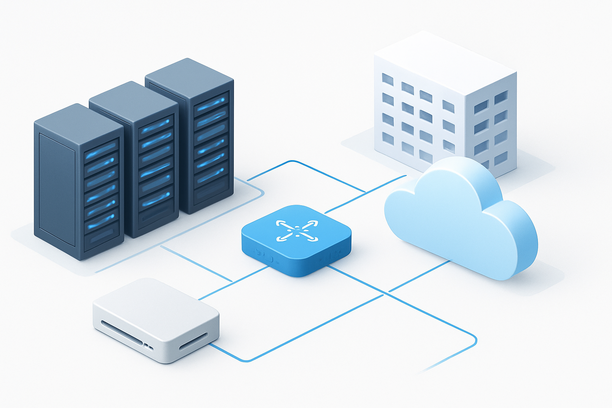
Deploying a "local" solution for Gemini AI means constructing a self-hosted gateway server that securely proxies requests to Google's cloud-based Gemini API. This gateway is not a place to run the model itself but a critical control point for managing traffic, enforcing security, optimizing costs, and reducing latency. The success of this architecture hinges almost entirely on the physical infrastructure you select for your gateway server. This guide moves beyond software patterns to focus on the foundational infrastructure and network decisions that determine your gateway's performance and cost-effectiveness.
Why Does My Server's Location Matter for a Gemini AI Proxy?
The physical location of your gateway server has the most significant impact on latency, as it determines the network path and number of hops your API requests must travel to reach Google's endpoints. For an interactive AI application, even 50ms of added latency can degrade user experience. Placing your gateway strategically minimizes this round-trip time.
Your goal is to choose a server location with a high-quality, direct connection to Google's network. Major cloud providers and premium data centers often have private peering arrangements or direct fiber links to Google's backbone. This avoids unpredictable public internet routing. For teams serving global users, a multi-region deployment strategy is advisable, with gateways in key geographic zones (e.g., US West, Western Europe, East Asia) and a global load balancer directing traffic to the nearest node.
How Do I Evaluate a Data Center for Low-Latency API Proxying?
When selecting a data center for your Gemini gateway, evaluate it based on network quality to cloud APIs, not just general internet speed. Look for providers that offer premium network tiers with low-latency connections to major cloud platforms.
Consider the following criteria:
- Peering Relationships: Does the provider have direct peering with Google? This is a key metric for minimizing hop count.
- Network Route Stability: Does the data center offer redundant, diverse fiber paths to prevent packet loss and jitter during peak times?
- Regional Targeting: If your primary user base is in a specific region (e.g., Southeast Asia, Europe), hosting the gateway in a nearby data center with excellent backhaul connectivity to US-based APIs can yield better performance than hosting in the US itself.
For example, a gateway in Hong Kong with premium BGP or CN2 GIA routing to US-based Google endpoints can provide lower and more stable latency for Asian users compared to a server hosted in an inferior Hong Kong facility. A provider like RAKSmart, which offers global data centers with network options like CN2 GIA for optimized cross-border routes, allows you to match your gateway's location to your audience's needs.
What Compute Resources Are Required for the Gateway Server?
The gateway itself is a lightweight application and does not require a GPU. Its requirements are focused on network throughput and CPU for handling connections, encryption/decryption (TLS), and running your caching or rate-limiting logic.
A cost-effective starting point is a VPS with 2-4 vCPUs, 4-8GB of RAM, and a solid network link (1Gbps+). The most critical component is reliable, high-bandwidth network I/O. For high-throughput production gateways serving thousands of concurrent requests, a dedicated server with a 10Gbps network port ensures you don't bottleneck on network capacity. Storage is mainly for logs and cache databases (like Redis), so fast SSD or NVMe storage is beneficial but not a primary cost driver.
Comparison Table: Gateway Server Sizing by Workload
| Workload Type | Concurrent Users | Request Volume | Recommended vCPUs | RAM | Network Port | Primary Focus |
|---|---|---|---|---|---|---|
| Development & Testing | < 10 | < 100 req/min | 2 | 4 GB | 1 Gbps | Lowest cost |
| Internal Business Tool | 10 – 100 | 100-1k req/min | 2-4 | 8 GB | 1 Gbps | Stability & security |
| Public-Facing API | 100 – 1,000+ | 1k-10k req/min | 4-8 | 16 GB | 1-10 Gbps | Low latency & high throughput |
| High-Volume SaaS Backend | 1,000+ | 10k+ req/min | 8+ | 32 GB | 10 Gbps | Maximum throughput & redundancy |
Building the Network and Cost Control Layer
Your infrastructure plan must include a strategy to control costs and ensure quality of service.
- Bandwidth Considerations: Gemini API calls involve transferring both prompts and completions, which can be significant for long-context interactions. Ensure your hosting plan includes ample, preferably unmetered, bandwidth to avoid unexpected overage charges.
- Caching Strategy: Implement a Redis or Memcached cache on your gateway to store responses for identical queries. This is the single most effective way to reduce API calls and costs. The server's RAM will determine your cache size.
- SSL Termination: Handle TLS termination at the gateway to secure traffic between your applications and the gateway, and between the gateway and Google's API. Modern CPUs handle this efficiently, but a high volume of new connections can still impact CPU usage.
A Practical Checklist for Gemini Gateway Infrastructure
Use this framework to audit your infrastructure plan before deployment.
- Latency & Routing:
- Has the server's network path to Google's API regions been tested for latency and packet loss?
- Does the data center have a history of reliable connectivity to major cloud providers?
- If serving a global audience, is a multi-region gateway strategy in place?
- Compute & Network:
- Is the server spec (vCPU, RAM) sufficient for your application's connection handling and caching needs?
- Does the network port bandwidth (1Gbps, 10Gbps) meet your peak throughput requirements?
- Is the storage fast enough (NVMe/SSD) for logging and cache databases?
- Cost Management:
- Does the hosting plan include sufficient bandwidth to handle your projected API traffic?
- Is a response caching system configured to minimize redundant API calls?
- Are API keys and quotas managed at the gateway to prevent cost overruns?
FAQ
Can I run Gemini AI completely offline or on-premise?
No. Gemini is a cloud-only model developed by Google. A "local deployment" for Gemini refers to building and hosting your own private API gateway server that acts as an intermediary between your applications and Google's hosted Gemini API service. The model inference itself always happens on Google's infrastructure.
How much bandwidth does a Gemini API gateway typically consume?
Bandwidth usage is directly proportional to your traffic volume and the length of prompts and completions. A single API call with a 4,000-token prompt and 1,000-token completion might consume 15-20KB. For a gateway handling 100,000 such calls per day, this amounts to roughly 1.5-2 GB of data transfer daily. High-volume or long-context applications will consume significantly more.
Do I need a GPU server to host a Gemini AI proxy gateway?
Generally, no. The gateway is a software proxy that routes requests and manages caching, not a model inference engine. A standard VPS or dedicated server with a strong CPU and network connection is sufficient. A GPU is only needed if you plan to run a local fallback model alongside the gateway on the same server.
How can I monitor and control my Gemini API costs effectively?
Implement a comprehensive monitoring layer at your gateway. This should include: tracking API key usage per user or service, logging token counts per request, maintaining a real-time cost dashboard based on your pricing tier, and setting hard quotas and rate limits per key to prevent runaway expenses.
What is the benefit of a hybrid setup with a local fallback model?
A hybrid architecture provides resilience and privacy. Your gateway can route standard requests to the Gemini API. For sensitive queries, requests that exceed cost thresholds, or during API outages, the gateway can automatically failover to a self-hosted, open-source LLM (like Llama 3) running on a co-located or on-premise GPU server. This requires careful network planning to keep the fallback path low-latency.
Conclusion
Constructing a private gateway for Gemini AI is an infrastructure-centric task where server selection is paramount. Prioritizing data center location and network quality directly translates to lower latency for end-users. By carefully planning your server specs, network path, and cost-control mechanisms, you build a robust and efficient bridge to Google's powerful AI capabilities. When selecting a provider for this critical component, consider a platform that offers both global data center presence and premium network options to optimize your gateway's performance for your specific user base.