
Overview
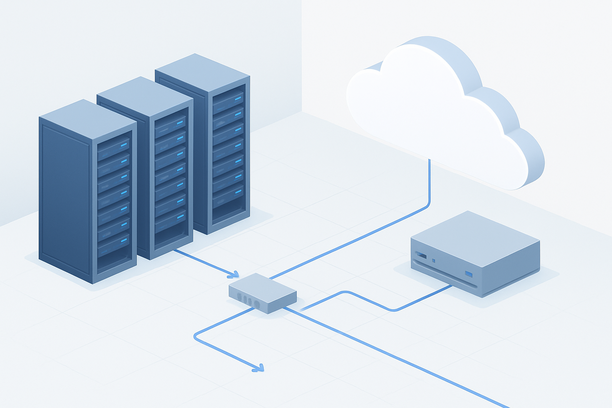
Deploying the Claude AI API on your own cloud server primarily involves setting up a secure, scalable API gateway and proxy that forwards requests to Anthropic's managed service. This tutorial walks you through the essential architectural decisions, from selecting a suitable cloud instance to configuring a production-ready endpoint, helping you manage costs, security, and performance for your AI-powered application.
What Are the Primary Architecture Options for a Claude AI Deployment?
The main options are to build a thin API proxy that forwards requests to Anthropic's endpoint, or to host a self-hosted model using the Claude weights. The thin proxy model is overwhelmingly more common and practical for most use cases, as it eliminates the immense GPU costs and operational burden of running a large language model in-house.
Most developers use this approach to implement features like usage metering, request logging, prompt moderation, and enhanced security for their API key. Your cloud server acts as a controlled entry point for your application, adding a critical layer of abstraction between your frontend and the Anthropic API.
How Do You Choose the Right Cloud Server for a Claude API Gateway?
For an API proxy, you don't need a powerful GPU. A standard cloud VPS with 2-4 vCPUs and 4-8 GB of RAM is sufficient. The primary consideration is network reliability and low latency to Anthropic's API endpoints. If you plan to implement heavy logging, preprocessing, or batch operations on the server, you might scale up to 8 vCPUs and 16 GB RAM.
For a self-hosted model (the advanced, less common option), you require a powerful GPU server. This is only feasible for specialized research or privacy-constrained use cases and is not recommended for typical application deployments due to cost and complexity. Your choice depends entirely on this fundamental architectural decision.
Technical Rationale: Server Location and Network
The physical location of your cloud server matters. Choosing a data center close to your primary user base minimizes application latency. More critically, the server's network path to Anthropic's API should be stable. A server in a major hub like Silicon Valley or New Jersey often has optimized peering. A reliable provider like RAKsmart offers cloud servers in these key locations, which can be a practical starting point for building your gateway, especially if you need flexible billing and straightforward upgrades as your traffic grows.
Step-by-Step: Building a Production API Gateway for Claude
We will outline the setup for a thin API proxy, which is the recommended deployment method. This server will securely store your Anthropic API key and manage requests.
Step 1: Provision and Secure Your Cloud Server
- Choose a Linux distribution (Ubuntu 22.04 LTS is a common choice).
- During setup, create a non-root user with sudo privileges.
- Immediately configure a firewall (like UFW) to allow only SSH (port 22) and your API port (e.g., 443 for HTTPS).
- Set up SSH key-based authentication and disable password login for enhanced security.
Step 2: Install and Configure Your API Framework
You'll use a lightweight framework to build the proxy. Here's a conceptual example using Python with FastAPI:
- Load your Anthropic API key securely from an environment variable.
- Define an endpoint (e.g.,
/v1/messages) that receives requests. - Forward the request details to the official Anthropic API.
- Return the response to your application client.
- Optionally, implement logging, token counting, or content filtering in this proxy layer.
Step 3: Set Up Process Management and Reverse Proxy
- Use a process manager like
systemdorsupervisorto run your FastAPI application, ensuring it restarts on failure or server reboot. - Install and configure a reverse proxy like Nginx. It will handle SSL/TLS termination (using a free certificate from Let's Encrypt), serve your API over HTTPS, and forward traffic to your FastAPI backend running on a local port.
Step 4: Implement Monitoring and Logging
Set up logging to track request rates, latency, errors, and usage. Consider tools like Prometheus with Grafana for dashboards or a managed logging service. This data is crucial for monitoring costs (as you may be billed per token) and performance.
Server Configuration Comparison: Gateway vs. Self-Hosted Model
When deciding on infrastructure, comparing these two primary paths is essential.
| Factor | API Gateway (Proxy) | Self-Hosted Model (Advanced) |
|---|---|---|
| Primary Compute | Standard vCPU (2-4 cores) | High-End GPU (e.g., NVIDIA A100, H100) |
| Memory (RAM) | 4-16 GB | 32-128+ GB |
| GPU Required | No | Yes, and it is the primary cost driver |
| Operational Complexity | Low (manages stateless HTTP requests) | Very High (model loading, inference optimization, updates) |
| Cost Profile | Predictable VPS cost + API usage fees | Very high hourly GPU cost + development time |
| Recommendation | Strongly recommended for 99% of use cases. | Only for specialized, large-scale, or research use cases. |
Pre-Deployment Checklist
Before you launch your service, verify the following:
- Security:
- SSH key authentication is enabled; password login is disabled.
- Firewall rules are restrictive (only necessary ports open).
- Anthropic API key is stored in a secure environment variable or secrets manager, not in code.
- Your API endpoint is served over HTTPS with a valid TLS certificate.
- Functionality:
- Your proxy correctly forwards requests and returns responses.
- Basic error handling and logging are implemented.
- You have a health check endpoint to monitor uptime.
- Operations:
- A process manager is configured to keep the application running.
- You have a plan for monitoring resource usage and API costs.
- You know how to upgrade your server if traffic increases. Learn how to upgrade a bare-metal server.
Frequently Asked Questions
Do I need a powerful GPU server to use the Claude AI API?
No, you do not. If you are using the official Claude API, you only need a standard cloud server (VPS) to host your application logic or API gateway. The intensive AI inference is performed by Anthropic's infrastructure. You only need a powerful GPU if you are attempting the far more complex and costly task of running a similar open-source model entirely on your own hardware.
What is the minimum server specification for a Claude API proxy?
A practical minimum is a cloud server with 2 vCPUs, 4 GB of RAM, and a small amount of SSD storage (20-50 GB). This provides enough headroom to run your proxy application, a reverse proxy, a database for logs, and basic monitoring tools without performance issues.
How do I manage costs when deploying my own Claude AI application?
Costs come from two areas: your cloud server and your Anthropic API usage. Control server costs by choosing a VPS plan that matches your actual needs (avoid over-provisioning). Manage API costs by implementing rate limiting, caching frequent identical requests in your proxy, and monitoring your token usage through logging and dashboards.
Is it secure to store my Anthropic API key on a cloud server?
Yes, provided you follow best practices. Never hard-code the key in your source code. Instead, use environment variables or a dedicated secrets management service. Ensure your server is properly hardened with a firewall and strict SSH access, and serve your endpoint only over HTTPS.
Can I use this deployment tutorial for other AI models like OpenAI or Gemini?
Yes, the architectural pattern is identical. The tutorial focuses on building a secure, managed API gateway. You can adapt the proxy code to forward requests to any similar AI API provider. The server requirements (standard VPS) and operational steps (securing, deploying, monitoring) remain the same regardless of the specific AI model API you are proxying.
Conclusion and Next Steps
Deploying a Claude AI gateway on a cloud server is a strategic way to build a secure, scalable, and maintainable AI application. By focusing on a thin proxy model, you avoid unnecessary complexity and cost, letting you direct resources toward developing your product's unique value.
The key is starting with a reliable, correctly-sized server and implementing robust security and monitoring from day one. As your application grows, your gateway can evolve with it, providing a stable foundation for your AI features. To begin, explore cloud server plans that offer the network performance and flexibility needed for a production API gateway.