
Overview
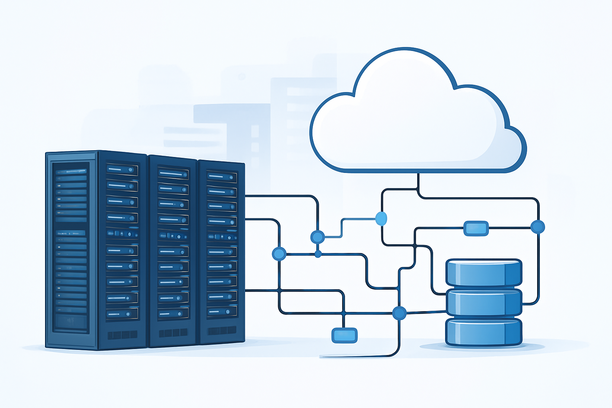
For developers, "hosting Claude AI" means creating a managed, secure server environment that acts as an intermediary between your applications and Anthropic's cloud-based API. This tutorial focuses on the critical practices for setting up this gateway, covering secure secret management, environment isolation, and production-ready deployment to ensure your integration is both robust and maintainable. The goal is to build a reliable foundation that separates your application logic from direct API interactions, enhancing security and control.
What Does "Hosting Claude AI" Actually Entail for Developers?
You do not host the large language model itself; Anthropic manages the Claude models and their underlying infrastructure. Your responsibility is to build and maintain the server that communicates with the Anthropic API. This proxy server is a crucial architectural component that solves several key development challenges:
- Secret Security: It keeps your confidential Anthropic API key secure on the server, never exposing it to client-side code or version control.
- Environment Management: It allows you to maintain separate configurations and API keys for development, staging, and production environments within a single codebase.
- Control and Extensibility: You can implement application-specific logic like rate limiting, request logging, input validation, and cost monitoring before forwarding requests to the official API.
Building this gateway is the standard practice for securely integrating any third-party AI API into a professional application stack.
Choosing Your Server Foundation: VPS vs. Dedicated
The proxy server is a lightweight, network-bound application. Its primary needs are consistent uptime, secure networking, and sufficient bandwidth for API calls and streaming responses. Your choice depends on your project's scale, compliance needs, and operational control.
| Server Type | Best For | Key Advantages | Key Considerations |
|---|---|---|---|
| Cloud VPS | MVPs, development, small-to-medium production apps. | Rapid provisioning, pay-as-you-go pricing, managed networking. | Shared underlying resources; provider reliability is crucial. |
| Dedicated Server | High-throughput apps, data-sensitive workloads, strict SLAs. | Complete resource isolation, guaranteed performance, greater control. | Higher upfront cost, requires more technical management. |
A Cloud VPS is the most common and cost-effective starting point. Prioritize a provider with data centers geographically close to your user base to minimize latency for API calls and client connections. Providers like RAKsmart offer VPS options that can serve as a reliable foundation for this type of proxy service.
Step 1: Secure Server Provisioning and Access
Before writing application code, establish a secure foundation. The process starts with selecting a server configuration and a domain for your endpoint.
Connecting Securely with SSH Keys
Your first connection to the server must be secure. Always use SSH key-based authentication and disable password login. As outlined in the guide on generating an SSH key pair, key-based authentication offers higher security against brute-force attacks, eliminates password management, and supports automation.
- Generate a Key Pair: On your local machine, run
ssh-keygento create a public/private key pair. - Install the Public Key: Upload your public key to your server during provisioning.
- Connect: Access your server with:
ssh -i ~/.ssh/your_private_key root@your_server_ipConfiguring a Professional DNS Endpoint
A production endpoint requires a stable domain. You must create a DNS record pointing a subdomain (e.g., api.yourapp.com) to your server's IP address. As described in the answers to domain-related questions, you typically log into your domain registrar's DNS management tool and add an "A" record. This provides a consistent, memorable endpoint for your applications to call.
Step 2: Building a Production-Ready Node.js Proxy
We will build a secure proxy using Node.js and Express. This stack is efficient for I/O-bound tasks like proxying API requests and handling streaming responses.
Setting Up a Secure Development Environment
A key best practice is to never hard-code secrets. Use environment variables for all sensitive data.
- Initialize the Project:
 mkdir claude-proxy && cd claude-proxy
 npm init -y
npm install express axios dotenv helmet cors- Create a Secure Environment File (
.env):
 # Production API Key
 CLAUDE_API_KEY=your_anthropic_api_key_here
 # Development API Key (different!)
 CLAUDE_API_KEY_DEV=your_dev_anthropic_api_key_here
 PORT=3000
 ALLOWED_ORIGINS=
 APP_SECRET_KEY=a_strong_random_key_for_client_validation
 NODE_ENV=development
Never commit this file to version control. Add .env to your .gitignore file immediately.
This code includes environment-aware logic, security headers, and robust error handling.
- Write the Proxy Server Code (
server.js):
 require('dotenv').config();
 const express = require('express');
 const axios = require('axios');
 const helmet = require('helmet');
 const cors = require('cors');

 const app = express();
 app.use(helmet());
 app.use(cors({ origin: process.env.ALLOWED_ORIGINS.split(',') }));
 app.use(express.json());

 // Middleware to select API key based on environment
 const selectApiKey = (req, res, next) => {
 req.claudeApiKey = process.env.NODE_ENV === 'production'
 ? process.env.CLAUDE_API_KEY
 : process.env.CLAUDE_API_KEY_DEV;
 next();
 };

 // Middleware to validate a custom application key
 const validateRequest = (req, res, next) => {
 const appKey = req.headers['x-app-key'];
 if (!appKey || appKey !== process.env.APP_SECRET_KEY) {
 return res.status(401).json({ error: 'Invalid application key' });
 }
 next();
 };

 // Proxy endpoint for Claude messages API
 app.post('/v1/messages', selectApiKey, validateRequest, async (req, res) => {
 try {
 const response = await axios.post(
 ',
 req.body,
 {
 headers: {
 'Content-Type': 'application/json',
 'x-api-key': req.claudeApiKey,
 'anthropic-version': '2023-06-01'
 }
 }
 );
 res.json(response.data);
 } catch (error) {
 console.error('Proxy error:', error.response?.data || error.message);
 const statusCode = error.response?.status || 500;
 res.status(statusCode).json({
 error: 'Proxy request failed',
 detail: process.env.NODE_ENV === 'development' ? error.message : undefined
 });
 }
 });

 // Simple health check endpoint
 app.get('/health', (req, res) => {
 res.status(200).json({ status: 'healthy', env: process.env.NODE_ENV });
 });

 const PORT = process.env.PORT || 3000;
 app.listen(PORT, () => {
 console.log(`Claude API proxy running in ${process.env.NODE_ENV} mode on port ${PORT}`);
 });
Managing Application Lifecycle with PM2
Use a process manager to keep your application running, restart on crashes, and manage logs.
npm install -g pm2
pm2 start server.js --name "claude-proxy"
pm2 save
pm2 startup # Follow the instructions for auto-start on boot
Step 3: Production Security and Monitoring
A deployed proxy is a critical security boundary. Complete these steps immediately.
- Configure the Firewall: Allow only essential traffic. On Ubuntu/Debian:
 sudo ufw allow OpenSSH
 sudo ufw allow 80/tcp
 sudo ufw allow 443/tcp
sudo ufw enable- Implement Logging and Monitoring: Pipe PM2 logs to a monitoring service. Use your hosting provider's dashboard to track CPU, RAM, and bandwidth. Implement the
/healthendpoint for external uptime checks.
Developer's Checklist: Secure Claude AI Integration
Review this list before deploying your application to production.
- Secret Management
- API keys stored in
.envfile, not in code or version control. .envfile is in.gitignoreand has restrictive file permissions (chmod 600).- Different API keys used for development and production environments.
- Server & Network Security
- SSH access restricted to key-based authentication; password login disabled.
- Firewall configured to allow only SSH (port 22), HTTP (80), and HTTPS (443).
- SSL/TLS certificate installed and configured (e.g., with Certbot).
- Non-root user created for administrative tasks.
- Application Code
- Input validation implemented on all incoming requests.
- Error messages sanitized to avoid leaking internal details in production.
- Application secret key (
APP_SECRET_KEY) is strong and unique. - Operations
- Process manager (PM2) configured to auto-restart on crash and start on boot.
- Basic logging is enabled and accessible.
- Health check endpoint (
/health) is implemented and monitored.
FAQ
Can I run the Claude model on my own server instead of using the API?
No, the tutorial focuses on hosting a gateway to Anthropic's cloud-based Claude API. The models themselves are proprietary and accessed exclusively through this API; they cannot be downloaded or run locally.
What are the minimum server specs for a Claude AI proxy?
For a proxy server, CPU and RAM are less critical than network performance and uptime. A basic Cloud VPS with 1-2 vCPUs and 1-2 GB of RAM is sufficient for many applications. The primary workload is network I/O and handling HTTP requests.
How should I handle and rotate my Anthropic API keys?
Never expose keys in your client-side code or repositories. Store them exclusively in server-side environment variables. Establish a key rotation schedule (e.g., every 90 days) by generating a new key in the Anthropic console, updating your .env file on the server, and restarting your application.
Does the location of my proxy server affect Claude API latency?
Yes. Your proxy server's geographic location adds one network hop between your application and Anthropic's API. Choose a server region for your proxy that is closest to your primary user base or application servers to minimize added latency. Network quality between your server and Anthropic's API endpoint is a key performance factor.
Is it possible to use Claude's API for free for development?
Anthropic offers a limited number of free API credits for new accounts to help with initial development and testing. Always check the latest pricing and free tier details on the official Anthropic website.
Conclusion
Building a secure and reliable server-side gateway is the essential first step for developers integrating Claude AI into their applications. By properly managing secrets, isolating environments, and implementing robust security practices from the start, you create a stable foundation that scales with your project. This approach allows you to focus on building great user experiences while ensuring your API integration remains secure and maintainable. When you're ready to deploy, explore hosting options that provide the performance and network quality your application requires.