
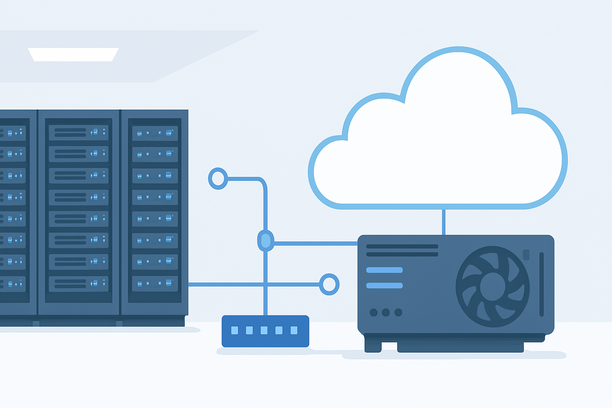
Deploying an AI model on a GPU server is the critical bridge between a development prototype and a production-ready service. This guide provides a detailed, operational walkthrough for establishing a robust inference environment on dedicated hardware, covering everything from hardware validation and secure server setup to model optimization and API deployment.
Why Deploy AI Models on a Dedicated GPU Server?
Running inference on a dedicated GPU server provides predictable performance, full control over the computational environment, and superior cost efficiency for consistent workloads compared to managed cloud endpoints. A dedicated setup eliminates multi-tenant noise, simplifies compliance for sensitive data, and allows for deep optimization tailored to your specific model and traffic patterns.
Selecting and Validating GPU Server Hardware
The foundation is hardware that matches your model's computational and memory requirements.
Critical Hardware Specs for AI Inference
- GPU VRAM (Video Memory): The primary bottleneck. A model's weights must fit entirely in VRAM for efficient inference. Plan for overhead beyond the raw model size (e.g., a 7B parameter model in FP16 needs ~14GB, so a 24GB GPU is advisable).
- GPU Compute Generation: Newer architectures (NVIDIA Ampere, Hopper) support efficient low-precision formats (FP16, BF16, INT8) and have enhanced Tensor Cores, accelerating transformer-based models significantly.
- System RAM & Storage: System RAM should be at least 2x your model size for data preprocessing. Fast NVMe SSDs are essential for quick model loading and handling large datasets.
GPU Tier Reference for Common Model Sizes
| Model Class (Parameters) | Typical VRAM Requirement (FP16) | Recommended Minimum GPU VRAM | Primary Use Case |
|---|---|---|---|
| Small (< 1B) | < 2 GB | 8 GB | NLP classifiers, lightweight vision |
| Medium (1B – 7B) | 2 – 14 GB | 16 – 24 GB | Chatbots, text generation, image analysis |
| Large (7B – 13B) | 14 – 26 GB | 32 – 48 GB | Advanced conversation, complex analysis |
| Very Large (13B+) | 26 GB+ | 48 GB+ or Multi-GPU | State-of-the-art LLMs, video generation |
Once your server is provisioned, the first step is validating the hardware. SSH into your server and run nvidia-smi to confirm the GPU is detected and the driver is active. This simple command is your initial health check before proceeding.
Preparing a Secure and Optimized Operating System
A stable, secure OS is non-negotiable. While Linux (Ubuntu Server LTS) is the standard for AI workloads, Windows Server can also be used with appropriate drivers. The process focuses on security and stability from the start.
Essential Post-Provisioning Steps
- Secure Remote Access: Before any software installation, ensure you can access the server securely. Using SSH key pairs is far more secure than password authentication alone. Generating and configuring a key pair is a foundational step for managing any Linux server, as it hardens the initial access point against brute-force attacks. Follow the guide on how to generate an SSH key pair to set this up.
- System Update & Driver Installation: Apply all system updates. Then, install the latest stable NVIDIA drivers from the official repository—avoid the often-outdated default OS drivers. A reboot is required to load the kernel module correctly.
- Essential Tools: Install basic utilities for monitoring and management:
htopfor processes,nvtopfor GPU monitoring, andnet-toolsfor network checks. - Firewall Configuration: Configure UFW or the system firewall to allow only necessary ports (SSH, your future API port) and block all else.
Note on OS Choice: While Linux is typical for AI, if you opt for Windows, be aware of environment-specific issues. For example, uninstalling certain system components like .NET Framework on older Windows Server versions can lead to access problems, such as a black screen on login. This is a risk to manage during setup.
Building the AI Software Stack
With the OS secured, you install the core libraries that enable GPU-accelerated computation.
Core Component Installation
- CUDA Toolkit: The foundation for GPU computing. Install the version compatible with your driver using your package manager (
sudo apt install nvidia-cuda-toolkit). - cuDNN Library: Provides optimized routines for neural network primitives. Install the corresponding package (e.g.,
libcudnn8). - Python Environment: Use a virtual environment manager like
condaorvenvto isolate project dependencies. This prevents library conflicts and is critical for reproducibility. - Inference Framework: Within your Python environment, install your chosen framework (PyTorch, TensorFlow, ONNX Runtime). PyTorch is dominant for transformer models, while ONNX Runtime offers excellent cross-framework performance.
Deploying Your Model as an API
This phase converts your model from a file into a network-accessible service. The choice depends on your need for flexibility versus raw performance.
Deployment Path Comparison
| Method | Best For | Pros | Cons |
|---|---|---|---|
| Python + FastAPI | Prototyping, custom logic | Maximum flexibility, easy to code | Requires more manual optimization |
| NVIDIA Triton Inference Server | Production at scale | Dynamic batching, multi-model, metrics | Steeper learning curve |
| ONNX Runtime Server | ONNX models | High performance, platform-agnostic | Limited to ONNX format |
For most production use cases, a dedicated serving solution like NVIDIA Triton is recommended for its built-in optimization and monitoring. For simpler, tightly integrated applications, a well-structured FastAPI application with Uvicorn is a robust and common choice.
Optimizing for Production Inference
Once serving, focus shifts to efficiency, cost control, and reliability.
- Model Quantization: Convert model weights from FP32 to FP16 or INT8. This can halve or quarter VRAM usage and increase throughput with minimal accuracy impact. Use tools like NVIDIA's TensorRT for optimal results.
- Inference Batching: Process multiple inputs simultaneously to saturate GPU compute. Inference servers handle this automatically, but you must tune the batch size and latency limits.
- Resource Monitoring: Continuously track GPU utilization, VRAM usage, temperature, and power draw. Tools like
dcgm-exportercan feed metrics to Prometheus for dashboards and alerts. - Horizontal Scaling: For high availability and traffic scaling, deploy multiple inference server instances behind a load balancer (Nginx, HAProxy). This also provides a simple upgrade path.
Hardening and Maintenance
A production deployment requires ongoing care.
- Security Updates: Regularly apply security patches to the OS and libraries.
- Automated Backups: Implement snapshots or backup scripts for your model weights and configuration.
- Logging & Auditing: Ensure API request logs and error logs are captured and stored for debugging.
- Disaster Recovery: Document the process to rebuild your environment from scratch using the steps outlined above. Knowing how to reinstall the operating system on your physical server is a key part of your recovery plan.
Deployment Readiness Checklist
Use this checklist before declaring your deployment live.
- Hardware validated and
nvidia-smishows correct GPU/driver. - OS updated, firewall configured, SSH key-based authentication enabled.
- CUDA, cuDNN, and Python environment installed and verified.
- Model loads successfully and serves a test prediction via API.
- Load-tested with expected production traffic volume.
- Monitoring (GPU & system metrics) is active and alerting is configured.
- Backup/snapshot process is documented and tested.
- API endpoint is secured (HTTPS, authentication if public).
Frequently Asked Questions
What is the most common operating system for AI GPU servers?
Ubuntu Server LTS (Long Term Support) is the most widely used due to its excellent driver support, extensive community documentation, and stability. It provides the most straightforward path for installing NVIDIA's full software stack.
How do I choose between using PyTorch and TensorRT for deployment?
Choose PyTorch for maximum flexibility and easier development, especially if your model is complex or you need custom pre/post-processing logic. Choose TensorRT when your top priority is the lowest possible latency and highest throughput on NVIDIA hardware, and you are willing to invest time in model conversion and optimization.
Can I deploy an AI model on a Windows GPU server?
Yes, it is possible, but the ecosystem is less mature. You would install NVIDIA's CUDA for Windows and use compatible libraries. The process can be more complex, and many deployment tools and tutorials are Linux-focused. Ensure your specific model framework fully supports Windows with GPU acceleration.
How do I monitor GPU usage during inference?
The nvidia-smi command gives a real-time snapshot. For continuous monitoring, tools like nvtop provide a dynamic view. For production, export metrics to a system like Prometheus using exporters such as dcgm-exporter, then visualize in Grafana dashboards.
What security steps are critical for a public-facing inference API?
Start with the server itself: use SSH keys, disable password login, and configure a strict firewall. For the API, implement HTTPS via TLS certificates (e.g., with Let's Encrypt), add authentication (API keys, JWT tokens) to the endpoint, and validate/sanitize all inputs to prevent injection attacks.
Conclusion
Deploying an AI model on a dedicated GPU server is a multi-stage process that transitions your work from a development artifact to a scalable service. By methodically validating hardware, securing your operating system, installing a correct software stack, and choosing the right serving framework, you build a foundation that is both performant and maintainable. Optimization and monitoring then ensure this foundation operates efficiently under real-world loads. For organizations seeking the dedicated hardware control and predictable performance this workflow requires, exploring specialized providers like RAKSmart for GPU server offerings can provide the necessary infrastructure backbone to execute this deployment effectively.