
Overview
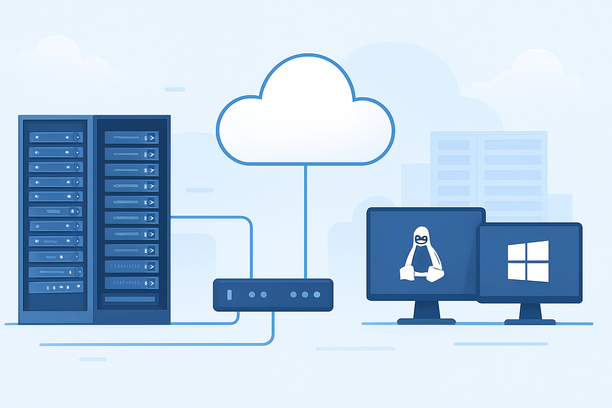
Selecting the operating system for an AI server is a foundational decision that directly impacts GPU driver compatibility, software stack stability, and long-term operational overhead. For the vast majority of AI training and inference workloads, a Linux distribution like Ubuntu or AlmaLinux provides the most optimized, stable, and automation-friendly environment. Windows Server is a practical alternative only when your workflow is tightly integrated with the Microsoft ecosystem or requires specific proprietary Windows-only software. This guide provides a setup-focused comparison to help you make the right choice based on your project's actual requirements.
Why is the OS Choice Uniquely Critical for AI Workloads?
Unlike general web or application servers, AI servers place extreme demands on hardware interaction, particularly with specialized GPUs. The operating system isn't just a host; it's the critical layer that determines whether your expensive hardware performs as intended.
The choice matters because:
- Driver Maturity and Optimization: NVIDIA's CUDA toolkit, the backbone of GPU-accelerated AI, has its first-class, performance-tuned support on Linux. Driver updates for data center GPUs (like Tesla or A-series) are prioritized and validated for Linux first, ensuring stability for continuous training and inference jobs.
- Software Stack Integrity: The core AI ecosystem—PyTorch, TensorFlow, Hugging Face libraries—is developed and tested on Linux as the primary platform. This means fewer compatibility surprises and access to the latest optimizations immediately upon release.
- Minimal System Overhead: A headless Linux server can be stripped to absolute essentials, freeing maximum RAM and CPU cycles for your models. Every gigabyte of memory saved from OS overhead is available for larger batch sizes or more complex models.
- Native Orchestration: Modern AI deployment relies heavily on containers (Docker) and orchestration. Linux is the native environment for these tools, offering superior performance, security, and integration compared to Windows alternatives.
When Does Windows Server Become the Practical Choice?
Windows Server is not inherently unsuitable for AI, but its advantages are niche. You should consider Windows only if your project is defined by one or more of these constraints.
Choose Windows Server if:
- Mandatory .NET or Windows Ecosystem Dependency: Your AI models must run alongside applications built on .NET Framework, use SQL Server databases natively, or integrate deeply with Azure services. Managing this within a single Windows environment can reduce complexity.
- Proprietary Windows-Only Software: The specific AI tools, licensed models, or development environments you are required to use have official support and optimization only for Windows. This is common in some specialized commercial software verticals.
- Team Skill Set and Operational Protocol: Your operations team has deep expertise exclusively in Windows Server administration, Remote Desktop (RDP), and PowerShell scripting. The familiarity can reduce operational friction and human error. For example, automating deployments via PowerShell scripts, as seen in guides for game servers, is a native strength.
- Initial Development with Consumer GPUs: For rapid prototyping on desktop-grade NVIDIA GeForce or AMD Radeon GPUs, Windows provides a more familiar, plug-and-play driver experience for developers accustomed to desktop environments.
Technical Deep Dive: How OS Differences Impact AI Performance
The divergence in performance and stability stems from fundamental design philosophies and target use cases.
GPU Access and Driver Lifecycle:
- Linux: Drivers are installed and managed via the package manager (
apt,yum). The process is scriptable and consistent. The driver stack is designed for headless, 24/7 operation, with updates focused on compute stability and new framework support. - Windows: Driver installation often involves downloading from NVIDIA or the OEM website. While robust, the driver package is also optimized for desktop display and gaming. This can occasionally lead to edge-case stability issues in long-running, headless compute tasks.
System Overhead and Resource Allocation:
- A minimal Ubuntu Server installation can run with under 500MB of RAM. A standard Windows Server 2022 installation can idle at 2-4GB of RAM. On a 32GB GPU server, this difference represents up to 12% of your total memory being unavailable for model loading.
Containerization and Workflow Reproducibility:
- Linux containers are lightweight, sharing the host OS kernel. This allows for near-native performance, which is critical for high-throughput inference. Windows containers exist but add a significant abstraction layer, increasing both overhead and complexity in management.
Head-to-Head Comparison: Setup & Operations for AI
This table contrasts the practical, day-to-day differences an AI engineer or sysadmin will encounter.
| Aspect | Linux (e.g., Ubuntu 22.04 LTS) | Windows Server 2022 | AI Deployment Impact |
|---|---|---|---|
| GPU Driver Install | sudo apt install nvidia-driver-535 via command line. Scriptable and idempotent. |
Download .exe installer; may require GUI interaction via RDP for initial setup. |
Linux enables full automation of server provisioning. Windows may require manual steps. |
| CUDA/cuDNN Setup | Managed via system package managers or NVIDIA's apt repository. Clean and version-locked. | Installed via separate installers; environment variables may need manual configuration. | Linux provides a more reliable, conflict-free setup for the core AI stack. |
| Remote Management | SSH by default. Lightweight, encrypted, and ideal for all scripting and automation. | Remote Desktop (RDP) is the native graphical method. | SSH is the industry standard for AI server automation; RDP is better for visual debugging. |
| Common Pitfalls | SSH key/permission issues, SELinux policies, firewall rules (ufw/firewalld). |
.NET Framework version conflicts, Windows Update reboot cycles, desktop session limits. | Linux pitfalls are typically configuration-based; Windows can involve deeper system dependencies. |
| Automation Tooling | Bash, Ansible, systemd, Docker, Kubernetes. The foundation of modern AI ops. | PowerShell, Task Scheduler. Powerful but a separate ecosystem with less cross-platform support. | Linux tools are native to the AI/ML orchestration ecosystem. |
Your 3-Step Decision Framework
Use this checklist to map your project needs to the right OS.
Step 1: Audit Your Software Dependencies
- Does your entire workflow, from data preprocessing to model serving, run and is supported on Linux?
- If Yes: Linux is the clear choice. Proceed to Step 3.
- If No: List the Windows-specific dependencies. Are they absolutely non-negotiable? If they are mission-critical, Windows Server becomes a serious contender.
Step 2: Evaluate Team Capabilities & Operational Model
- Does your team manage servers exclusively via Windows GUIs and PowerShell, with no Linux command-line experience?
- If Yes: The learning curve for Linux is a real project risk. Windows Server may ensure faster initial deployment.
- If No: The long-term benefits of Linux automation and performance outweigh the initial learning investment. Favors Linux.
Step 3: Consider Scalability and Reproducibility
- Do you plan to scale this single server into a cluster, use Kubernetes, or require fully reproducible environments via Docker?
- If Yes: Linux is the only viable foundation. Its ecosystem for scaling and containerization is unmatched.
- If No (single, static server): Either OS can technically work, but Linux still provides better resource efficiency.
Expert Conclusion: For new AI projects without hard legacy constraints, default to Linux. It provides the most direct path to performance, stability, and scalable operations. Windows is a valid, though less common, choice for specific enterprise integration scenarios.
Frequently Asked Questions
Can I get good performance for PyTorch or TensorFlow on Windows?
Yes, both frameworks have official Windows builds. You can achieve good performance, especially for inference. However, you may experience delays in receiving platform-specific optimizations compared to Linux, and you might encounter more environment configuration challenges with CUDA and cuDNN. For production training, Linux is still the recommended platform for maximum stability and support.
What if I'm not comfortable with the Linux command line?
This is a valid concern, but many cloud providers and hosting companies offer managed AI server solutions with Linux pre-configured. The initial setup can be handled for you. Furthermore, the basic commands needed for AI deployment (installing packages, checking GPU status, running scripts) form a small, learnable subset. The long-term benefits in stability and performance are worth the initial investment.
How do I troubleshoot an SSH "Permission denied" error on Linux?
This is a common initial hurdle. The most frequent cause is incorrect SSH key permissions or the root login being disabled in the sshd_config file. The standard solution involves logging in via the provider's VNC console, checking the /etc/ssh/sshd_config file for PermitRootLogin and PasswordAuthentication settings, and correcting file permissions. Detailed troubleshooting steps are available in this guide.
Are there performance differences when running Docker containers for AI?
Absolutely. Docker containers on Linux run natively on the Linux kernel, providing near-bare-metal performance. On Windows, Docker containers typically run in a lightweight Linux VM (WSL 2 backend), which adds a very small layer of overhead. For most inference workloads this is negligible, but for extremely high-throughput, latency-sensitive applications, the native Linux path is preferable.
If I choose Windows, how do I manage it without a desktop GUI?
You can install a Windows Server "Core" installation, which provides only a command-line interface. You would then manage it entirely via PowerShell remoting or SSH (which is supported on Windows Server). However, this removes the primary advantage of the Windows GUI and makes the operational experience more similar to managing Linux, without the same ecosystem benefits for AI tools.
Conclusion & Next Steps
For AI server deployment, Linux is the default, optimized choice for the majority of use cases, offering superior driver support, lower overhead, and unmatched automation capabilities. Windows Server is a specialist tool, valuable only when your project is locked into the Microsoft software ecosystem or specific enterprise workflows.
Your decision should be driven by your software dependencies and team expertise, not habit. By starting with a clear audit of your requirements using the framework above, you can confidently select the OS that will serve as the most stable and performant foundation for your AI workloads.
Once your operating system choice is made, explore hosting providers that offer optimized environments. For instance, providers like RAKsmart offer a range of GPU server options with your choice of pre-installed Linux distributions, allowing you to focus on deployment rather than base system setup.