
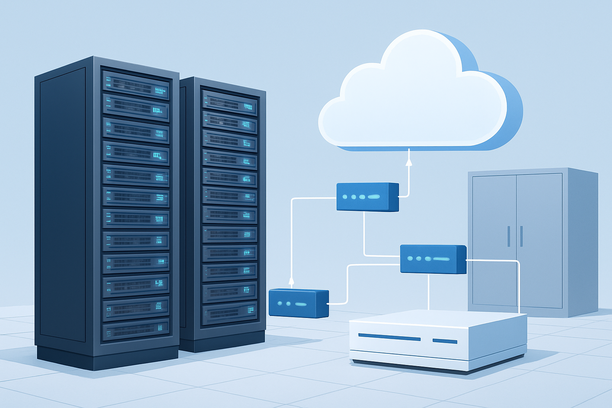
Deploying an AI studio application on a cloud GPU server is not a one-size-fits-all process. The optimal infrastructure choice depends entirely on your specific workload's demands for compute, memory, and network, and a mismatch can lead to either wasted cost or crippled performance. This guide helps you decode your project's requirements and systematically select the right cloud GPU hardware—whether VPS, bare metal, or a dedicated GPU server—to run your AI studio efficiently and reliably.
Overview
AI studio deployment on a cloud GPU is the practice of provisioning a remote server with appropriate graphics processing, system resources, and software to run resource-intensive AI models for tasks like image synthesis, video rendering, or large language model (LLM) inference. The core challenge is moving beyond generic specifications to align your hardware selection with your actual workflow, ensuring you don't overspend on unused capacity or underpower critical operations.
Why Is Choosing the Right Infrastructure Critical for AI Studios?
Choosing the correct infrastructure is the most important decision because it directly dictates your application's performance ceiling, cost efficiency, and operational stability. A lightweight AI agent that only calls external APIs will run perfectly fine on a basic VPS, while a multi-user, real-time image generation studio demands the raw power of a dedicated GPU server. The wrong choice can manifest as slow inference, frequent crashes, or a budget that spirals out of control.
Furthermore, infrastructure choice impacts your operational model. Shared resources on a VPS mean potential "noisy neighbor" interference during peak times. Bare metal cloud provides dedicated resources for consistent performance. A dedicated GPU server offers maximum control and compute power. Understanding these trade-offs is the first step to a successful deployment.
How Do I Match My AI Studio Workload to the Right Hardware?
The most effective way to match your workload is to categorize your AI studio by its primary function and resource consumption pattern. We can break this down into three common tiers, each best suited to a different type of cloud server.
| Workload Type & Examples | Resource Priority | Recommended Infrastructure | Key Rationale |
|---|---|---|---|
| Lightweight API Agents (e.g., chatbots, automated content schedulers, simple text analysis) | CPU, RAM, Network | VPS | These tasks rely on CPU for logic and API calls, not local GPU compute. A VPS with ample RAM and a quality network connection is cost-effective and sufficient. |
| Mid-Range Inference & Private Models (e.g., 13B-34B LLM deployment, private knowledge base bots, multi-task agents) | Dedicated CPU/RAM, Stable Network | Bare Metal Cloud | These workloads require consistent CPU and RAM performance without virtualization overhead or resource sharing. Bare metal provides dedicated physical resources, ensuring stability for concurrent tasks and moderate model inference. |
| Heavy Multi-Modal Generation (e.g., real-time AI image/video generation, 70B+ LLM serving, commercial multi-user inference) | High-Performance GPU (CUDA cores, VRAM), Fast Storage | Dedicated GPU Server | These are GPU-bound tasks where NVIDIA CUDA parallel processing is non-negotiable. A dedicated server with one or more high-end GPUs (like A100 or RTX 4090) delivers the necessary VRAM and compute for fast, high-quality output. |
This tiered approach prevents the common mistake of overspending on a powerful GPU server for a task that only needs a VPS, or conversely, crippling a graphics-heavy application by trying to run it on a non-GPU server.
What Is the Optimal Deployment Workflow for a GPU-Based AI Studio?
Once you've selected your infrastructure, a methodical deployment workflow ensures a secure and high-performance environment. While the initial OS setup is similar across server types, the GPU-specific steps are critical.
- Provision and Secure Your Server: Start by deploying your chosen server instance. Immediately secure it: disable root login, create a user with sudo privileges, and enable SSH key authentication. For managing team access to the server or billing account, consider using the multi-user and two-factor authentication (2FA) features available in modern cloud control panels, such as the account management interface detailed in RakSmart's documentation.
- Install and Validate the GPU Stack: This is the most crucial step for GPU servers. Install the NVIDIA driver, CUDA Toolkit, and cuDNN in the correct order. After installation, run
nvidia-smito verify the driver is active and to monitor the GPU's status, temperature, and memory usage. A failed installation here means zero GPU acceleration for your AI studio. - Configure the AI Software Environment: Install your chosen AI framework (e.g., PyTorch with CUDA support) and your AI studio application (like Stable Diffusion WebUI, ComfyUI, or a custom LLM server). Use virtual environments (like
venvor Conda) to manage dependencies cleanly. - Optimize Network and Accessibility: For secure remote access to your AI studio's web UI, set up a reverse proxy (e.g., Nginx) with an SSL certificate. This encrypts traffic and provides a clean domain name for access, rather than exposing a raw IP and port.
How Do Network Quality and Server Location Impact Performance?
For cloud-based AI studios, network quality is a vital performance metric, especially if you are managing the server remotely or serving users in a specific region. High latency or packet loss can cause frustrating delays in model training feedback or API calls.
When your development team is in one region (e.g., China) and the server is in another (e.g., the US), the quality of the intercontinental network route is paramount. A premium network line like CN2 (ChinaNet Next Carrying Network) provides optimized routing, lower latency, and higher stability for traffic between China and the US. This ensures that remote server management, file transfers, and API interactions remain smooth and responsive. Providers that offer such optimized networks, like RAKSmart with its CN2-optimized data centers in Hong Kong and Silicon Valley, can significantly improve the operational experience for international teams.
Choosing a server location geographically close to your primary user base also reduces end-user latency, which is critical for real-time interactive applications like AI chatbots or generation interfaces.
A Practical Checklist for AI Studio GPU Deployment
Use this checklist to walk through the key decisions and setup steps for your project.
Infrastructure Selection Checklist:
- Primary Task: Is my core task API-based (VPS), requiring dedicated CPU/RAM (Bare Metal), or GPU-intensive (Dedicated GPU Server)?
- GPU VRAM Requirement: What is the minimum VRAM needed for my largest model? Does my GPU choice exceed this?
- Concurrency: How many simultaneous users or jobs must the server handle?
- Network Priority: Do I need low-latency access from a specific region (e.g., China) or ultra-fast speeds for large data transfers?
- Budget Model: Is my workload continuous (favoring flat-rate bare metal/GPU servers) or bursty (favoring pay-as-you-go VPS/cloud GPU)?
Deployment & Optimization Checklist:
- OS Security: Have I disabled root login, set up SSH keys, and configured the firewall?
- GPU Driver: Have I installed the NVIDIA driver/CUDA stack and verified it with
nvidia-smi? - Software Isolation: Are my AI application dependencies in a dedicated virtual environment?
- Secure Access: Is my AI studio web UI behind a reverse proxy with HTTPS?
- Monitoring: Do I have a method to monitor GPU utilization, temperature, and system resources?
- Backup: Have I configured snapshots or backups of my server state and model files?
Frequently Asked Questions
Can I start with a VPS and upgrade to a GPU server later?
Yes, this is a viable and cost-effective strategy for projects starting small. Begin with a VPS for initial development, API testing, and running lightweight components of your AI studio. Once your project requires local model inference or GPU-accelerated processing, you can migrate to a bare metal cloud or dedicated GPU server. Ensure your data and application are portable for a smoother transition.
What specific GPU models are best for different AI studio tasks?
For image and video generation (Stable Diffusion, ComfyUI), GPUs with high VRAM and fast FP16 performance are key, such as the NVIDIA RTX 4090 (24GB) or A100 (40/80GB). For LLM inference and serving, VRAM capacity is critical to hold the entire model in memory for speed; the A100 or H100 are top choices. For fine-tuning, consider GPUs with high memory bandwidth and tensor cores, like the A100.
How does "bare metal cloud" differ from a traditional dedicated server?
Bare metal cloud provides the performance benefits of a dedicated physical server (no virtualization, full resource access) with the flexibility of a cloud platform (often including API-driven provisioning, scalable billing, and options for quick upgrades or additional IPs). It's a hybrid model offering dedicated resources without the long-term hardware commitment of a traditional lease.
Why is network latency from my location to the GPU server so important?
Low network latency ensures a responsive experience when managing your server via SSH, accessing the AI studio's web interface, or making API calls to your application. High latency can make real-time interaction feel sluggish and can interrupt development workflows. For teams in China managing servers in the US, a optimized network path like CN2 is essential for maintaining a usable connection.
How can I monitor my GPU's health and utilization during long generation jobs?
The primary tool is the nvidia-smi command, which displays real-time GPU temperature, memory usage, and processing utilization. For continuous monitoring, you can run it in a loop or use more advanced tools like nvitop or set up a monitoring script with Grafana. Ensuring adequate server cooling and setting up alerts for high temperatures can prevent performance throttling during intensive jobs.
Conclusion
Deploying an AI studio on a cloud GPU is fundamentally about aligning infrastructure with workload. By accurately assessing whether your project demands a simple VPS, the dedicated resources of a bare metal cloud, or the raw power of a dedicated GPU server, you lay the foundation for a cost-effective and high-performance environment. Paying equal attention to network quality and security from the outset prevents operational friction down the line. A methodical approach, moving from workload analysis through to a secured and optimized deployment, will ensure your AI studio runs smoothly, whether you're generating images, serving models, or powering the next generation of AI agents. Explore the Bare Metal Cloud options and server configurations that can provide the dedicated performance your AI projects require.