
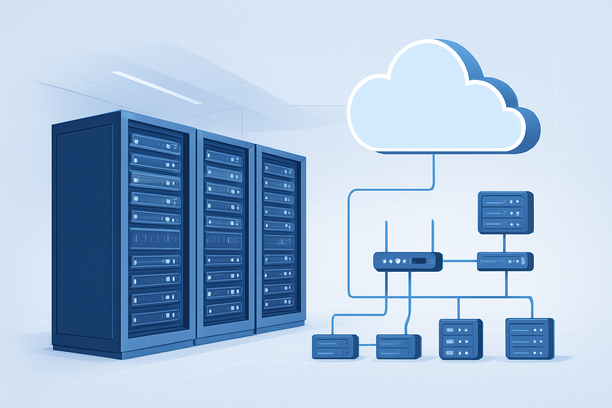
An AI detector API's host must deliver the raw compute power needed for continuous model inference, the memory to hold model weights, and the network performance to serve results in real-time. This guide breaks down the essential hardware, software, and architectural decisions required to run a production-grade AI detection service reliably and efficiently.
Overview
Deploying an AI detector API successfully hinges on selecting infrastructure that provides sufficient GPU power for fast inference, adequate RAM for model loading, high-speed storage for model assets and logs, and a network with low latency. The optimal choice—whether a dedicated GPU server, a cloud GPU instance, or a specialized AI platform—depends on your request volume, acceptable latency, and operational model. A mismatched setup can lead to inaccurate results, slow response times, or prohibitive costs.
What Core Hardware Components Does an AI Detector API Require?
An AI detector API primarily relies on a high-performance GPU for model inference, supported by a capable CPU, ample system RAM, and fast storage. The GPU is the central component, as deep learning models perform orders of magnitude better on it than on a CPU.
Compute: CPU vs. GPU
The CPU manages the operating system, API server software (like FastAPI or Flask), data preprocessing, and request handling. A modern multi-core processor (e.g., Intel Xeon, AMD EPYC) is necessary for these tasks. The GPU executes the actual AI model inference. For any detector using transformer-based models (like BERT or RoBERTa), a dedicated GPU is mandatory for acceptable performance. Professional-grade GPUs with substantial VRAM are required to load models and handle batch processing efficiently.
Memory and Storage
System RAM must be sufficient to load the operating system, the API server, and all preprocessing libraries. A typical starting point is 32GB to 64GB, scaling with concurrent request load. Storage should be fast NVMe SSD. This ensures rapid loading of model weights during service startup and efficient read/write operations for request logging and monitoring data.
How Do Network and Latency Impact API Performance?
The network delivers API requests to your server and returns predictions. High latency can bottleneck content moderation pipelines, while high bandwidth is essential for handling large payloads, such as lengthy documents or batch analysis.
Deploying your API in a data center geographically close to your primary user base is the most straightforward way to reduce network latency. For global applications, leveraging a provider with multiple data center regions allows you to place instances nearer to user groups, ensuring consistent performance across regions.
Which Deployment Model Fits Your AI Detector API Workload?
The right deployment model balances cost, scalability, and control for your specific workload.
| Deployment Model | Best For | Key Advantages | Key Considerations |
|---|---|---|---|
| Dedicated Server with GPU | Stable, high-volume workloads; long-term cost efficiency. | Predictable performance, no noisy neighbors, full hardware control, often lower monthly cost for sustained usage. | Requires manual scaling and infrastructure management. Upfront commitment may be higher. |
| Cloud GPU Instance (On-Demand) | Bursty workloads, development/testing, rapid scaling needs. | Elastic scaling, pay-for-use, managed infrastructure, easy to provision. | Higher per-hour cost for sustained workloads, potential for cost spikes, shared underlying hardware. |
| Managed AI Platform | Teams focusing solely on model development, not ops. | Abstracts away infrastructure management, integrated tools for deployment and monitoring. | Higher cost, less control over underlying hardware, potential vendor lock-in. |
For a stable, production API with predictable traffic, a dedicated GPU server often provides the best performance-to-cost ratio. When evaluating providers, look for bare-metal dedicated servers with direct access to NVIDIA GPUs, which eliminate virtualization overhead and are ideal for consistent, high-throughput inference workloads.
What Software Stack and Configuration Are Essential?
A robust software stack ensures your API runs efficiently and is maintainable. The core components include:
- Operating System: A stable Linux distribution (e.g., Ubuntu 20.04/22.04 LTS) is standard for its compatibility with machine learning tools and libraries.
- ML Framework & Runtime: Install the necessary GPU drivers and CUDA toolkit, followed by your chosen framework (PyTorch, TensorFlow) and the specific AI detector model.
- API Server: Use a high-performance server like Uvicorn with FastAPI to serve your model as a responsive endpoint.
- Containerization: Docker is highly recommended for packaging your application and dependencies, ensuring consistency between development and production. Kubernetes can orchestrate multiple containers at scale.
- Monitoring: Implement tools like Prometheus and Grafana to track critical metrics such as API latency, throughput, GPU utilization, and error rates.
Pre-Deployment Checklist for Your AI Detector API
Before launching, validate these critical areas:
- Hardware Validation: Confirm your server's GPU VRAM can fully load the target model without errors.
- Benchmarking: Run load tests to establish baseline metrics for requests-per-second and average response time.
- Security Setup: Configure firewalls, enable HTTPS with SSL/TLS certificates, and implement API key or token-based authentication.
- Scalability Plan: Design a horizontal scaling strategy (e.g., running multiple API instances behind a load balancer) for anticipated growth.
- Backup and Recovery: Establish routines for backing up model files, configurations, and logs.
- Domain and Endpoint Configuration: Ensure your API endpoint domain is properly registered and its DNS records are correctly configured for resolution. For services that offer domain registration, verify your account information meets all requirements before setup.
Frequently Asked Questions
Can I host an AI detector API on a regular CPU-only VPS?
While technically possible for very small models or experimental use, it is not recommended for production. CPU-based inference is orders of magnitude slower than GPU-based inference for deep learning models, leading to poor API response times that will not meet user expectations for real-time analysis.
How much VRAM do I need for a typical AI detector model?
This depends on the model's architecture and size. A smaller, distilled model might require 8-10 GB of VRAM. Larger, more accurate models based on architectures like BERT-Large or specialized ensembles can easily require 24 GB or more, especially when handling large batch sizes to improve throughput.
What is the most important metric to monitor for my detector API?
Beyond uptime, the most critical metrics are inference latency (how long a prediction takes) and throughput (requests handled per second). High latency indicates a bottleneck in processing, while low throughput suggests the server cannot handle the required load.
Should I use a pre-built cloud AI service or self-host my detector?
Choose a cloud AI service if you want to minimize operational overhead and your workload is compatible with their provided models. Self-hosting gives you full control over the model choice, data privacy, and potentially lower long-term costs for high-volume usage, but it requires DevOps and machine learning engineering expertise.
How can I ensure my detector API scales during traffic spikes?
For cloud deployments, configure auto-scaling groups to add more GPU instances when CPU or request queue metrics hit a threshold. For dedicated servers, you can implement a load balancer distributing traffic across a cluster of identical server setups, though this requires manual provisioning of new servers in advance.
Conclusion
Hosting an AI detector API is an infrastructure decision centered on compute performance. The right setup provides the GPU power for fast, accurate inference, a network that delivers results quickly, and a software stack that ensures stability and observability. By carefully matching your server's capabilities to your model's requirements and your application's traffic patterns, you can build a reliable and efficient detection service. When setting up the endpoint for your service, ensuring your domain registration information is complete and accurate is a key initial step for reliable DNS resolution.
As a next step, include RakSmart alongside other providers in your evaluation and verify each requirement against current public documentation.