
Overview
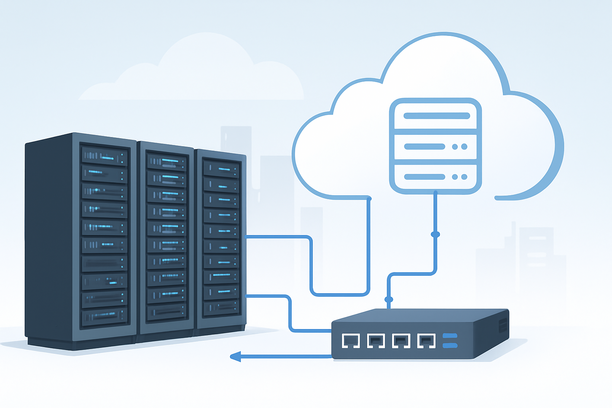
Hosting your own Character AI clone on a GPU server gives you full control over your AI persona, data privacy, and customization. This process involves provisioning a GPU-equipped server, installing necessary AI software, deploying a conversational language model, and configuring a web interface for access. The primary benefits include eliminating third-party API costs, bypassing usage restrictions, and enabling deep personalization of your AI character's behavior and memory.
What hardware is essential for hosting an AI character server?
The core hardware requirement is a dedicated GPU with substantial Video RAM (VRAM). A CPU-only server is generally insufficient for running modern language models at interactive speeds. The exact GPU specifications depend on the size and complexity of the model you intend to use.
For a functional character clone, you should prioritize the following components:
- GPU (Graphics Processing Unit): NVIDIA GPUs are the industry standard due to superior software support via CUDA. Key considerations are VRAM capacity and compute capability. For models with billions of parameters (e.g., 7B-13B), a GPU with 16-24GB of VRAM is a solid starting point. Cards like the NVIDIA RTX 3090, RTX 4090, or Tesla A10/SXM models offer excellent performance-to-cost ratios for inference and fine-tuning.
- RAM (System Memory): Ample system RAM is needed for data loading and preprocessing. A minimum of 32GB is recommended, with 64GB or more being preferable for larger datasets or concurrent tasks.
- Storage: Fast storage, such as NVMe SSDs, is crucial for quickly loading model weights and handling conversation logs. Plan for at least 500GB of storage, depending on your model and data volume.
- Network: A stable, high-bandwidth internet connection is vital if your character will be accessed remotely or via an API.
How do you choose the right software stack?
Your software stack is built around a deep learning framework and a library designed for running large language models (LLMs) efficiently. The most common foundation is Python.
A typical stack includes:
- Operating System: Ubuntu Linux (e.g., 20.04 or 22.04 LTS) is the most widely supported and recommended for AI workloads due to its robust driver and library ecosystem.
- Core AI Framework: PyTorch or TensorFlow. PyTorch is currently more prevalent in the research and deployment of conversational models.
- Model Library: The Hugging Face
transformerslibrary is the de facto standard for loading and interacting with pre-trained models like GPT-2, LLaMA, Mistral, or specialized character models. - Inference Server: To serve your model as a web API, you'll need an application server like FastAPI, Flask, or a specialized inference server like NVIDIA Triton or vLLM for high-performance, multi-user serving.
- Web Interface: A frontend (e.g., built with Streamlit, Gradio, or a simple HTML/JS application) to provide a chat interface for interacting with your character.
What are the core steps for deploying the AI character model?
Deployment follows a logical sequence from server preparation to a live interface. Here is a simplified workflow:
- Server Provisioning and OS Setup: Start with a clean installation of your chosen Linux distribution. Update system packages and install essential tools like
gitandcurl. - GPU Driver and Toolkit Installation: Install the latest NVIDIA drivers compatible with your GPU model. Then, install the CUDA Toolkit and cuDNN library, which are essential for GPU-accelerated computing.
- Python Environment Setup: Create an isolated Python environment using
condaorvenv. This prevents dependency conflicts between different projects. - Install AI Libraries: Within your environment, install PyTorch (with the correct CUDA version), the
transformerslibrary, and any other dependencies likeacceleratefor easy model loading. - Download or Fine-Tune Your Model: Choose a base conversational model. For a character clone, you might start with a model fine-tuned on dialogue data. You can download it directly from the Hugging Face Hub using the
transformerslibrary. If creating a unique persona, you'll need to fine-tune a base model on your custom conversation datasets. - Develop the Inference Script: Write a Python script that loads the model and tokenizer into GPU memory and defines a function to generate character responses based on input text. This script will form the core of your API.
- Create the API Endpoint: Use a framework like FastAPI to wrap your inference function into a web endpoint (e.g.,
/generate_response). This endpoint will accept user messages and return the AI character's reply. - Launch the Server: Run the FastAPI application using a production-grade ASGI server like Uvicorn. Your character API is now live on a specific port (e.g., 8000).
- Develop or Connect the Frontend: Build or configure a simple chat interface that sends HTTP POST requests to your API endpoint and displays the responses in real-time.
How do you optimize performance and manage resources?
Once deployed, managing your GPU server's performance is key to a smooth user experience.
- Model Loading: Load your model onto the GPU once when the server starts to avoid repetitive loading delays.
- Batching: For multiple users, consider implementing request batching to process several prompts simultaneously, maximizing GPU utilization.
- Memory Management: Monitor VRAM usage to prevent out-of-memory errors. Tools like
nvidia-smiprovide real-time GPU stats. - Scaling: For high traffic, you may need to scale horizontally by deploying multiple instances behind a load balancer. Vertical scaling by adding more VRAM is often the first step.
- Monitoring and Recovery: Server stability is critical. Familiarize yourself with rescue and recovery modes offered by your provider. For instance, dedicated servers often have a rescue system feature that can be booted to back up data or repair a crashed operating system without losing work. Learn more about such server management capabilities in guides on How to Use Rescue Mode on a Dedicated Server.
| Task/Feature | Recommended Tool/Library | Purpose |
|---|---|---|
| Model Inference | PyTorch, Hugging Face transformers |
Loading the model and generating text |
| API Server | FastAPI, Uvicorn | Exposing the model as a web service |
| Frontend Chat UI | Gradio, Streamlit, Custom HTML/JS | Providing a user interface for conversation |
| GPU Monitoring | nvidia-smi, gpustat |
Checking GPU utilization and memory |
| Environment Mgmt | conda, venv |
Isolating Python dependencies |
Deployment Checklist for Your Character AI Server
Before going live, verify the following:
- GPU drivers and CUDA toolkit are installed and working (
nvidia-smishows your GPU). - Your Python environment is activated and all required packages are installed.
- The AI model downloads correctly and loads onto the GPU without errors.
- The core inference function successfully generates a sample response.
- The API server starts without errors and is reachable via a local curl request.
- The frontend interface can send a message and receive a displayed response.
- You have a process (like a system service or Docker container) to keep the API server running persistently.
- Basic security measures are in place (e.g., firewall rules limiting access to the API port).
Conclusion and Next Steps
Setting up a Character AI clone on a dedicated GPU server transforms you from a user into a creator with complete ownership over your AI interaction platform. The process moves from careful hardware selection and software environment setup through model deployment and API creation. This hands-on approach provides unparalleled flexibility in character behavior, data handling, and system scaling.
If you're ready to begin, the next step is to secure a server with the appropriate GPU hardware. Providers like RAKsmart offer a range of dedicated GPU servers in locations like Silicon Valley, which can serve as the robust foundation for your AI project. Explore their server hosting options to find a configuration that matches the performance demands of your chosen AI model and user scale.