
Overview
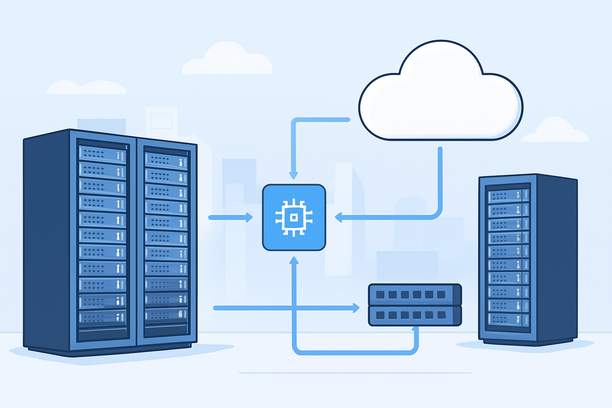
Hosting your own private AI chatbot with an NVIDIA GPU provides complete data sovereignty and eliminates API vendor lock-in, but success hinges on a holistic architecture—not just a powerful graphics card. The right configuration integrates three pillars: a GPU with sufficient VRAM for your model, a network path that delivers low-latency streaming to users, and a secure application stack that protects proprietary data and knowledge. This guide provides a complete decision framework for architecting a production-ready private chatbot, from hardware selection to deployment security.
Why Choose Private Hosting Over API Services?
The primary drivers for private hosting are absolute data privacy, cost predictability at scale, and customization control. When your chatbot handles sensitive intellectual property, customer PII, or proprietary business logic, routing every query through a third-party API creates inherent privacy and compliance risks. Private hosting ensures all data and inference remain within your controlled infrastructure.
Financially, while API costs scale linearly with usage (per token), a dedicated GPU server has a fixed cost. For applications with high, consistent query volume or long context windows, the break-even point can arrive quickly, making private hosting more economical. It also allows for unlimited experimentation without worrying about per-call charges.
Finally, hosting your own model grants the freedom to fine-tune on proprietary datasets, deploy specialized models, or build unique retrieval-augmented generation (RAG) pipelines that are impossible with black-box APIs. This control is essential for building a differentiated product.
What Core Hardware Components Define a Private Chatbot Server?
A capable private chatbot server requires more than just a GPU. The GPU handles model inference, but the entire system must be balanced to avoid bottlenecks and ensure stability.
- NVIDIA GPU: The heart of inference. VRAM capacity determines the size and quantization level of the model you can run. Compute performance (CUDA cores, Tensor Cores) dictates tokens-per-second throughput.
- CPU & RAM: A multi-core CPU (e.g., AMD EPYC, Intel Xeon) manages the web framework, API endpoints, and pre-processing tasks. System RAM (64GB+) is needed to load model weights initially, run supporting services like vector databases, and handle batch operations.
- Storage: Fast NVMe SSDs are non-negotiable. Model loading from a slow drive can take minutes, causing unacceptable startup delays and instability. NVMe drives ensure models load in seconds.
- Network Interface: A dedicated network port (1Gbps+) with a quality upstream link is critical for streaming responses without interruption.
The GPU is the engine, but the CPU, RAM, and storage are the chassis and transmission—neglecting them will cripple performance regardless of the GPU model.
Which NVIDIA GPU Should You Choose for Your Chatbot?
The right GPU depends on your model's parameter count, precision (FP32, FP16, INT8), and your concurrency needs. Over-provisioning wastes capital; under-provisioning causes timeouts.
| Chatbot Scale & Model Type | Recommended NVIDIA GPU | Key Rationale |
|---|---|---|
| Development / Small Team<br>(7B-13B quantized models) | NVIDIA T4 (16GB VRAM) | Cost-effective entry point for testing and low-concurrency deployments. |
| Production Text Bot<br>(13B-34B models, 5-20 users) | NVIDIA A30 (24GB VRAM) | Balanced compute and memory for popular open-source models at production load. |
| Multimodal Bot<br>(Text + Image, complex RAG) | NVIDIA A100 (40GB/80GB) | High-bandwidth HBM2e memory and Tensor Cores for demanding vision-language models. |
| High-Concurrency / 70B+ Model | Multi-GPU Setup (e.g., 2x A100) | Essential for model parallelism and handling extreme throughput for large-scale services. |
For models served primarily via API routing with minimal local processing, a dedicated GPU is unnecessary. This guide focuses on local inference of your own hosted model.
How Does Network Architecture Impact Real-World Chatbot Performance?
For a chatbot, user-perceived latency is the sum of network transit time plus model inference time. A GPU generating tokens in milliseconds can still feel sluggish if those tokens traverse a congested international route. AI chat applications are highly sensitive to both baseline latency and jitter; an unstable connection causes dropped WebSocket frames and failed API calls.
A stable, low-latency network path is non-negotiable, especially for users accessing the server from regions like mainland China. Standard international BGP routes often suffer from congestion and variable routing during peak hours, leading to latency spikes and packet loss that break conversational flow.
For deployments serving users across the Pacific, a China-optimized CN2 GIA (Global Internet Access) or CMI network line is essential. These dedicated lines provide a more direct path through domestic backbone networks, significantly reducing and stabilizing latency. As evidence indicates, for AI applications where users are primarily in mainland China, the network line's quality is often the primary determinant of service reliability.
Network Comparison for AI Chatbot Hosting
| Network Feature | Standard International BGP | Optimized CN2 GIA / CMI | Impact on Chatbot UX |
|---|---|---|---|
| Typical Latency (CN to US) | 180ms – 300ms+ | 130ms – 170ms | Directly affects time-to-first-token and streaming smoothness. |
| Jitter & Packet Loss | High during peak hours | Low, stable path | Prevents dropped conversations and API call resets. |
| Peak Hour Performance | Unpredictable degradation | Consistent performance | Ensures reliable 24/7 service availability for global teams. |
What Security Measures Are Mandatory for Private Hosting?
Hosting privately introduces the responsibility of securing the entire stack. A breach can expose the very data you sought to protect.
- Network Security: Implement strict firewall rules, allowing only necessary ports (e.g., SSH, API endpoint). Use SSL/TLS for all API traffic.
- API Security: Require robust authentication (API keys, OAuth) for all chatbot endpoints. Implement rate limiting to prevent abuse.
- Data Security: Encrypt sensitive data at rest (model weights, conversation logs, fine-tuning datasets) and in transit. Ensure secure, versioned access to the server via SSH keys, not passwords.
- System Hardening: Follow standard Linux server hardening practices: regular security updates, non-root execution where possible, and minimal installed software.
A Practical Deployment Framework
Move from selection to a live, private chatbot with this structured approach:
- Define Requirements: Finalize your model's size, expected concurrent users, and primary user locations to dictate GPU and network needs.
- Select Infrastructure: Opt for a bare-metal GPU server over a virtualized instance. Bare metal provides exclusive access to the full GPU card and physical hardware, which is fundamental to true "private" hosting and avoids "noisy neighbor" performance variance.
- Prioritize Network: For any deployment serving users in Asia, select a server plan with a premium CN2 GIA network line. This is the single most important choice for real-world chatbot responsiveness.
- Configure the Environment: Deploy your OS (e.g., Ubuntu 22.04), install the compatible NVIDIA driver and CUDA toolkit, then set up your inference framework (like vLLM, TGI, or TensorRT-LLM).
- Deploy and Secure: Load your model onto the GPU. Expose it via a secure, versioned API (e.g., using FastAPI). Implement streaming responses. Configure all security measures from the section above.
- Monitor and Optimize: Track GPU utilization, temperature, VRAM usage, and inference latency. Use network monitoring to ensure path stability.
For teams evaluating providers, a service like RakSmart offers bare-metal GPU servers paired with premium CN2 GIA network lines, which is directly relevant for deployments requiring stable, low-latency cross-Pacific connectivity between Asian users and US-based GPU compute.
Deployment Checklist for a Production-Ready Chatbot
Validate your setup against this operational standard before going live:
- GPU Verification: Confirmed the specific NVIDIA GPU model (e.g., A100 80GB) is dedicated and not shared.
- Driver & CUDA Compatibility: Verified NVIDIA driver and CUDA versions are fully compatible with your chosen inference framework.
- Network Path Test: Measured and validated latency, jitter, and packet loss from key user regions (especially mainland China) to the server during peak hours.
- Storage Benchmark: Benchmarked NVMe read/write speeds to ensure fast model loading and optimal vector database operations.
- API Security: Implemented robust authentication (API keys/OAuth), rate limiting, and HTTPS encryption for all endpoints.
- Monitoring Suite: Set up alerts for GPU temperature, VRAM usage, inference latency, and network packet loss.
- Backup Strategy: Established a process to backup model weights, configurations, and any conversation data or fine-tuning datasets.
FAQ
Is a powerful NVIDIA GPU always required for a private AI chatbot?
No. If your chatbot's core logic primarily calls external AI APIs (like GPT-4) and only handles light data processing or routing, a standard CPU-based VPS or bare-metal server is sufficient. A dedicated NVIDIA GPU is essential only when you need to run local inference with your own model.
How do I choose between running a smaller quantized model vs. a larger full-precision model?
This is a classic trade-off between speed/cost and quality. A quantized 7B parameter model (e.g., 4-bit) can run on a much cheaper T4 GPU with fast inference. A full-precision 13B or 34B model requires more expensive GPUs like the A30 or A100 but may provide noticeably better reasoning and coherence. Start with a quantized model for cost efficiency, and upgrade if quality is insufficient for your use case.
Can I use a cloud GPU instance like AWS or Azure for this?
Yes, but it may not be truly "private" depending on the configuration. You must ensure your VPC/Vnet is properly secured, and you control all data flows. Furthermore, cloud GPU instances can be prohibitively expensive for always-on workloads compared to bare-metal hosting. The network path to your users may also be less predictable than with a dedicated CN2 line.
What is the most common point of failure in a private chatbot deployment?
Network instability. A perfectly configured server with a powerful GPU will deliver a poor user experience if the network path to users suffers from high latency or packet loss. This is especially true for users in regions geographically distant from the server data center. Investing in a quality network line is as important as the GPU itself.
How do I monitor my chatbot's performance after deployment?
You should track two key areas: system metrics and user experience metrics. System metrics include GPU utilization, temperature, VRAM usage, and disk I/O. User experience metrics include API endpoint latency (time-to-first-token, tokens per second) and WebSocket connection stability. Use tools like Prometheus with Grafana for system metrics, and implement logging within your API framework to track request performance.
Conclusion
Deploying a private AI chatbot with NVIDIA GPU compute is a powerful strategy for maintaining data control and achieving cost-effective, high-performance inference at scale. Success requires a balanced approach that prioritizes a stable, low-latency network just as highly as the GPU itself, alongside robust security to protect your proprietary assets. By following a structured deployment framework and validating your setup with a thorough checklist, you can build a reliable, production-ready chatbot that delivers real-time conversational experiences without compromise.
To explore infrastructure that supports this architecture, consider dedicated GPU server plans with optimized network connectivity designed for AI workloads.