
Overview
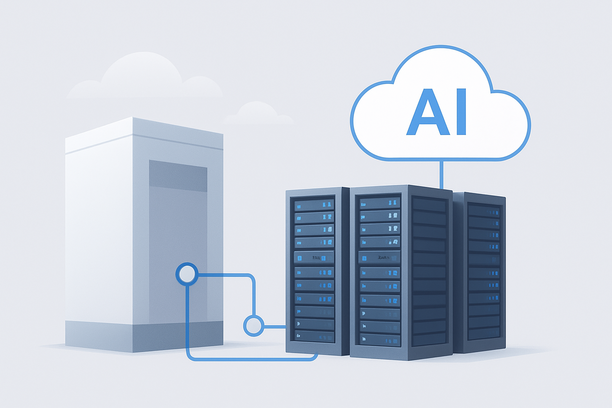
Creating a believable character chatbot hinges on a responsive, low-latency backend powered by a large language model (LLM). Setting up a dedicated inference server involves more than just installing software; it requires selecting appropriate GPU hardware, deploying an optimized framework, and configuring the environment specifically for real-time, streaming interactions. This workflow provides a practical, step-by-step framework for building a stable inference backend designed to power engaging, personality-driven character interactions.
Why Does Infrastructure Choice Define Your Character AI's Experience?
Infrastructure choice directly defines the user experience because character chatbots demand consistent, sub-second response times to maintain conversational flow and immersion. Any noticeable lag breaks the illusion of interacting with a sentient character. Therefore, the server must be optimized for high-throughput, interactive dialogue, prioritizing metrics like time-to-first-token (TTFT) and concurrent user capacity over raw batch-processing throughput.
This places unique demands on your hosting choice. A shared cloud instance might introduce unpredictable latency during peak times, while a bare-metal dedicated server provides exclusive access to GPU and network resources, eliminating the "noisy neighbor" effect and ensuring predictable performance critical for real-time character simulations.
What Server Hardware is Essential for Running Character LLMs?
The essential hardware for running character LLMs is a dedicated server equipped with a modern NVIDIA GPU featuring substantial VRAM (24GB+). The GPU is the single most important component, as it directly determines which model sizes you can run and how many concurrent users you can support. VRAM capacity dictates whether you can load a full-precision model or must rely on quantized versions.
Beyond the GPU, sufficient system RAM (64GB+ is a good starting point) is needed to handle the operating system, inference framework, and any additional application services. Fast NVMe storage ensures quick model loading and efficient swapping if necessary. The table below outlines core hardware considerations for a production setup.
| Component | Recommended Minimum | Rationale for Character AI |
|---|---|---|
| GPU (VRAM) | NVIDIA A100 (40GB) or RTX 4090 (24GB) | Directly limits model size and concurrent user count. Higher VRAM allows running larger, more capable models. |
| System RAM | 64 GB | Supports the OS, inference stack, and multiple concurrent session contexts. |
| Storage | 1 TB NVMe SSD | Enables fast model loading and provides space for logs, datasets, and backups. |
| Network | 1 Gbps+ Unmetered | Handles streaming API traffic from your frontend application without bandwidth bottlenecks. |
How Do You Select and Deploy the Right Inference Framework?
You select an inference framework by evaluating its support for streaming, memory management, and ease of deployment. For interactive character chat, the framework must efficiently handle continuous batching and stream tokens via Server-Sent Events (SSE) to your application's frontend.
Two leading open-source frameworks are well-suited for this task:
- vLLM: Offers exceptional throughput and memory efficiency through PagedAttention, making it ideal for production deployments aiming to maximize concurrent users and minimize cost-per-token.
- Text Generation Inference (TGI): Provides a streamlined, Docker-native deployment path with a simple API, perfect for teams prioritizing rapid setup and containerized workflows.
The deployment process generally involves provisioning a Linux server (Ubuntu 22.04 LTS is standard), installing NVIDIA drivers and the CUDA toolkit, and then launching the framework with your chosen model weights. For vLLM, a typical command to start an OpenAI-compatible API server with streaming is: python -m vllm.entrypoints.openai.api_server --model [YOUR_MODEL_NAME] --host 0.0.0.0 --port 8000 --dtype auto
This endpoint can then be integrated directly into your chatbot's backend logic.
How Do You Optimize the Server for Low-Latency Character Interactions?
You optimize the server for low-latency interactions through a combination of model selection, configuration tuning, and system-level adjustments. The goal is to minimize both time-to-first-token (TTFT) and the inter-token latency.
First, consider model quantization. Using a quantized model (e.g., a 4-bit GPTQ version) significantly reduces VRAM usage, allowing you to run larger models on a given GPU or serve more users simultaneously. This trades a minor potential quality impact for major performance gains.
Second, tune framework-specific parameters. In vLLM, adjust the --max-num-seqs parameter to control the maximum number of concurrent sequences, balancing throughput against individual request latency. In TGI, configure similar batch size settings.
Finally, perform operating system tuning. This includes disabling unnecessary services, setting appropriate GPU power modes, and configuring system swap to handle memory overflow gracefully without performance cliff-drops.
A practical monitoring setup is non-negotiable. Continuously track GPU utilization, VRAM usage, and temperature with nvidia-smi. Implement alerting for anomalies and establish baseline performance metrics for TTFT and tokens-per-second (TPS) under expected load. For dedicated server deployments, you can leverage built-in traffic statistics dashboards to monitor inbound and outbound bandwidth consumption over different periods, which is crucial for understanding usage patterns and planning capacity.
How Do You Choose the Underlying Server Infrastructure?
You choose the underlying server infrastructure based on your application's lifecycle phase, traffic predictability, and performance requirements. The core decision often lies between a dedicated bare-metal GPU server and a cloud GPU instance.
A dedicated GPU server is optimal for a production character chatbot with a predictable user base. It provides guaranteed, exclusive access to hardware, eliminating virtualization overhead and delivering the consistent, low-latency performance essential for immersive interactions. Providers like RAKsmart offer dedicated server options with various GPU configurations that serve as a stable foundation for such workloads, often with predictable monthly pricing and high-bandwidth network connections.
A cloud GPU instance remains valuable during development, testing, or for applications with highly variable, spiky traffic. It allows you to rapidly scale resources up or down, but costs can become prohibitive for a persistent, always-on inference service.
Infrastructure Decision Checklist
- Choose a Dedicated GPU Server if: Your user base is established or predictable, you require absolute performance consistency for interactive chat, you want a predictable monthly cost, and you need to minimize network latency to your user base.
- Choose a Cloud GPU Instance if: You are in the prototyping or development phase, your traffic is highly variable and difficult to forecast, you need to experiment with different GPU types quickly, or you require built-in redundancy features for high availability.
FAQ
Can I run a character chatbot on a cloud GPU instance like AWS or GCP?
Yes, cloud GPU instances are excellent for development, testing, and scaling for variable traffic. However, for a production application requiring consistent, low-latency responses, the cost of a perpetually-on cloud instance often exceeds that of a dedicated bare-metal server. Cloud instances also share physical resources, which can introduce occasional latency jitter not present on dedicated hardware.
What open-source LLMs are best suited for creating distinct character personas?
Models like Llama 3, Mistral, and various community fine-tunes on Hugging Face are popular choices. The best model depends on your character's complexity and required reasoning ability. Larger models (70B+) can handle more nuanced personas but require significantly more VRAM. Smaller, well-tuned models (7B-13B) can be highly effective for specific, focused characters, especially when quantized for efficient inference.
How many concurrent users can a single GPU server support for character chat?
This varies dramatically based on the model size, its context length, and the GPU's VRAM. A rough benchmark: a 24GB GPU running a quantized 13B-parameter model might support dozens of concurrent users with acceptable latency, while the same GPU running a full-precision 70B model may only handle a handful of simultaneous sessions due to VRAM constraints.
Do I need to use a specialized API for streaming, or is the standard OpenAI API format sufficient?
The standard OpenAI-compatible API format, supported by frameworks like vLLM and TGI, is sufficient and highly recommended. It provides a consistent interface for streaming responses via Server-Sent Events (SSE), which your frontend can consume to display the character's response as it's generated.
How do I monitor my server's performance and network traffic in production?
You should use a combination of tools. For hardware metrics, nvidia-smi is essential for GPU utilization and temperature. For system-wide monitoring, tools like Prometheus with Grafana provide dashboards and alerting. For network bandwidth, especially on dedicated servers, your hosting provider's dashboard often includes traffic statistics tools that show inbound and outbound data over time, helping you identify usage spikes and plan capacity.
Conclusion
Building a responsive inference backend for a character chatbot is a multidisciplinary task that blends software configuration with hardware selection. The key is to prioritize low latency and consistent performance from the outset by choosing dedicated GPU resources and deploying an inference framework optimized for streaming, interactive dialogue. This approach ensures your character's responses feel immediate and natural, preserving the immersive experience for your users. When evaluating your infrastructure needs for a production deployment, consider the performance and cost benefits of a dedicated GPU server from a provider like RAKsmart to provide a stable, low-latency foundation for your application.