
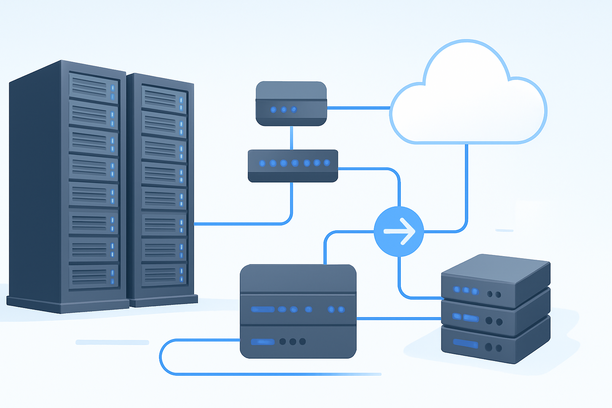
Overview: Why Your Server's Network Matters More Than Its CPU for Gemini Enterprise
For enterprises using AI Gemini Enterprise through API calls, the performance bottleneck is rarely the model itself. It's the network path between your application and Google's endpoints. If your teams or users are in mainland China, a standard international server route can introduce 180ms–280ms of latency and packet loss during peak hours, causing API timeouts and degraded user experience. The core task is selecting and configuring a server infrastructure that minimizes this latency and guarantees stability, transforming a simple VPS into a reliable backbone for your AI services.
What Makes Network Latency Critical for AI Gemini API Performance?
Latency directly impacts the user-perceived speed of any AI feature that calls the Gemini API. For interactive applications like enterprise assistants or real-time content generators, a delay increase of 200ms is immediately noticeable and can lead to higher drop-off rates. The network quality determines not just speed but reliability.
The key network challenges for API-driven AI apps are:
- Intercontinental Distance: Physical distance adds inherent delay. A server in Silicon Valley communicating with a user in Shanghai must traverse the Pacific.
- Public Internet Congestion: Standard BGP routes can become congested, especially during peak hours, leading to jitter and packet loss. This is particularly acute for traffic between mainland China and overseas servers.
- Route Instability: Data packets may take inconsistent paths, causing variable latency that disrupts persistent connections like WebSockets used in some AI chat interfaces.
Deploying your Gemini Enterprise API proxy or orchestration layer on a server with a poor network path is like building a high-performance engine and connecting it with a leaky fuel line. The solution is to prioritize a premium network path, such as optimized CN2 GIA lines, which provide direct, low-latency routing specifically for China-originating traffic.
How Do Different Server Options Compare for Hosting AI Gemini Enterprise Components?
Your choice of infrastructure depends on your deployment pattern. Are you hosting a lightweight API gateway, a full inference stack, or a hybrid application? Each has different requirements.
| Infrastructure Type | Best For | Network Priority | Cost Model | Key Consideration for AI Gemini |
|---|---|---|---|---|
| Optimized Cloud VPS (CN2) | Lightweight API gateways, authentication services, logging agents, and applications where the Gemini API is called but models aren't run locally. | Highest. Direct CN2 GIA or similar optimized routes to reduce China-access latency to <170ms. | Pay-as-you-go. Predictable for stable workloads. | Ensures rapid, reliable proxy requests to Google's API. Crucial for user-facing latency. |
| High-Performance Dedicated Server | All-in-one environments combining the application logic, database, and API gateway. Ideal for stable, consistent workloads where you need full control. | High. Requires a data center with excellent peering and optimized outbound routes to Google Cloud. | Fixed monthly cost. Excellent for predictable budgets. | Provides dedicated resources (CPU/RAM) for your gateway's processing without neighbor interference. |
| GPU-Enabled Server | Running self-hosted models (like Gemma) alongside or instead of Gemini for extreme data sensitivity, custom fine-tuning, or ultra-low-latency edge inference. | Critical. Needs both optimized ingress for users and high-bandwidth, low-latency egress to any required cloud services or data sources. | Higher fixed monthly cost. | If using Gemini API, the GPU may be underutilized. Better for hybrid models where some tasks are local. |
For most AI Gemini Enterprise deployments that primarily call the API, the first option—a well-configured, optimized VPS—is the most cost-effective and appropriate starting point.
How to Configure a VPS as a High-Performance AI Gemini API Gateway
A server for hosting your Gemini Enterprise backend components needs specific software and network configurations to be effective. Here is a practical setup checklist.
Server Provisioning and OS
- Start with a VPS offering at least 4 vCPU cores and 8GB RAM to handle concurrent API calls, authentication, and logging.
- Choose a Linux distribution like Ubuntu 22.04 LTS for its stability and broad software support.
Network and Security Hardening
- Leverage an Optimized Route: Select a server plan that explicitly includes a premium China-optimized network like CN2 GIA. This is the single most important factor for latency from mainland China.
- Configure a Reverse Proxy: Use Nginx as a reverse proxy in front of your API gateway application. This provides SSL termination, load balancing, and DDoS protection.
- Set Up a Firewall: Use
ufworiptablesto allow only necessary ports (e.g., 22 for SSH, 80/443 for the proxy) and block all other inbound traffic.
API Gateway Software Stack
- Deploy an API Gateway: Install a gateway solution like Kong, Traefik, or even a lightweight custom service. Its primary roles are:
- Authentication: Validate API keys or OAuth2 tokens before requests reach Gemini.
- Rate Limiting: Protect your budget by setting per-user or per-application request quotas.
- Caching: Cache identical prompt responses to avoid redundant and costly Gemini API calls.
- Implement Logging: Use the ELK Stack (Elasticsearch, Logstash, Kibana) or a simpler Loki + Grafana combo to log all request metadata for cost tracking and debugging.
- Monitor Performance: Set up Prometheus to scrape metrics from your Nginx and API gateway, visualized in Grafana dashboards to track latency, error rates, and token usage.
The goal is to create a chokepoint where you can manage, secure, and observe all traffic destined for the Gemini API.
Decision Checklist: Is Your Server Infrastructure Ready for AI Gemini Enterprise?
Before finalizing your deployment, assess your setup against these critical points.
- Primary User Geography: Are your main users or developers located in mainland China, requiring a low-latency path from China to the server?
- API Call Volume: Do you anticipate a high volume of concurrent API calls that would stress a shared CPU environment on a basic cloud VM?
- Compliance Requirements: Does your data handling policy require that the proxy server itself be in a specific jurisdiction, or is only the final data destination (Google's cloud) regulated?
- Hybrid Model Needs: Will your application logic also run a smaller, self-hosted model (like Gemma) for certain tasks, or is it exclusively calling the Gemini API?
- Operational Control: Do you need root access to tune kernel parameters, install specific security software, or run custom monitoring agents that a managed cloud platform might restrict?
If you answered "Yes" to questions about users in China or high call volume, investing in a server with an optimized CN2 network becomes a core requirement, not an optional upgrade.
Frequently Asked Questions
Does the server hosting my API gateway need a GPU if I'm only using the Gemini API?
No, not at all. The server's role is to process requests, handle authentication, manage logs, and proxy traffic to Google's API. This is a CPU and network-bound workload. A modern multi-core CPU server with sufficient RAM and a fast, stable network connection is the correct and more cost-effective choice.
Can I host the Gemini API gateway on a shared hosting plan?
Shared hosting is not suitable for this purpose. You require a VPS or dedicated server to have the necessary administrative access to install the gateway software, configure the firewall, and ensure your network settings are optimized. Shared environments cannot provide the security or performance isolation needed for an enterprise API backbone.
What's the real difference between a standard BGP route and a CN2 GIA route from China?
A standard BGP route often involves multiple international peering points, leading to variable latency (180ms+) and higher packet loss. A CN2 GIA route is a direct, optimized path from a China backbone network (like China Telecom) to the destination data center, providing significantly lower latency (130-170ms) and much higher stability, which is critical for API call success rates.
How do I estimate the cost savings from implementing a caching layer in my gateway?
The savings depend on your cache hit rate. If you log identical prompts and find that 30% are repeated within the caching TTL, you can avoid paying for 30% of those API calls to Gemini. For high-volume, repetitive queries common in enterprise tools, this can lead to substantial monthly cost reductions.
If my application uses both Gemini and a self-hosted open-source model, how should I architect the server?
A common architecture is to run a "model router" in your API gateway. Based on the request's characteristics (e.g., data sensitivity, required latency, cost constraints), the router sends it either to the Gemini API or to your local model inference server. This can all run on a single, high-performance dedicated server if the local model is not extremely resource-intensive, or on separate servers for better isolation.
Conclusion
For AI Gemini Enterprise, the path to optimal performance runs through intelligent infrastructure selection, where network quality for your primary user base is the decisive factor. By prioritizing a server with an optimized route to Google Cloud and configuring it as a secure, observable API gateway, you build a resilient foundation for your AI services.
When evaluating options, consider providers that specialize in performance-critical networks. For instance, if your user base is primarily in Asia and requires low-latency access to global APIs, exploring hosting plans with dedicated, China-optimized CN2 networking can provide the stable backbone your enterprise AI applications demand.
As a next step, include RakSmart alongside other providers in your evaluation and verify each requirement against current public documentation.