
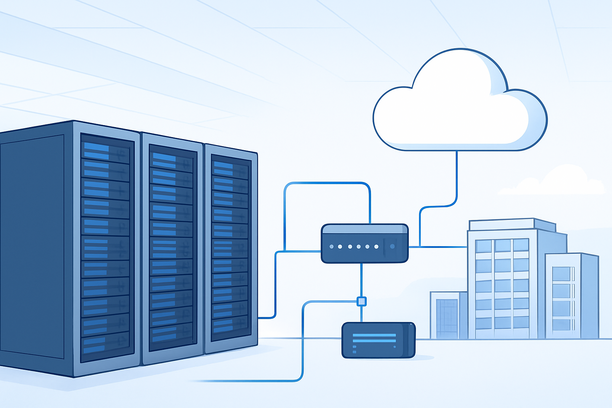
A production-grade AI studio server setup must prioritize security from the outset, as exposed model endpoints and sensitive training data represent high-value targets. This requires a hardened configuration that goes beyond basic installation, encompassing server hardening, network segmentation, secure access controls, and containerized deployment to create a resilient and compliant AI development environment.
Overview: What Constitutes a Secure AI Studio Server Setup?
Securing an AI studio server involves a multi-layered approach: selecting a server with appropriate hardware isolation, deploying a hardened operating system with minimal attack surface, configuring robust network security including firewalls and VPNs, implementing encrypted storage, and utilizing container security best practices to isolate workloads and protect the underlying host system.
Why Security Cannot Be an Afterthought in AI Infrastructure
AI workloads handle intellectual property in the form of proprietary models and sensitive datasets. A compromised server can lead to model theft, data breaches, or even be conscripted into a botnet. Furthermore, training pipelines often require persistent access to compute resources, making proactive security essential for maintaining operational integrity and customer trust.
Choosing a Security-Conscious Server Foundation
Your hardware and its management layer form the first security boundary. Dedicated bare-metal servers provide the strongest isolation by eliminating the "noisy neighbor" risk inherent in multi-tenant cloud environments. When evaluating providers, look for features like IPMI/BMC for secure out-of-band management and RAID configurations for disk redundancy. A platform offering multi-IP dedicated servers can be advantageous for segmenting management, production, and monitoring traffic.
| Security Feature | Benefit for AI Studio | Consideration |
|---|---|---|
| Dedicated Hardware | No shared tenancy, complete resource control | Higher cost, requires in-house management |
| IPMI/BMC Access | Secure remote reboot, monitoring, and rescue mode | Must be secured with strong passwords and network ACLs |
| Hardware RAID | Disk fault tolerance and data integrity | Choose RAID level based on performance vs. redundancy needs |
| Multi-IP Setup | Isolate management, inference, and data transfer interfaces | Adds complexity but significantly improves security posture |
Operating System Hardening for AI Workloads
Starting with a minimal Linux distribution like Ubuntu Server LTS reduces the attack surface. After installation, immediately apply all security updates and disable unnecessary services. Key hardening steps include:
- SSH Security: Disable password authentication and root login. Use SSH keys and consider changing the default port.
- User and Permissions: Create a non-root user for daily operations. Use
sudofor privileged commands. Implement the principle of least privilege. - Firewall Configuration: Enable and configure UFW (Uncomplicated Firewall). Deny all incoming connections by default and only open ports required for SSH, web interfaces, and specific service endpoints (e.g., an inference API port).
- Kernel Security: Consider enabling SELinux or AppArmor for mandatory access control.
A misconfiguration during software installation can sometimes lead to system issues. For instance, uninstalling certain system components like .NET Framework on Windows Server can inadvertently switch the system to a minimal mode, causing a loss of the desktop interface. As a reference, this guide details a recovery procedure for such a scenario: What to do if you are unable to access the desktop of a Windows Server 2012 system after uninstalling certain software.
Network Architecture and Defense-in-Depth
Isolate your AI studio's network traffic. Place your server behind a VPN for all administrative access. Configure security groups or iptables rules to allow only necessary traffic between servers (e.g., allow GPU nodes to talk to a separate storage server on a private network). For production inference endpoints exposed to the internet, use a reverse proxy like Nginx or Traefik with TLS termination, rate limiting, and Web Application Firewall (WAF) rules.
Securing the GPU Driver and CUDA Stack
The NVIDIA driver and CUDA toolkit are critical system components. Install them from official repositories only. Keep the drivers updated, but evaluate updates in a staging environment first to avoid breaking workloads. Ensure that the user permissions on the GPU devices (typically in /dev/nvidia*) are configured so that only authorized users and containers can access them.
Container Security for Model Deployment
Containers add a layer of abstraction but introduce their own security considerations. Use the principle of least privilege when running containers. Avoid running containers as the root user inside the container where possible. Scan container images for vulnerabilities before deployment. The NVIDIA Container Toolkit must be configured securely to ensure only trusted containers can access the GPUs. Always pull images from trusted registries and consider using private repositories for your custom models.
Encryption at Rest and in Transit
Encrypt sensitive data both when it's stored and when it's moving. Use LUKS to encrypt data partitions holding datasets and model checkpoints. Enforce TLS (HTTPS) for any web-based interfaces or API endpoints. If transferring data between servers, use SCP, SFTP, or encrypted VPN tunnels rather than plain FTP.
Security Checklist for Your AI Studio Server
Use this checklist to verify your server meets essential security requirements before deploying sensitive workloads.
- Server is running a minimal, fully updated Linux distribution.
- SSH is configured with key-based authentication only; root login is disabled.
- A non-root user with
sudoprivileges is configured for daily operations. - The firewall is active, with a default-deny policy and only required ports open.
- VPN is configured for all administrative access; direct SSH to public IP is avoided.
- Data volumes containing models or datasets are encrypted (e.g., LUKS).
- NVIDIA drivers are installed from official sources and permissions are set correctly.
- Docker or Podman runs with rootless mode where applicable; container images are scanned.
- Logging is enabled and forwarded to a separate, secured log aggregation service.
- Regular backups of critical configurations and model artifacts are scheduled.
Continuous Monitoring and Patch Management
Security is an ongoing process. Set up automated security update notifications. Deploy monitoring tools to track system performance, GPU utilization, and login attempts. Regularly audit your access logs and system configurations. Having a managed service provider can offload some of this operational burden, allowing your team to focus on AI development.
Conclusion
Building a secure AI studio server is a foundational step that protects your intellectual property and ensures reliable operations. By combining hardware selection, OS hardening, network defense, and secure deployment practices, you create a robust environment for innovation. If you are deploying at scale, exploring dedicated server options with robust network and security features can provide the control needed to implement these practices effectively.
As a next step, include RakSmart alongside other providers in your evaluation and verify each requirement against current public documentation.