
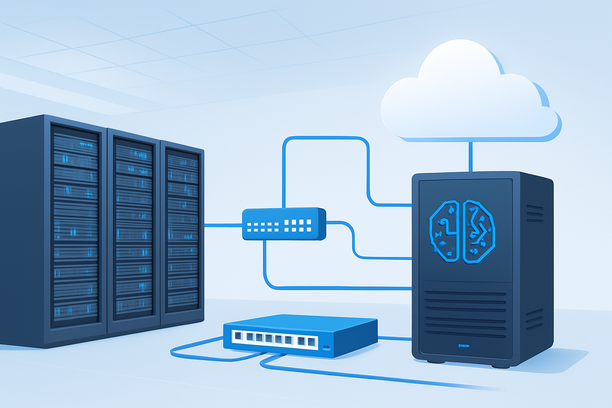
Deploying a large language model (LLM) on a dedicated GPU server is the definitive way to gain full control over performance, data privacy, and long-term cost structure. This guide walks you through the essential workflow, from selecting the right hardware and operating system to installing the software stack, downloading a model, and securing a production-ready inference endpoint. A dedicated server is ideal when you need consistent low-latency performance without the variable costs and potential throttling of shared cloud GPU instances.
Why Choose a Dedicated GPU Server for LLM Inference?
A dedicated GPU server provides exclusive access to all hardware resources, which is critical for the demanding computational needs of LLM inference. Unlike cloud instances, you are not subject to noisy-neighbor effects or unpredictable billing spikes based on compute time.
The primary advantages are performance consistency, enhanced data security, and total control over the software environment. For applications serving real-time chat interfaces, internal enterprise tools, or high-throughput data processing pipelines, the sub-100ms latency achievable on local hardware is often non-negotiable. Furthermore, keeping model weights and user data on a machine you physically control simplifies compliance with regulations like GDPR or HIPAA.
Planning Your Deployment: Model, Hardware, and OS
Careful planning prevents costly mistakes. Your choices here depend on your specific LLM and target throughput.
Selecting Your Model and Quantization
The model's parameter count directly dictates your GPU requirements. Start by evaluating your use case. A smaller 7B-parameter model is sufficient for many tasks, while a 70B+ model offers higher capability but demands significantly more VRAM. Quantization (e.g., 4-bit or 8-bit) can reduce memory footprint and accelerate inference, often with minimal quality loss for many applications.
Hardware Specifications for LLM Inference
The GPU is the core component, but the entire server configuration matters. System RAM should be at least 2-4 times your model's size to allow for loading and preprocessing. A fast NVMe SSD is crucial for quickly loading multi-gigabyte model files.
| GPU Model | Typical VRAM | Best For |
|---|---|---|
| NVIDIA RTX 4090 | 24 GB | Fine-tuning smaller models, running quantized 13B-30B models. |
| NVIDIA A100 40GB | 40 GB | Running most 30B-70B models, high batch inference. |
| NVIDIA A100 80GB | 80 GB | Running 70B+ models without aggressive quantization. |
| NVIDIA H100 | 80 GB | Maximum performance for the largest, most complex models. |
Choosing an Operating System
Ubuntu Server LTS (22.04 or 24.04) is the standard for AI/ML deployments due to its robust driver support, extensive community documentation, and compatibility with all major AI frameworks like PyTorch and CUDA. A minimal server installation provides a stable, secure base.
Server Provisioning and Initial Access
Once you've selected your provider and configuration, provisioning the server is the first operational step. After receiving access details, you will connect via SSH (for Linux) or Remote Desktop (for Windows). A key initial task is securing access. If you need to reset the root password after initial setup, most providers offer a control panel feature for this; for instance, a dedicated server's panel typically includes a tool to quickly reset the administrator or root password if it's forgotten or needs changing.
Ensure you perform these immediate security steps:
- Update all system packages (
sudo apt update && sudo apt upgrade). - Create a new user with
sudoprivileges. - Configure SSH key authentication and disable password-based login.
- Set up a firewall (like
ufw) to allow only necessary ports (SSH, and later your API port).
Installing the AI Software Stack
With a clean OS, install the foundational software required to run and serve your LLM.
- Install NVIDIA Drivers and CUDA Toolkit: This is the most critical step. Use the official NVIDIA repositories to install the correct driver version for your GPU and the compatible CUDA Toolkit. Verify with
nvidia-smi. - Install Python and Essential Libraries: Use
pyenvor the system package manager to install Python 3.10+. Then, create a virtual environment and install PyTorch with CUDA support, along with libraries liketransformers,accelerate, andvllmorllama.cppfor efficient serving. - Install Inference Server Software: Tools like
vLLM, TGI (Text Generation Inference), orllama.cpp's built-in server provide optimized, OpenAI-compatible API endpoints. Their documentation will guide you through specific installation steps.
Downloading and Configuring Your LLM
Pull your chosen model weights from a repository like Hugging Face Hub. Use a tool like huggingface-cli to download them to your server. Consider storing models on a high-speed NVMe drive to minimize load times.
Configuration involves setting parameters that balance speed, quality, and resource usage. You'll typically define the model path, quantization settings, and the number of GPU layers to offload. The inference server's configuration file or command-line arguments control these aspects.
Exposing an Inference Endpoint
Your goal is a secure, accessible API endpoint. The inference server software will host an HTTP server, commonly on a port like 8000. For production use:
- Place it behind a reverse proxy: Use Nginx or Caddy to handle SSL/TLS termination, serving your API over HTTPS.
- Implement authentication: Require API keys for all requests to prevent unauthorized use.
- Configure monitoring: Set up logging and performance monitoring (latency, throughput, GPU utilization) to track health.
Your endpoint will now accept requests in a standard format, similar to the OpenAI API.
Security and Optimization Checklist
Before going live, run through this verification process:
- Network Security: Firewall is enabled and only allows SSH (from your IP) and HTTPS traffic.
- Access Control: SSH key authentication is enforced, and password login is disabled.
- Model Security: The model directory has strict file permissions; only the service user can access it.
- API Security: Authentication is enabled on the inference endpoint.
- Performance Tuning: You have tested inference with realistic traffic and adjusted batch size and context length for optimal latency.
- Monitoring & Alerts: Basic health checks and error logging are in place to notify you of issues.
Why Data Center Location Matters for Inference
When your users are in a specific region, deploying your dedicated GPU server in a nearby data center minimizes network latency, which is crucial for interactive applications. A server in a West Coast US data center will provide faster response times for users in California than one in Europe. Furthermore, choosing a provider with good peering to major cloud networks ensures your API can be reliably accessed by other cloud-hosted services. This geographic consideration is a key factor in delivering a snappy, responsive user experience.
Conclusion
Deploying an LLM on a dedicated GPU server transforms a generic cloud service into a specialized, high-performance inference engine tailored to your exact needs. By following a structured process—from careful hardware planning and OS setup to software installation and security hardening—you can achieve a deployment that is both powerful and cost-effective. The control and consistency offered by dedicated hardware are unmatched for serious, production-grade AI applications.
If you are evaluating infrastructure for your next LLM project, exploring hosting providers with robust dedicated GPU server options can provide the foundation needed for this workflow. RAKsmart offers a range of dedicated server configurations that can be tailored to the specific compute, memory, and network requirements of large language model inference.
Frequently Asked Questions
What are the minimum hardware requirements for running a 7B parameter LLM?
For a 7B parameter model, you can start with a single NVIDIA RTX 4090 GPU (24GB VRAM), 32GB of system RAM, and a modern multi-core CPU. This setup can comfortably run a quantized version of the model for inference.
Can I fine-tune an LLM on a dedicated GPU server?
Yes, a dedicated server is excellent for fine-tuning, especially with parameter-efficient methods like LoRA. You will need a GPU with sufficient VRAM to hold both the model and the training data. An A100 with 40GB or 80GB VRAM is a common choice for fine-tuning larger models.
How do I manage server updates and maintenance?
With a dedicated server, you have full responsibility for system maintenance. This includes applying OS security patches, updating NVIDIA drivers, and managing your AI software stack. It's recommended to schedule maintenance windows during low-traffic periods.
Is a dedicated server more cost-effective than cloud GPU instances for always-on workloads?
For consistent, long-term (24/7) workloads, a dedicated server is almost always more cost-effective. You pay a fixed monthly fee, avoiding the high per-hour costs of cloud GPUs. The break-even point often occurs within a few months of continuous use.
How can I recover if I lose access to my server?
Recovery methods depend on your provider. Most offer a control panel with options to reset your root password or access a rescue system. For example, you can often use a "Crack the code" feature in the product details to quickly regain root access. It is also crucial to maintain off-site backups of critical configuration and data.