
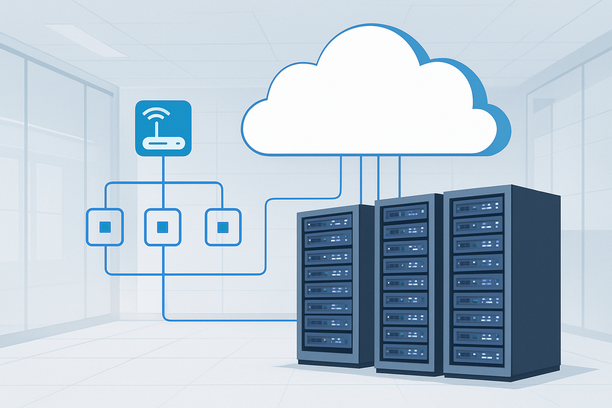
An effective AI studio server setup extends far beyond the initial installation of drivers and frameworks. To move from a functional development environment to a reliable production platform for training models and serving inferences, you must implement deliberate operational practices for security, monitoring, resource management, and high availability. This guide focuses on the critical steps taken after the basic setup is complete, ensuring your AI infrastructure is robust, secure, and performant for real-world workloads.
Overview: From Functional Setup to Operational Excellence
Transforming a configured server into a production-ready AI studio involves three core operational pillars: security hardening to protect your models and data, continuous monitoring to ensure performance and health, and strategic resource management to scale effectively. Neglecting these post-setup tasks introduces vulnerabilities and operational blind spots that can derail projects.
Securing Your Server: The Essential First Step in Production
Hardening your server's security is the immediate priority after initial setup, as a compromised system can lead to data theft, resource abuse, or loss of intellectual property. This involves both standard system hardening and AI-specific precautions.
Key Security Actions:
- Network Security: Configure a strict firewall (like UFW or iptables) to allow only necessary ports (e.g., SSH on a non-standard port, HTTPS). Avoid exposing management interfaces to the public internet.
- System Hardening: Disable root login via SSH, use key-based authentication, and regularly apply security updates. Automate updates where possible.
- Access Control: Implement the principle of least privilege. Create separate user accounts for different tasks and use tools like
sudofor privilege escalation. - Model and Data Security: Encrypt sensitive datasets and model weights at rest. Be mindful of dependencies in your container images to avoid introducing vulnerabilities.
If you are running Windows Server for any component of your stack, be aware of potential issues arising from software configuration changes. For example, uninstalling .NET Framework can sometimes cause the system to enter Core mode, resulting in a loss of graphical desktop access. This can be resolved by accessing the Task Manager and executing commands to restore the full desktop environment, as detailed in the guide for recovering a Windows Server desktop.
Deploying and Monitoring Inference Services
Once your environment is secured, the next operational focus is reliably deploying your models as accessible services and monitoring their performance and resource consumption.
Deploying as a Service: Use containerization to package your model and its dependencies into a consistent, deployable unit. Tools like Docker and NVIDIA's container toolkit are standard. For managing multiple services or models, orchestration platforms like Kubernetes can automate deployment, scaling, and management.
Implementing Critical Monitoring: You cannot optimize what you cannot measure. Implement monitoring for both system resources and application performance.
- System Monitoring: Use tools like
htop,glances, or Prometheus with Grafana to track CPU, RAM, GPU utilization (nvidia-smi), and storage I/O. - Network and Traffic Monitoring: For dedicated servers, understanding data transfer is crucial. Provider portals often include tools to view traffic statistics, showing inbound and outbound usage over periods like the past 30 days. This helps identify unexpected spikes or growth in dataset transfer.
- Inference Metrics: Instrument your model service to log key performance indicators: inference latency (time per request), throughput (requests per second), and error rates.
The following table outlines common monitoring targets and recommended tools.
| Monitoring Target | Key Metrics | Common Tools |
|---|---|---|
| System Health | CPU Load, RAM Usage, Disk I/O, Temperature | htop, glances, Prometheus, Node Exporter |
| GPU Performance | Utilization %, Memory Used, Temperature, Power Draw | nvidia-smi, DCGM Exporter, Prometheus |
| Network | Bandwidth Usage, Packet Loss, Latency | iftop, nethogs, vnStat, Provider Dashboard |
| Inference Service | Latency (ms), Throughput (RPS), Error Rate | Application logs, Prometheus, Grafana, Custom scripts |
Resource Management and Scaling Operations
As your projects evolve, you will need to manage and scale your infrastructure. Knowing how to perform these operations minimizes downtime and ensures you can meet growing demands.
Hardware and Performance Scaling: When you consistently encounter resource bottlenecks (e.g., GPU memory limits, slow data loading), you may need to upgrade. For bare-metal servers, many providers offer an upgrade path through their management console, allowing you to increase CPU cores, RAM, or storage. This process typically involves selecting a new configuration and confirming the change, which will trigger a reboot.
Remote Management and Recovery: For dedicated physical servers, out-of-band management is critical for recovery scenarios. The Baseboard Management Controller (BMC) provides remote access to power-cycle the server, mount recovery ISOs, and view console output even if the main OS is unresponsive. If you encounter issues with remote access or the BMC itself, performing a BMC reset is a primary troubleshooting step. Similarly, if you are locked out of the system, most control panels offer a feature to reset the default administrator or root password.
Production Readiness Checklist
Use this checklist to audit whether your AI studio server is ready for sustained, secure production use.
- Security: Firewall is enabled and configured with a deny-by-default policy.
- Access: SSH uses key-based authentication; password login and root login are disabled.
- Updates: Automated security updates are enabled, or a regular patching schedule is in place.
- Monitoring: System resource monitoring (CPU, RAM, GPU) is active and alerting.
- Logging: Centralized logging for system events and your inference service is configured.
- Backups: A backup strategy for critical data (datasets, model checkpoints, configurations) is implemented and tested.
- Documentation: Basic operational procedures (restart services, scale resources, access recovery console) are documented.
- Disaster Recovery: You know how to access out-of-band management (BMC/IPMI) and can perform a password reset if needed.
Conclusion
Setting up an AI studio server is only the beginning. Achieving operational maturity requires a focused shift toward security hardening, systematic monitoring of system and inference performance, and proactive resource management. By implementing these practices, you transform a simple server into a resilient, secure, and efficient platform that supports the continuous development and deployment of AI models.
When evaluating infrastructure for these demanding AI workloads, consider providers that offer not just powerful GPU servers but also the comprehensive management tools—like intuitive control panels for traffic statistics, secure password resets, and reliable out-of-band access—that simplify the ongoing operational tasks outlined here.